A prompt is a text brief for an AI model: it decides what to draw, in which style and under what light. A bare “cat” works too, but then the model makes every decision. A detailed prompt gives those decisions back to you. We put together a formula that works in current models and tested it on examples — all images and the video below were made in the AI2Face generator in Nano Banana Pro and Veo 3.1.
What an AI image prompt is, in plain words
A prompt describes the shot, as you would for a photographer or illustrator you can’t supervise. Anything you leave out, the model fills in: the cat’s breed, the time of day, the wall color, the angle. Sometimes that works out, but without a detailed description you can’t repeat a result or get exactly the shot you need.
Google’s Nano Banana documentation puts it this way: describe the scene in rich detail — the more specific you are, the more control you have over the result. Models in 2026 understand coherent sentences better than comma-separated tags, so write in sentences.
The prompt formula for an AI image
| Part | What it sets | Example |
|---|---|---|
| 1. Subject and action | who or what is the main thing in the frame | a fluffy ginger Maine Coon sits on a windowsill |
| 2. Setting | where and when | looking out at a rainy evening city |
| 3. Style | photo, watercolor, anime, 3D | photorealistic portrait |
| 4. Light and camera | mood and depth | soft window light from the left, 85mm, shallow depth of field |
| 5. Details | what brings the frame to life | raindrops on the glass, warm lamp glow inside |
| 6. Restrictions | what must not be there | no text, no logos |
Name the main subject first: that makes the prompt easier to read and edit. Not all six parts are required — but every part you skip is left to the model.
A short vs a detailed prompt
We sent two prompts to Nano Banana Pro. The first was a single word:
Cat
The second followed the formula:
Photorealistic portrait of a fluffy ginger Maine Coon cat sitting on a wooden
windowsill and looking out at a rainy evening city, raindrops on the glass, soft
diffused window light from the left, warm lamp glow inside the room, shallow depth
of field, 85mm lens, warm cozy color palette, no text
From the word “cat,” the model produced a decent photo, but it made every decision itself: the breed, the garden outside, the blanket, the daylight. The detailed prompt produced exactly the intended shot — a Maine Coon, rain, an evening city, a lamp. If you need an image for a specific purpose — a cover, a post, a banner — a detailed prompt saves you a dozen attempts.
Styles: one scene, four images
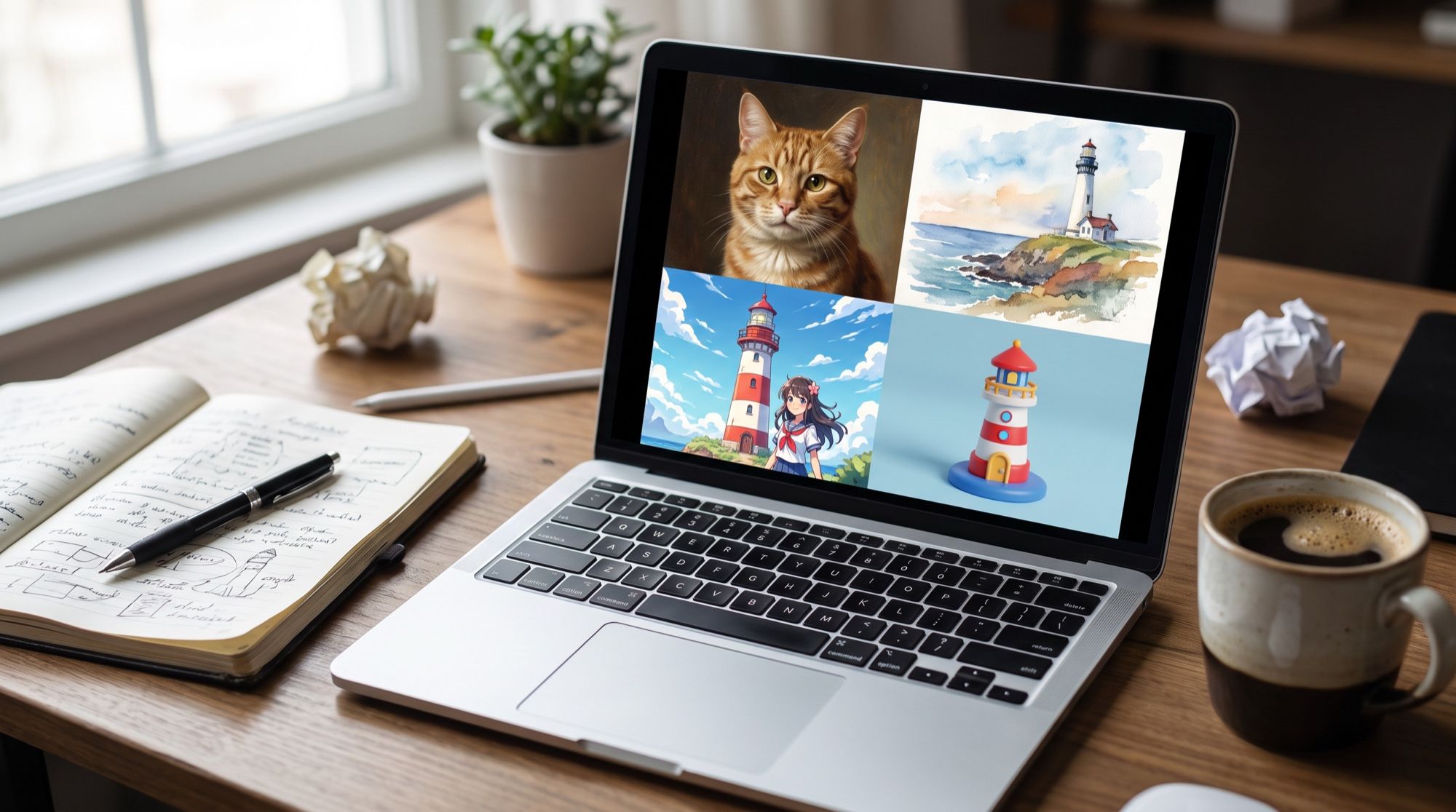
To see what a style word does, we took one scene — a white lighthouse on a cliff above a stormy sea at golden hour — and changed only the style description.
Photo:      Photorealistic photo of a white lighthouse on a rocky cliff above a
            stormy sea at golden hour, dramatic clouds, crashing waves, wide angle.
Watercolor: Watercolor illustration of … loose wet brush strokes, paper texture,
            soft color bleeds, white paper edges.
Anime:      Anime illustration in a hand-painted background style of … dramatic
            glowing clouds, crisp linework, vivid colors.
3D:         Cute stylized 3D render of … soft clay-like materials, rounded shapes,
            toy diorama look, soft studio lighting.
Note that a style isn’t one word. “Watercolor” works better together with signs of the technique: “wet brush strokes,” “paper texture.” The same goes for 3D: “clay,” “diorama” and “studio lighting” specify which kind of 3D you want.
| Style | Words that reinforce it |
|---|---|
| Photorealism | photorealistic, 35/50/85mm lens, shallow depth of field, natural skin texture |
| Cinematic | film still, anamorphic lens, backlight, film grain |
| Watercolor | wet brush strokes, paper texture, color bleeds, white edges |
| Anime | hand-painted backgrounds, crisp linework, vivid colors, glowing clouds |
| 3D | clay, diorama, soft materials, studio lighting |
| Flat graphics | vector illustration, flat colors, no shadows, simple shapes |
One prompt, one main style. A “watercolor photorealistic anime render” reads to the model as a contradiction, and you’ll get a mix.
Light and camera: words that change the mood
| Goal | What to write in the prompt |
|---|---|
| Soft, premium lighting | soft diffused window light, softbox |
| Drama | hard side light, deep shadows, low-key |
| Warmth and coziness | golden hour, warm lamp glow |
| City at night | neon signs, reflections on wet asphalt |
| Portrait with a blurred background | 85mm lens, f/1.8, shallow depth of field |
| Landscape, architecture | wide angle, deep focus |
| Detail, macro | macro photography, focus on the detail |
Text on an image: how to write it in the prompt
Nano Banana Pro and GPT Image 2.5 render text correctly — we tested them in English and in Russian — if you give it word for word. Google’s documentation advises exactly that: be clear about the text, describe the font style and the overall design.
Vertical event poster in a flat illustration style: a cheerful autumn street fair
with wooden stalls, pumpkins, apples, string lights and people in warm coats. At
the top a big bold headline in English: Autumn Fair — below it, in a clean
sans-serif font: October 18 · Gorky Park · free entry. Warm orange, mustard
and deep green palette, no other text, no logos
Three rules for text:
- Write the text word for word as it should appear: with capitals and punctuation.
- Don’t put the text in quotes, or add “without quotation marks.” In our tests the model sometimes drew the prompt’s quotation marks on the image — this is covered in our guide to the AI greeting card generator.
- Add “no other text,” or the model may add extra captions.
Ready-made AI image prompts
Formula-based templates — swap the subject and details for your task.
Product photo:
Commercial product photo of a matte amber glass dropper bottle of face serum
standing on a wet stone slab with a few drops of water around it, a sprig of
eucalyptus, soft side light from the left creating a long soft shadow, beige
seamless background, macro detail, sharp focus on the bottle, no text on the
bottle, no logos
More prompts for products are in our collection of AI product card prompts.
Portrait:
Photorealistic portrait of a woman around 35 with short dark hair in a beige trench
coat, standing by a brick wall on an autumn day, soft diffused light, 85mm lens,
shallow depth of field, natural skin texture, no text
Landscape:
Wide shot of a mountain lake at dawn, mist over the water, a reflection of snowy
peaks, a lone wooden boat by the shore, cold blue palette with pink light on the
peaks, photorealistic, no people, no text
Illustration for an article or post:
Flat vector illustration: a young woman working on a laptop in a cozy room with
plants, charts on the screen, a cup of tea nearby, a calm palette of beige, sage
and terracotta, plenty of empty space on the right for text, no lettering
For people and photoshoots, there are separate collections with results: AI photoshoot prompts, AI avatar prompts, and for logos, our guide to the AI logo generator.
Which language to write prompts in
Current models understand many languages. We checked this on photo edits: Nano Banana Pro removed a passer-by and a trash bin from a shot following a prompt in Russian, and GPT Image 2.5 replaced the text on a sign — just as with English prompts. English is handy for established terms — shallow depth of field, golden hour, softbox — and you can drop them straight into a prompt in another language.
Write text that should appear on the image in the language it should be in, regardless of the language of the rest of the prompt.
Which AI to write the prompt for
The formula above works in all current models, but each has its strengths:
| Model | How to write | Strengths |
|---|---|---|
| Nano Banana Pro | coherent text, a detailed scene description | photorealism, text, photo editing |
| GPT Image 2.5 | coherent text, refine it in a conversation | accurate lettering and fonts |
| Seedream 5.0 | coherent text, several references | design, composition, series |
| Midjourney | shorter, focused on style and mood | artistic style |
For more techniques for Google’s models, see our guide to Nano Banana prompts.
A prompt for video: what to add to the formula
A video is an image that moves and makes sound. For Veo 3.1, Google suggests a five-part structure: cinematography + subject + action + context + style and ambiance. Put dialogue in quotes, and sound effects and ambience in separate phrases.
Close-up of a fluffy ginger Maine Coon cat sitting on a wooden windowsill, watching
raindrops run down the glass of a window overlooking an evening city with blurred
lights. The cat slowly blinks, its ears twitch at the sound of rain, then it turns
its head to the camera. Slow camera push-in, shallow depth of field, warm lamp
light inside, cool blue light outside. Sound: steady rain on the window, a quiet
purr. No music, no text.
What to add to an image prompt:
- Camera: push-in, pan, orbit, static shot.
- Action over time: “blinks, then turns its head” — a sequence, not a pose.
- Sound: dialogue in quotes, sound effects and ambience separately; “no music” if you don’t want it.
More examples are in our guides to AI video generators and animating photos.
Common prompt mistakes
- Boosters instead of description. “Masterpiece, 8K, best quality” sets almost nothing. Describe the light and details, and quality will follow.
- Several styles at once. One main style plus one refinement.
- Contradictions. With “a sunny day” and “a night sky” in one prompt, the model will resolve it however it likes.
- No main subject. If the prompt has five equal subjects, the composition falls apart. Name the main one first.
- No format. Set the aspect ratio in the generator: 4:5 for social feeds, 16:9 for covers, 9:16 for stories.
- Changing everything at once. If the result is off, change one part of the prompt at a time to see what worked.
- You want a prompt from an image. Upload an image you like as a reference and ask the model for something similar with your subject — easier than guessing the words.
Where to test your prompts
Nano Banana Pro, GPT Image 2.5, Seedream and Veo 3.1 are all in one AI2Face generator, so it’s easy to run the same prompt through several models and compare. The cost of each generation is shown before you start, you can pay by card or crypto, and credits from packs don’t expire. After generation, AI2Face strips AI metadata from the file, so social networks won’t find an AI label in it.
More prompt collections: Nano Banana prompts, AI product photography prompts, AI photo style transfer, AI photoshoot prompt.
Bottom line
A good AI image prompt describes the shot in six points: subject, setting, style, light and camera, details and restrictions. The word “cat” also gets you an image, but a detailed prompt gets you the image you need. Write in coherent sentences, in whichever language you prefer; give text for lettering word for word and without quotes; back up the style with signs of the technique. For video, add camera movement, action over time and sound. Start with the templates in this article and change one part at a time.
FAQ
How do you write good AI image prompts?
Describe the shot in full sentences using the formula: subject and action, setting, style, light and camera, details, restrictions. Google's Nano Banana documentation says the same: the more specific you are, the more control you have over the result.
Which language should I write prompts in?
Current models — Nano Banana Pro, GPT Image 2.5, Seedream — understand many languages. In our test, edits from prompts written in Russian worked just as well as from English ones. English helps with terms like shallow depth of field, but it isn't required.
How long should a prompt be?
Usually 2–5 sentences. A prompt that's too short leaves the decisions to the model; one that's too long and contradictory confuses it. Length matters less than whether every word sets something visible in the frame.
How do I write a prompt for a video?
Add camera movement, action over time and sound to the image formula. For Veo 3.1, Google suggests the structure “cinematography + subject + action + context + style and ambiance,” with dialogue in quotes and sounds on a separate line.
Where can I find ready-made prompts?
In topic collections that show results: photoshoots, profile pictures, product cards, logos. Adapt any ready-made prompt: swap the subject, the light and the format for your task.
Sources
4
- https://ai.google.dev/gemini-api/docs/image-generation
- https://blog.google/innovation-and-ai/products/nano-banana-pro/
- https://developers.openai.com/api/docs/guides/image-generation
- https://cloud.google.com/blog/products/ai-machine-learning/ultimate-prompting-guide-for-veo-3-1