




Key facts
| Developer | Google DeepMind |
|---|---|
| Official name | Gemini 2.5 Flash Image |
| Release date | August 26, 2025 |
| What it does | Generates and edits images from text and photos |
| Resolution | 1K (1024 × 1024 for a square) |
| Aspect ratios | 1:1, 2:3, 3:2, 3:4, 4:3, 4:5, 5:4, 9:16, 16:9, 21:9 |
| References | Works best with 1–3 images |
| Family | Nano Banana, Nano Banana 2, Nano Banana 2 Lite, Nano Banana Pro |
| Labeling | Invisible SynthID watermark |
| In AI2Face | All four versions in the generator |
What is Nano Banana
Nano Banana is Google DeepMind’s family of models that create and edit images from a text description and uploaded photos. Officially each model is called Gemini Image: Nano Banana is Gemini 2.5 Flash Image, Nano Banana Pro is Gemini 3 Pro Image, and Nano Banana 2 is Gemini 3.1 Flash Image.
The name comes from the LMArena leaderboard. In summer 2025 an anonymous model code-named nano-banana topped its image editing ranking. On August 26, 2025 Google revealed it was Gemini 2.5 Flash Image and kept the name that had stuck. People search for it in different ways — nano banana, nanobanana, Google Nano Banana, Gemini Nano Banana, or by the Gemini version number, “nano banana 2.5”. All of these refer to the same family of Google AI models.
Unlike classic diffusion generators, Nano Banana is built on the Gemini language model. It understands long instructions, knows how the real world works and can edit a picture through conversation: “make the background evening”, “remove the person on the left”, “put the same woman in a café”.
Which Nano Banana versions exist and how they differ
As of September 2026 the family has four models. Google recommends Nano Banana 2 as the main one; it calls the original Nano Banana deprecated and advises moving to Nano Banana 2 Lite.
| Version | Official name | Released | Resolution | References | Google Search | Best for |
|---|---|---|---|---|---|---|
| Nano Banana | Gemini 2.5 Flash Image | Aug 26, 2025 | 1K | best with 1–3 | no | Quick photo edits, simple scenes |
| Nano Banana Pro | Gemini 3 Pro Image | Nov 20, 2025 | 1K, 2K, 4K | up to 14, likeness of up to 5 people | web | Complex layouts, text, brand style |
| Nano Banana 2 | Gemini 3.1 Flash Image | Feb 26, 2026 | 0.5K, 1K, 2K, 4K | up to 14: 4 people and 10 objects | web and images | The main model for most tasks |
| Nano Banana 2 Lite | Gemini 3.1 Flash Lite Image | Jun 30, 2026 | 1K | not designed for many references | no | Drafts and bulk generation, about 4 seconds per image |
The differences in short:
- Nano Banana 2 is the all-rounder. Google describes it as Pro quality at Flash speed. Only this version supports the elongated formats 1:4, 4:1, 1:8 and 8:1 and searches Google Images for references.
- Nano Banana Pro is the “smartest” model in the family. Google positions it for complex tasks: localizing text, accurate brand reproduction, detailed control.
- Nano Banana 2 Lite is the fastest and cheapest. Google claims generation in 4 seconds and $0.034 per 1K image via the API. It isn’t suited to multi-step edits or work with several references.
- Nano Banana is the first version. It works only in 1K but still edits photos from text quickly and cleanly.
What Nano Banana can do
- Text-based editing. Describe the change in words — the model replaces the background, removes an object, changes clothes or the time of day and leaves the rest untouched.
- Character consistency. The same person or object stays recognizable across scenes. For the original Nano Banana this is the headline scenario: a series of shots with one hero without training a separate model.
- Image blending. The model merges several photos into one scene: it places a person from one shot into an interior from another, or transfers a style or an object.
- World knowledge. The model draws on Gemini’s knowledge: it gets the structure of objects, architecture, food and diagrams right. Pro and Nano Banana 2 also search Google for up-to-date data.
- Text in images. Even the original version handles short lettering, while Pro and Nano Banana 2 write legible headlines, menus and captions in different languages.
- High resolution. Nano Banana 2 and Pro generate up to 4K: 4096 × 4096 pixels for a square frame.
What Nano Banana is good for
- Photo shoots and portraits. A portrait from your own photo in a new outfit, location or style is the most popular scenario. For a series of shots with one face, AI2Face has a character builder.
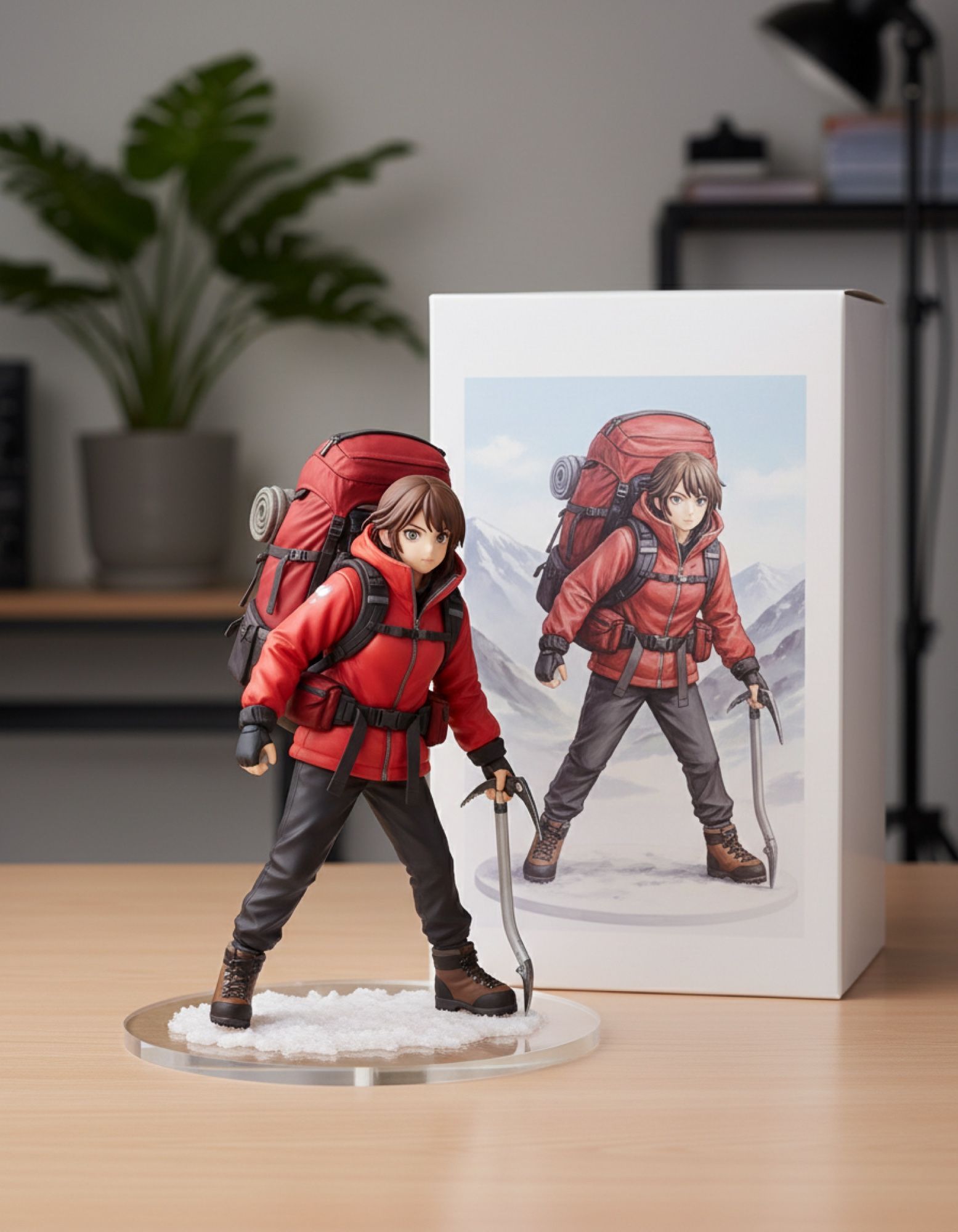
- Collectible figurines. One of Nano Banana’s best-known scenarios, which Google itself mentions: turn yourself or a character into a figurine on a desk next to its box. There’s an example in the gallery below.
- Product photography. A product shot on the background you need for a marketplace or social media, without a studio.
- Interiors. Renovation visualization: upload a photo of the room and describe the style, furniture and light.
- Illustrations. Watercolor, comics, anime, 3D — the models hold a style and can transfer it from a reference.
- Infographics, posters and banners. Nano Banana 2 or Pro are the better choice here: they render text more reliably.
Nano Banana and its alternatives
| Criterion | Nano Banana 2 | GPT Image 2 | Seedream 4.5 |
|---|---|---|---|
| Developer | Google DeepMind | OpenAI | ByteDance |
| Released | Feb 26, 2026 | April 2026 | 2025 |
| Maximum resolution | 4K | 3840 × 2160 | 4K in AI2Face |
| References | up to 14 | up to 16 | up to 10 in AI2Face |
| Web search during generation | yes | no data | no data |
| In AI2Face | yes | yes | yes |
Nano Banana 2 wins on the combination of speed, 4K and Google Search: the model can look up what a specific landmark or product looks like and draw it accurately. Seedream 4.5 is a strong alternative for photorealism in 4K and is also in the AI2Face generator. GPT Image 2 accepts the most references, and it is in the AI2Face generator too.
How to write prompts for Nano Banana
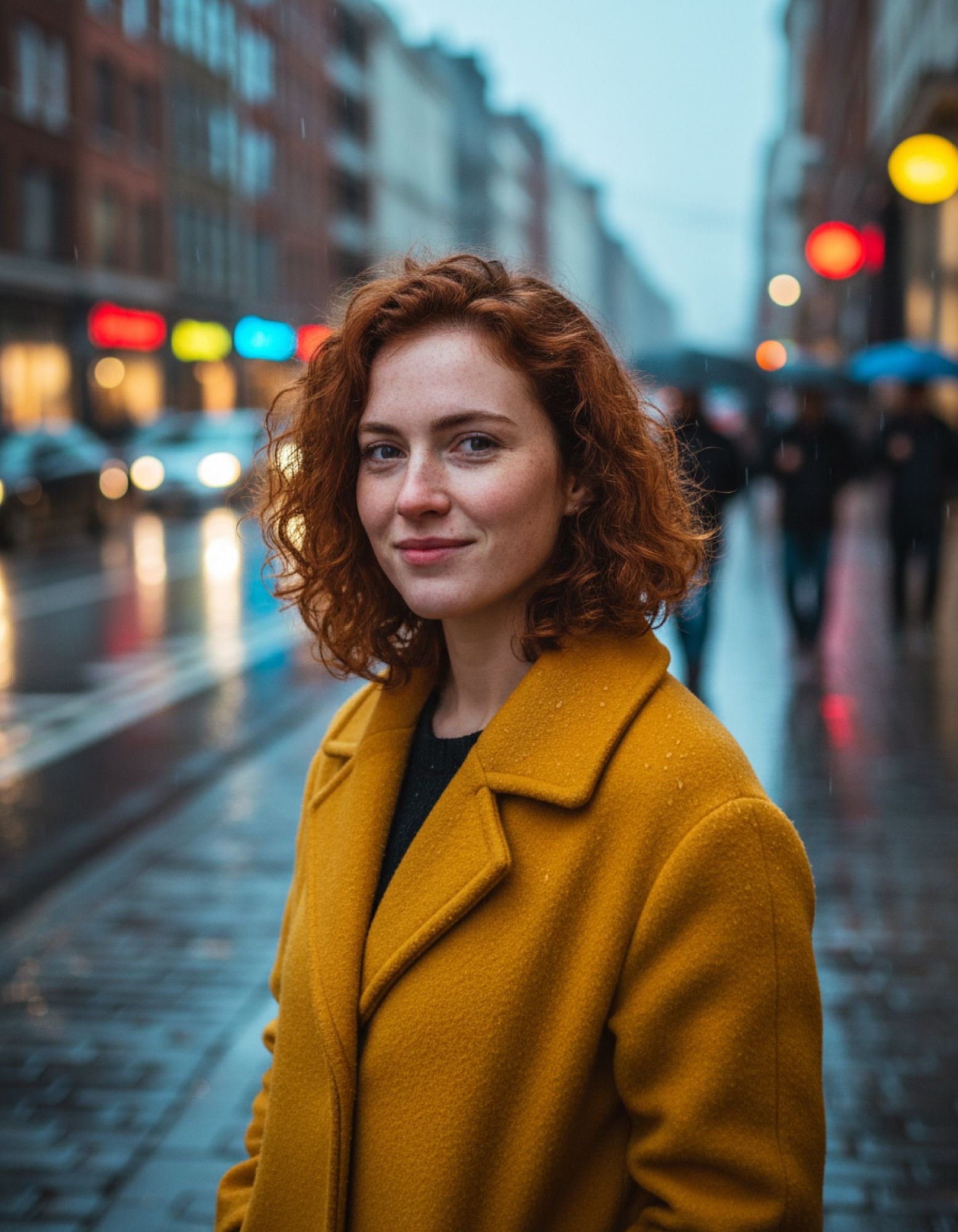
- Describe a scene, not a list of tags. “A woman in a mustard coat standing on a wet street at dusk” works better than “girl, coat, rain, 4k”.
- Use a photographer’s vocabulary: lens (85mm), depth of field, type of light (golden hour, soft window light).
- For edits, say what to keep. “Replace the background with a beach, don’t change the face or clothes.”
- Put text for the image in quotes and write it in the language it should appear in.
- Edit iteratively. Change one detail at a time: the family is built for step-by-step editing in a conversation (except Lite).
All gallery prompts are given in full. More techniques and ready-made examples are in the article Nano Banana prompts: they work across all versions.
Official Nano Banana website and availability
Google has no separate “Nano Banana” website. Officially the models are available in three places:
- the Gemini app (gemini.google.com) — for everyone, with a limit on free generations; Google doesn’t publish how many images per day — details in the article Nano Banana free;
- Google AI Studio — for developers and prompt testing;
- the Gemini API and Vertex AI — for integrations, paid per image.
Sites with “nano banana” in the address belong to third-party services, not Google. Before paying, check who owns them.
The official services aren’t available in every country: as of September 30, 2026, Google publishes a country list for the Gemini app and a region list for the API. In AI2Face all four Nano Banana models are available in the generator, and the cost is shown before you generate.
How to use Nano Banana in AI2Face
- Sign up — new accounts get welcome credits.
- Open the generator and choose a model: Nano Banana, Nano Banana 2, Nano Banana 2 Lite or Nano Banana Pro.
- Write a prompt, upload references if needed, choose the aspect ratio and resolution.
- Start the generation. The cost in credits is shown before you start, and the result is saved to your feed together with the prompt and settings.
To keep one face recognizable across many shots, use the character builder. It assembles a scene from a location, outfit and pose and takes the face from 1–3 uploaded photos.
Limitations
- The original Nano Banana generates only in 1K, and Google recommends giving it no more than three input images.
- Small and long text sometimes contains typos even in Pro — proofread layouts before printing.
- Nano Banana 2 Lite isn’t suited to multi-step edits or building a scene from many references.
- The models follow Google’s safety policies and refuse prohibited content, including compromising images of real people.
- Every image carries an invisible SynthID watermark that shows it was made by Google AI.
Conclusions
Nano Banana isn’t one model but a lineup of four for different tasks. If you don’t know where to start, take Nano Banana 2: it’s fast, outputs 4K and holds up to 14 references. Switch to Pro when you need flawless text or a complex layout. Lite suits dozens of drafts, and the original Nano Banana suits quick 1K photo edits. The simplest way to try all four versions side by side is AI2Face: the welcome credits are enough to compare them on your own prompt.
Generation examples

FAQ
Is Nano Banana a Google AI model?
Yes. Nano Banana is Google DeepMind's family of models for generating and editing images. The name started as the code name of an anonymous model on the LMArena leaderboard, and on August 26, 2025 Google confirmed it was Gemini 2.5 Flash Image.
Which Nano Banana version should I choose?
For most tasks, Nano Banana 2: it outputs up to 4K and accepts up to 14 references. Pick Nano Banana Pro for complex layouts with text and precise brand work, and Nano Banana 2 Lite for quick 1K drafts.
Where is the official Nano Banana website?
Officially, the models run in the Gemini app, Google AI Studio and the Gemini API. Google has no separate “Nano Banana” website: domains with that name belong to third-party services.
Is Nano Banana available in every country?
No. The Gemini app and the Gemini API work only in the countries and regions Google lists. In AI2Face all Nano Banana models are available in the generator, and the cost is shown before you generate.
Can I use Nano Banana for free?
Partly. The Gemini app offers free generations with a daily limit that Google changes. In AI2Face new accounts get welcome credits — enough to try every version.
Does Nano Banana understand prompts in other languages?
Yes, Gemini models understand many languages. Results are most precise in English, especially for text on the image: write the lettering in the language it should appear in.
Sources
10
- https://developers.googleblog.com/en/introducing-gemini-2-5-flash-image/
- https://developers.googleblog.com/en/gemini-2-5-flash-image-now-ready-for-production-with-new-aspect-ratios/
- https://ai.google.dev/gemini-api/docs/image-generation
- https://blog.google/innovation-and-ai/products/nano-banana-pro/
- https://blog.google/innovation-and-ai/technology/ai/nano-banana-2/
- https://blog.google/innovation-and-ai/models-and-research/gemini-models/gemini-omni-flash-nano-banana-2-lite/
- https://support.google.com/gemini/answer/13575153
- https://ai.google.dev/gemini-api/docs/available-regions
- https://developers.openai.com/api/docs/models/gpt-image-2
- https://seed.bytedance.com/en/seedream4_5