





Key facts
| Developer | Google DeepMind |
|---|---|
| Official name | Gemini 3 Pro Image |
| Release date | November 20, 2025 |
| What it does | Generates and edits images from text and references |
| Resolution | 1K, 2K and 4K |
| Aspect ratios | 1:1, 2:3, 3:2, 3:4, 4:3, 4:5, 5:4, 9:16, 16:9, 21:9 |
| References | Up to 14, including up to 6 objects and up to 5 people |
| Thinking mode | Up to 2 interim images before the final one |
| Labeling | Invisible SynthID watermark |
| In AI2Face | Available in the generator and character builder |
What is Nano Banana Pro
Nano Banana Pro is Google DeepMind’s model for generating and editing images, part of the Nano Banana family. Its official name is Gemini 3 Pro Image: it’s built on the Gemini 3 Pro language model and uses its reasoning and knowledge of the world. That’s why it understands long, multi-part prompts better than typical generators: “a poster with a schedule in three languages”, “a diagram of how an engine works”, “the same woman, but in different clothes and light”.
Before the final image, the model “thinks”. According to the Gemini API documentation, it creates up to two interim images to check the composition and logic of the scene, and you don’t pay for these drafts.
Google introduced the model on November 20, 2025 as the successor to Nano Banana (Gemini 2.5 Flash Image). Later came the fast Nano Banana 2 (Gemini 3.1 Flash Image), while Pro remained the option for the most complex tasks where details, text and following the brief precisely matter. The query “nano banana 2 pro” refers to this same Pro model: there’s no separate version with that name.
What Nano Banana Pro can do
- Photorealism. Skin, fabric, light and optics look like a photograph: the model understands photographers’ language — focal length, aperture, lighting type.
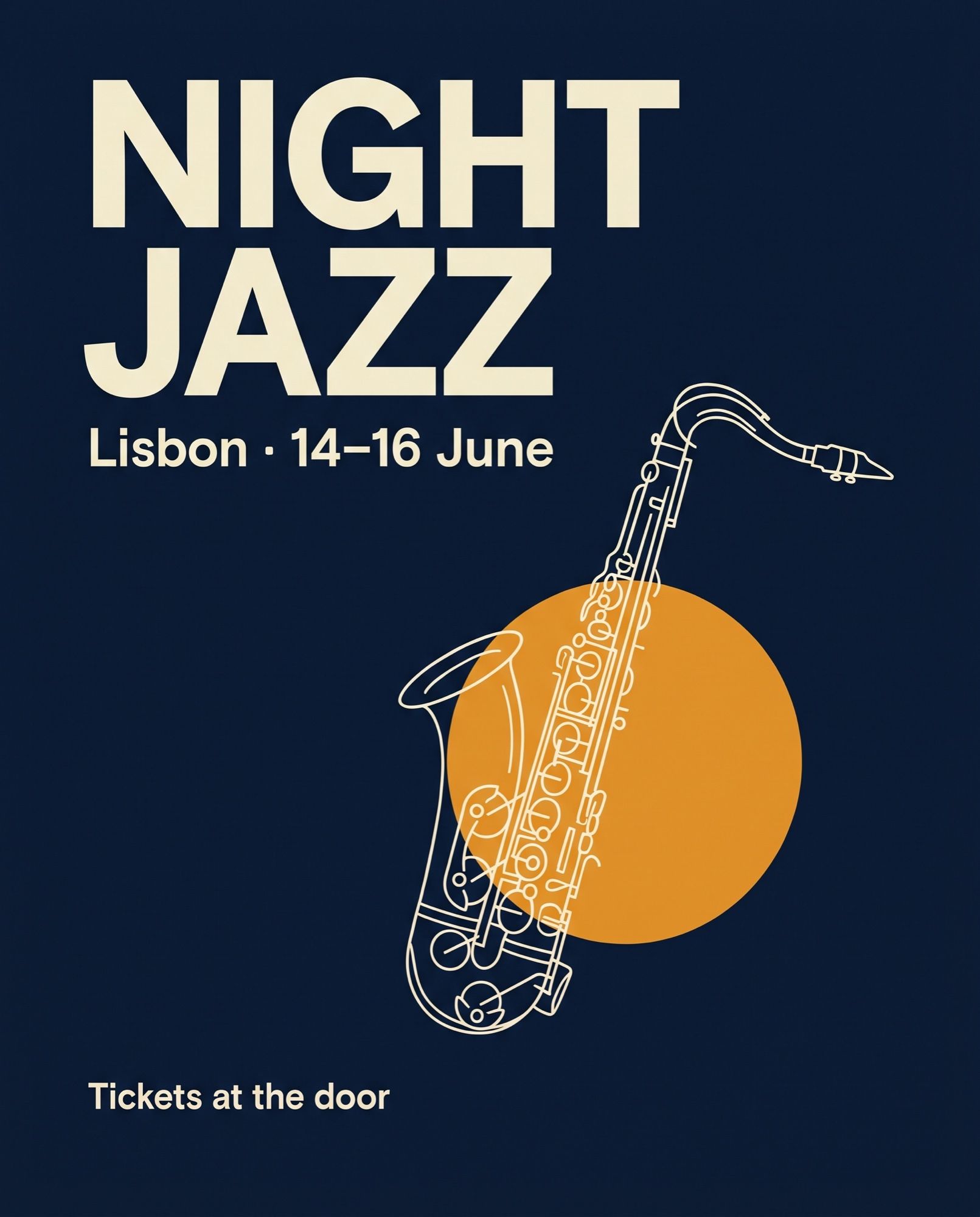
- Text in images. Headlines, captions, menus and paragraphs come out legible, including in different languages. The model can translate and localize lettering in a finished image.
- Up to 14 references. One generation can take up to 6 images of objects that must be transferred accurately and up to 5 photos of people to keep their likeness. A logo, palette, product and faces fit into one request.
- Targeted editing. You can change the camera angle, lighting (for example, day to night), color grading, focus and individual objects without touching the rest.
- Resolution up to 4K and ten aspect ratios — from square to wide 21:9.
What Nano Banana Pro is good for
Nano Banana Pro shines where accuracy matters more than speed:
- portraits and photo shoots with a recognizable face — for social media, profiles and personal branding;
- posters, covers, banners and layouts with readable text;
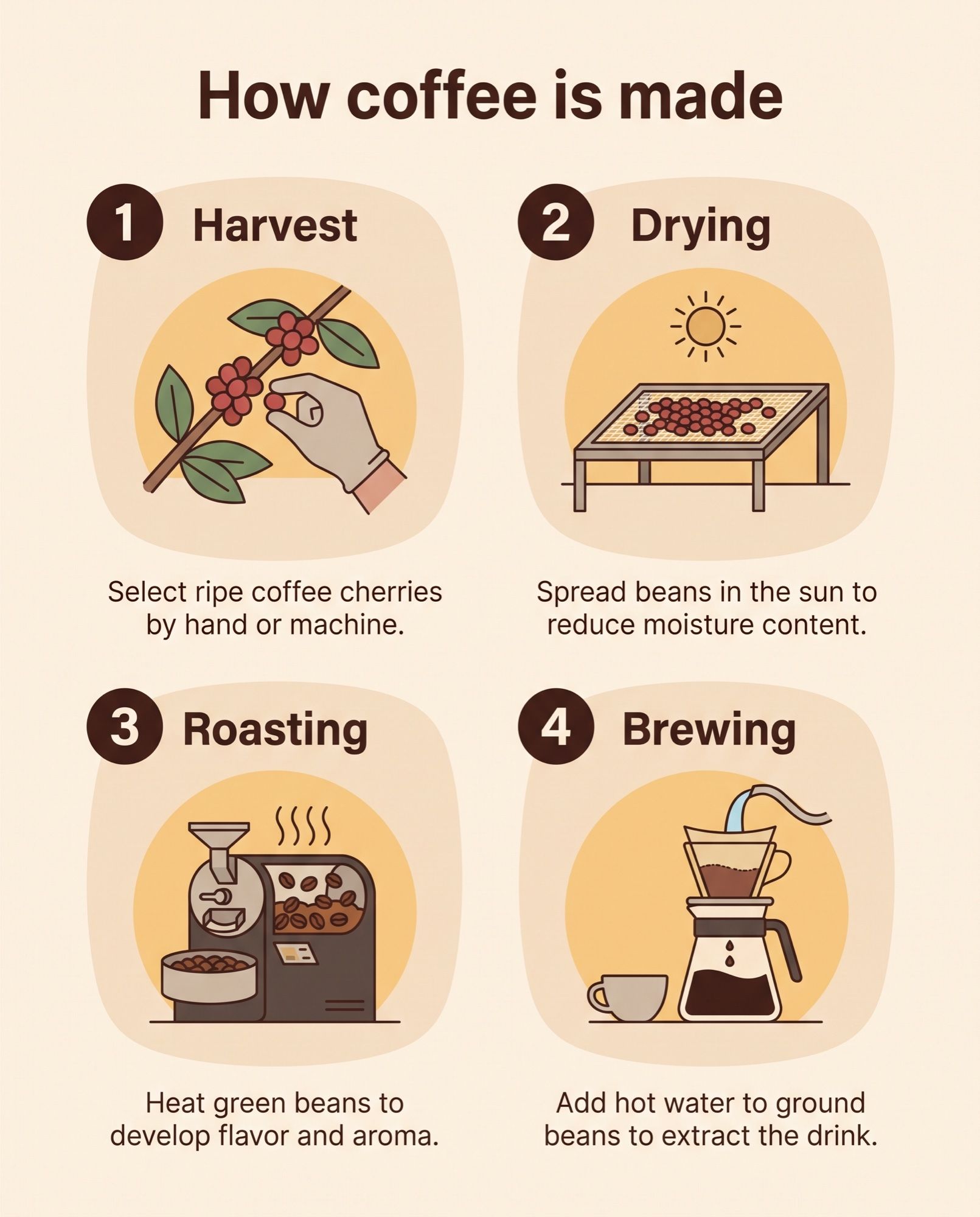
- infographics, diagrams, step-by-step guides and learning materials;
- product photography and marketplace visuals that keep a brand style;
- storyboards and concepts where one character moves from scene to scene.
For drafts and bulk generation, lighter models are faster and cheaper; Pro is worth bringing in for final versions.
Nano Banana Pro and its alternatives
| Criterion | Nano Banana Pro | Nano Banana 2 | GPT Image 2 | Seedream 4.5 |
|---|---|---|---|---|
| Developer | Google DeepMind | Google DeepMind | OpenAI | ByteDance |
| Released | Nov 20, 2025 | Feb 26, 2026 | April 2026 | 2025 |
| Maximum resolution | 4K | 4K | 3840 × 2160 | 4K in AI2Face |
| References | up to 14: 6 objects and 5 people | up to 14: 4 people and 10 objects | up to 16 | up to 10 in AI2Face |
| Web search during generation | yes | yes, including images | no data | no data |
| Gemini API price per 1K | $0.134 | $0.067 | — | — |
| In AI2Face | yes | yes | yes | yes |
Nano Banana Pro wins on complex layouts: lots of text, an exact brand style, several people and objects in one frame. Nano Banana 2 is half the price in the API, works faster and supports 1:8 and 8:1 frames, which is why Google recommends it for everyday tasks. Seedream 4.5 is an alternative for photorealism in 4K and is also in the AI2Face generator. GPT Image 2 accepts the most references, and it is in the AI2Face generator too.
How to write prompts for Nano Banana Pro
The model responds best to a prompt written like a brief for a photographer or designer:
- Describe the whole scene: who or what is in the frame, where, what time of day, what mood.
- Add shooting parameters: “85mm lens, f/1.8”, “soft window light”, “sunset light”.
- Put text in quotes and say where it should go:
headline "NIGHT JAZZ" at the top. - For infographics, list the items in order, like in the coffee example in the gallery.
- Edit iteratively: instead of a new prompt, ask to change one detail in the finished image.
The model understands English prompts best, but other languages work too. All prompts for the examples on this page are given in full — you can copy and adapt them. Seven techniques with breakdowns and results are collected in the article Nano Banana prompts.
How to use Nano Banana Pro in AI2Face
Officially, Nano Banana Pro runs in the Gemini app, Google AI Studio and the Gemini API; the model has no separate official website, and domains with its name belong to third-party services. Without a Google AI subscription the model isn’t available even in Gemini itself, and Google’s services don’t work in every country — details in the guide Nano Banana free. In AI2Face, Pro is available in the generator, and the cost is shown before you generate:
- Sign up — new accounts get welcome credits.
- Open the generator and choose Nano Banana Pro from the model list.
- Write a prompt, add references if needed, choose the aspect ratio and resolution.
- Start the generation: the cost in credits is shown before you start, and the result is saved to your feed with the prompt and settings.
If you need to keep one person’s appearance across many shots, use the character builder: it assembles a scene from locations, outfits and poses and takes the face from 1–3 uploaded photos.
Model limitations
- Small and very long text sometimes contains errors — proofread final layouts.
- Google itself warns: masked edits, major lighting changes (such as day to night) and blending several images can sometimes produce unnatural results and artifacts. Check such edits especially carefully.
- Generation is slower and more expensive than with the lighter Nano Banana models: in the Gemini API a 1K or 2K image costs $0.134, a 4K one $0.24.
- The model follows Google’s safety policies and refuses prohibited content, including images of real people in compromising scenes.
- Every image contains an invisible SynthID watermark.
Conclusions
Nano Banana Pro is the model for final shots where a mistake is costly: a layout with lots of text, an ad in a brand style, a series with the same people and objects. For drafts, everyday portraits and bulk generation it’s overkill: Nano Banana 2 handles those faster and at half the API price. A practical workflow is to find the idea in Nano Banana 2 and polish the final version in Pro. The easiest way to compare both models on your own prompt is AI2Face.
Generation examples


FAQ
How is Nano Banana Pro different from the regular Nano Banana?
Nano Banana (Gemini 2.5 Flash Image) is a fast model for 1K photo edits. Nano Banana Pro is built on Gemini 3 Pro: it understands complex prompts better, renders text more accurately, accepts up to 14 references and outputs up to 4K. The trade-off is more time and credits per generation.
Are Nano Banana 2 Pro and Nano Banana Pro the same thing?
Google has no model called “Nano Banana 2 Pro”. That search usually means Nano Banana Pro (Gemini 3 Pro Image). Nano Banana 2 is a separate, faster model, Gemini 3.1 Flash Image, released on February 26, 2026.
Can I use Nano Banana Pro for free?
Not at Google. In the Gemini app, Pro is only available to Google AI subscribers, and the Gemini API has no free tier for the model. In AI2Face you can try Pro on the welcome credits after sign-up.
Can Nano Banana Pro make a photo of a specific person?
Yes. The model keeps the likeness of up to five people from reference photos. In AI2Face the character builder is handier for this: upload 1–3 photos and the face stays consistent in any scene without training a separate model.
Is Nano Banana Pro good at text in images?
Yes, it's one of the model's main strengths. Google specifically highlights that Nano Banana Pro renders legible text — from a short headline to a paragraph — and can translate lettering. Small print and long texts are still worth checking.
What resolution does Nano Banana Pro generate in?
1K, 2K and 4K. In AI2Face the maximum resolution depends on your plan: the higher the resolution, the more credits a generation costs. The exact price is shown before you start.
Sources
9
- https://blog.google/innovation-and-ai/products/nano-banana-pro/
- https://deepmind.google/models/gemini-image/pro/
- https://ai.google.dev/gemini-api/docs/models/gemini-3-pro-image
- https://blog.google/innovation-and-ai/technology/developers-tools/gemini-3-pro-image-developers/
- https://ai.google.dev/gemini-api/docs/image-generation
- https://ai.google.dev/gemini-api/docs/pricing
- https://support.google.com/gemini/answer/14286560
- https://developers.openai.com/api/docs/models/gpt-image-2
- https://seed.bytedance.com/en/seedream4_5