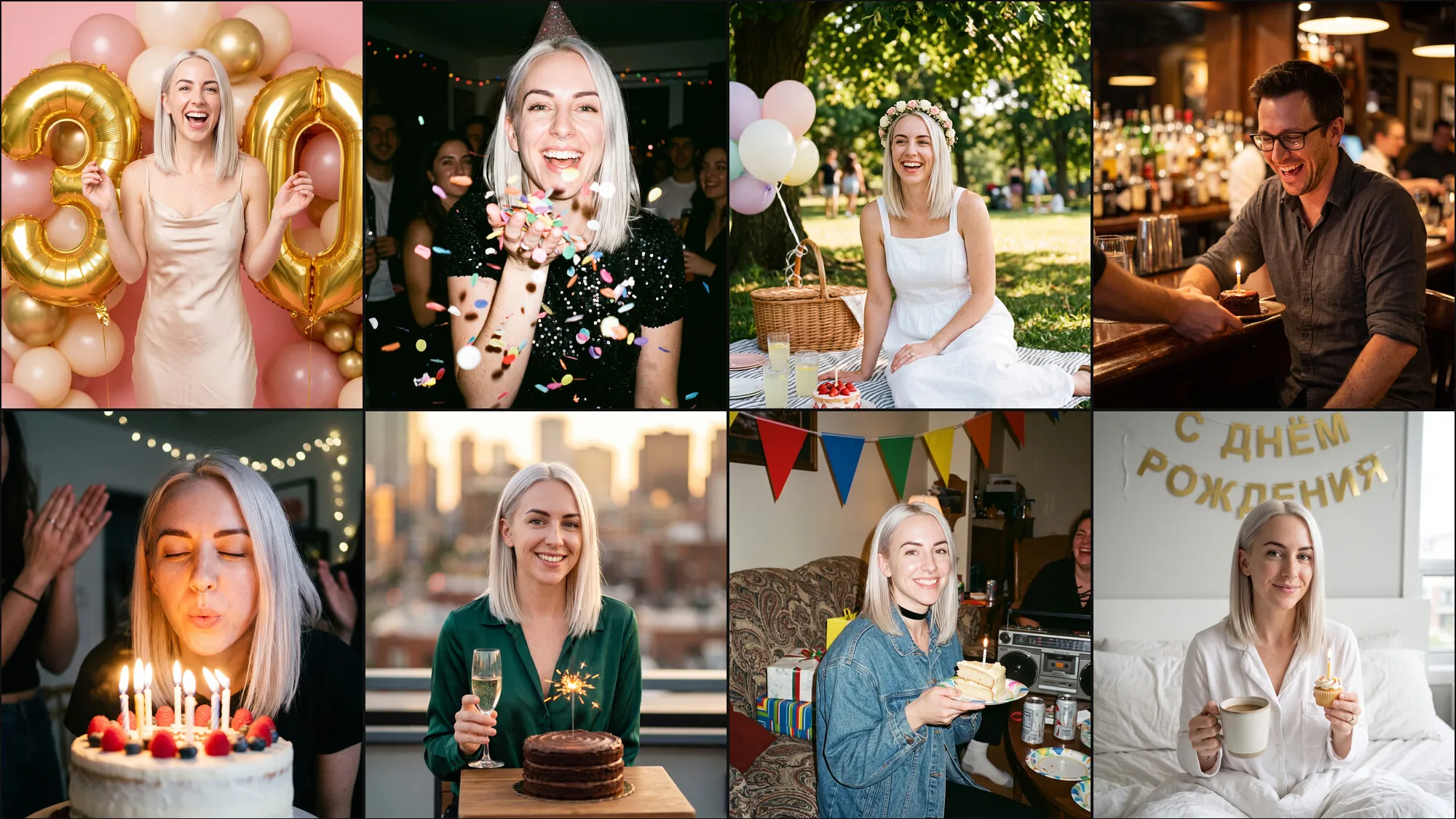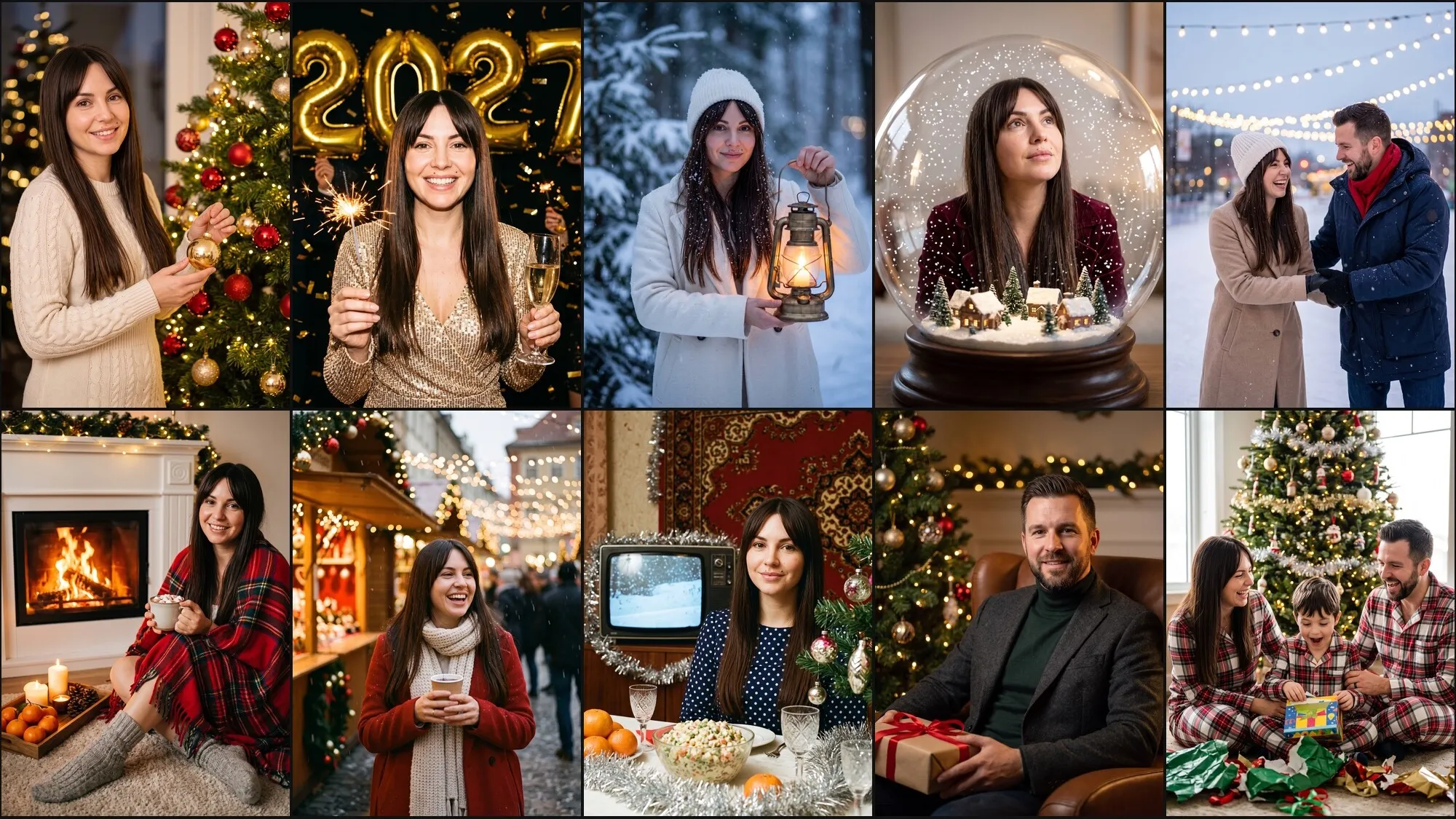




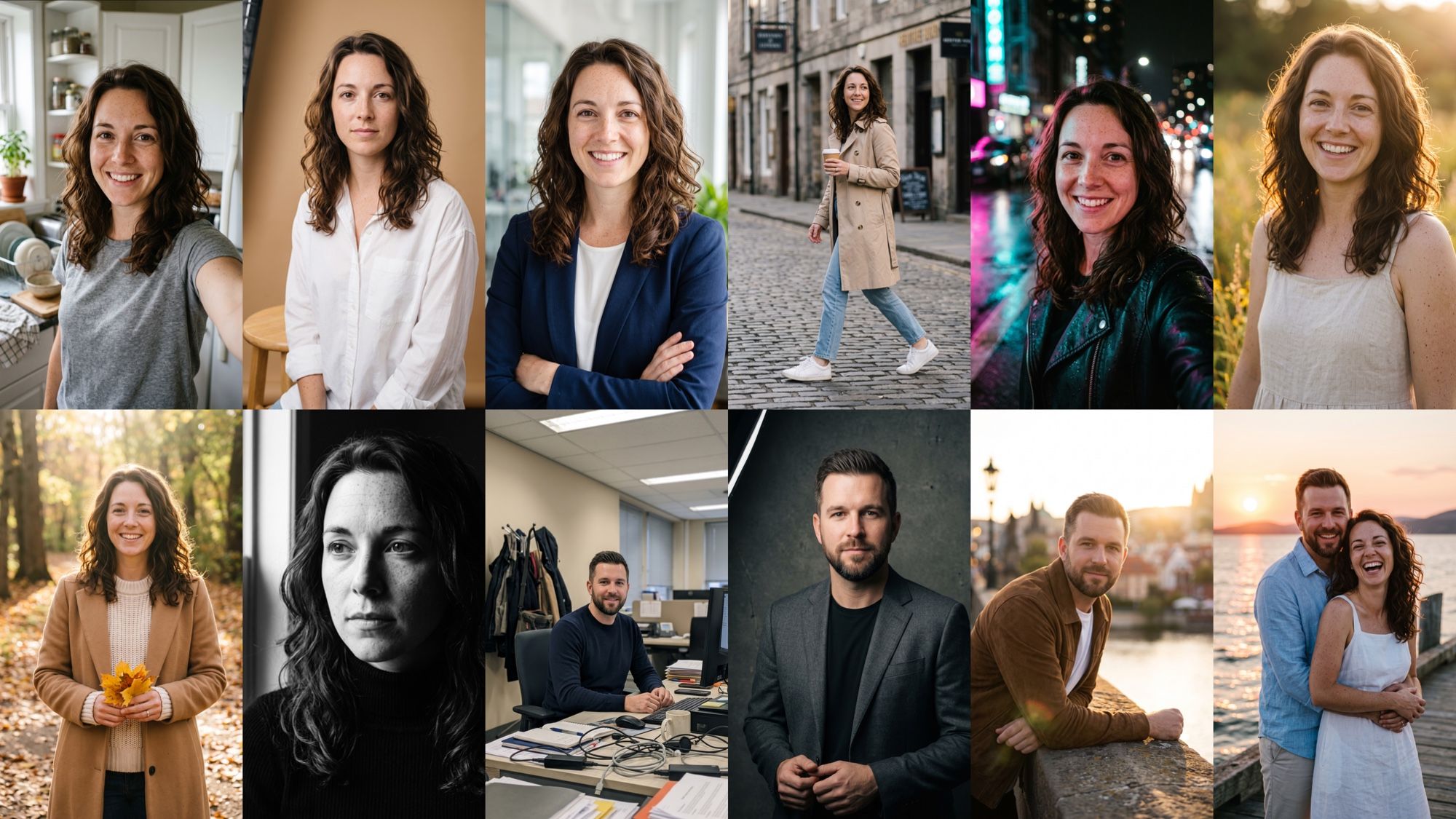
A ready AI photoshoot prompt saves hours of trial and error: the model gets the same brief a photographer would — look, place, light and lens. Every frame in this article was made in Nano Banana 2 from the same selfie, with no retouching and no pick from dozens of attempts: one prompt, one generation. The prompts below are written in English so you can copy them.
How to write an AI photoshoot prompt: a 7-block formula
A good prompt describes the frame, not a mood. “A beautiful woman in the city” leaves the model too many decisions, and it will make each one differently. Go through the blocks in order:
| Block | What to specify | Example |
|---|---|---|
| Face | whose face to keep | “keep the face, freckles and hair as in the photo” |
| Look | clothes, hair, makeup | “a beige trench, light blue jeans, white sneakers” |
| Place | location and time of day | “an old cobblestone street in the morning” |
| Pose | action and gaze | “walking, looking slightly to the side” |
| Light | source and character | “soft overcast light” |
| Camera | lens and aperture | “35mm, f/2” |
| Style | grade and texture | “film color grading, natural skin” |
Google’s template for photorealistic scenes in the Gemini API docs is built the same way: shot type, subject, setting, light, angle and lens. Order matters: the model follows blocks at the start of the prompt more reliably, so face and look come first.
How to keep a face from a photo in an AI photoshoot
Without an explicit request, the model draws someone similar, but not the same person. The first line of every prompt below is “keep the face … exactly as in the photo”. Name the marks that must not disappear: freckles, moles, eye color, eyebrow shape, a beard.
Likeness depends about 80% on the source photo:
- The whole face, sharp: front-on or a slight turn, no glasses, no mask, no hair over the eyes.
- Daylight, no filters: beauty filters and heavy makeup get carried into the result.
- One person in the frame: on a group photo the model can borrow a neighbor’s features.
- Close: the face should fill at least a third of the frame.
For a series of a dozen frames, do not upload a selfie with every request. AI2Face has a character builder: you create a character once from 1–3 photos, then pick a location, clothes and a pose from ready assets, or write your own prompt.
Light and camera: what to write in the prompt
Lens names and light tell the model more than the words “realistic” and “high quality”. This is the language it learned from millions of photo captions.
| What to write | What you get |
|---|---|
| 35mm | reportage, a lot of the surroundings in frame, natural perspective |
| 50mm | “as the eye sees”, a versatile waist-up frame |
| 85mm | a classic portrait, soft background blur |
| 135mm | a compressed background, very soft bokeh, the face large |
| f/1.4–f/2 | the background heavily blurred, sharpness only on the eyes |
| soft window light | even skin, a calm mood |
| golden hour, backlight | a warm glow in the hair |
| low-key, one softbox from the side | dramatic shadows, a dark background |
| neon, wet asphalt | colored highlights on the face and reflections |
Ready prompts for a studio and a business photoshoot
The studio is the most reliable setup: a plain background does not pull the model away from the face. A business portrait works for a résumé, a social profile and a company site.
Keep the woman's face, freckles, eye color and hair exactly as in the photo. Studio
beauty portrait: she sits on a stool against a seamless warm beige paper backdrop,
in a white oversized shirt, a large softbox on the left and a white reflector on
the right, soft shadows, 85mm lens, f/2.8, natural skin texture, light natural
makeup, a calm confident look into the camera
Keep the woman's face, freckles, eye color and hair exactly as in the photo. Business
portrait for a résumé: waist-up, a tailored dark navy blazer over a white top, hair
neatly styled, arms lightly crossed, a blurred bright office with glass walls behind
her, soft window light, 70mm lens, f/2.8, a friendly professional smile
Prompts for a city photoshoot and for neon
A city frame looks alive if you give the model an action: “walking”, “holding a coffee cup”, “looking to the side”. For neon, the important part is to name the colors of the light and the reflective surface.
Keep the woman's face, freckles, eye color and hair exactly as in the photo. Street
photo: she crosses an old European cobblestone street in the morning, in a beige
trench coat, light blue jeans and white sneakers, holding a paper coffee cup, a
lively mid-step pose, looking slightly to the side, soft overcast light, 35mm lens,
f/2, film color grading
Keep the woman's face, freckles, eye color and hair exactly as in the photo. Night
neon portrait: she stands on a wet street after rain in a black leather jacket,
pink and teal neon reflecting on her face and on the wet asphalt, bokeh of city
lights, 50mm lens, f/1.4, cinematic contrast, no readable signs
The line “no readable signs” saves the frame: models still write nonsense on background signs, while blurred lettering looks natural.
Prompts for a photoshoot in nature and in autumn
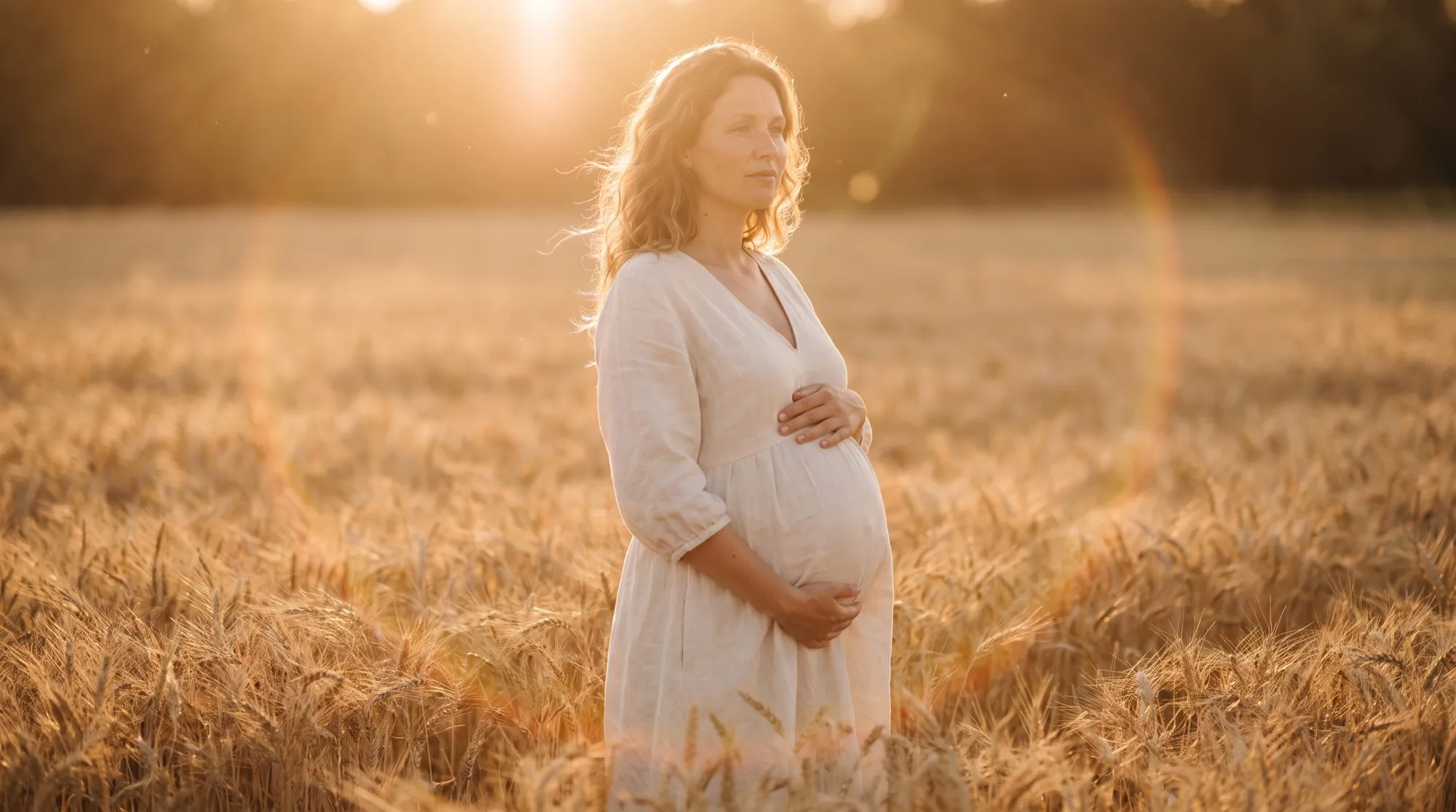
Golden hour — the last hour before sunset — is the most flattering light for a portrait outdoors. Sun behind the subject gives a warm rim in the hair, and the face stays softly lit. An autumn frame holds on the palette: name the colors of the leaves and of clothes that go with them.
Keep the woman's face, freckles, eye color and hair exactly as in the photo. Golden
hour portrait in a summer field of tall grass and wildflowers, a light linen
sundress, low sun behind her giving a warm rim light in her hair, a light laugh,
85mm lens, f/1.8, soft warm tones
Keep the woman's face, freckles, eye color and hair exactly as in the photo. Autumn
photoshoot in a park: she walks along an alley covered with yellow and orange maple
leaves, in a chunky cream sweater and a long camel coat, holding a few leaves, soft
daylight through the trees, 85mm lens, f/2, warm film tones
A prompt for a black-and-white photoshoot
A black-and-white portrait is built on light, not on color. Hard side light from a window models the face, a dark background removes the rest, and grain makes the frame look like film.
Keep the woman's face, freckles, eye color and hair exactly as in the photo.
Black-and-white fine-art close-up: a black turtleneck, hard side light from a window
leaving half the face in deep shadow, a dark background, visible film grain, high
contrast, 85mm lens, a thoughtful look past the camera
Prompts for a men’s photoshoot
In a men’s portrait, dark backgrounds, low-key light and textured clothes usually work better: wool, suede, leather. For a beard, write “keep the beard” on its own, or the model may trim it or remove it.
Keep the man's face, beard, hair and features exactly as in the photo. Men's studio
portrait, waist-up: a charcoal wool suit and a black T-shirt, a dark grey textured
backdrop, dramatic low-key light from one softbox on the left, 85mm lens, f/2.8,
a confident calm expression
Keep the man's face, beard, hair and features exactly as in the photo. Lifestyle
portrait: he leans on the railing of an old stone bridge over a river at sunset,
a brown suede jacket and a white T-shirt, warm backlight, a blurred city, 50mm
lens, f/1.8, a relaxed half-smile
A prompt for a couple photoshoot
For a couple frame, upload two photos and tie each face to its own picture in the prompt: “the woman from the first photo and the man from the second”. Describe the interaction — a hug, a look, a laugh. A pose of “standing side by side” looks staged.
The woman from the first photo and the man from the second photo are a couple. Keep
both faces exactly as in the photos: her freckles and hair, his beard and hairstyle.
Couple photoshoot on a wooden pier at sunset: she is in a white linen dress, he is
in a light blue linen shirt and beige trousers, he hugs her from behind, both are
laughing, warm golden backlight, 50mm lens, f/2, film color grading
Common mistakes in photoshoot prompts
- No line about the face. The model draws a “similar” person. The first sentence of the prompt fixes it.
- Contradictions. “Studio light” and “sunset in a field” in one prompt get mixed at random.
- Judgments instead of description. “Beautiful”, “perfect”, “8K” give almost nothing. Replace them with light and a lens.
- Overload. Past six or seven requirements, the model fulfills them selectively. Cut the extras, and add detail by editing the finished frame.
- A negative prompt as a separate list. Gemini models have no field for a negative prompt: write the limits in the text — “no readable signs”, “no jewelry”.
If the frame is almost there, do not rewrite the prompt from scratch. Ask to change one detail in the finished image — the editing moves are covered in the guide Nano Banana photo.
Which model to use for a photoshoot from a prompt
The prompts in this article work in any model that accepts a photo reference. The frames were made in Nano Banana 2: it is fast, goes up to 4K and holds the face across different scenes. Take Nano Banana Pro for scenes with several people and with lettering: it holds likeness for up to five people. If a Google model rejects the request because of content limits, you can run it again on Seedream in the AI2Face generator. How to write prompts for the whole Nano Banana family is in the article Nano Banana prompts.
Conclusions
A working AI photoshoot prompt is seven blocks in order: face, look, place, pose, light, lens, style. What matters most is the first line, “keep the face as in the photo”, and a sharp source selfie: likeness depends on them. Light and lens decide whether the frame looks like a photograph or like a picture. Start with the studio or the business portrait: those have the fewest variables. Then move on to the street, neon and couple frames. You can copy all 10 prompts and try them in the AI2Face generator on the welcome credits, and for a series with one face, create a character in the builder.
FAQ
How do you write an AI photoshoot prompt?
Describe the frame in seven blocks: who is in it, clothes, place, pose, light, lens and style. Open with a line that asks to keep the face from the uploaded photo. 40–80 words are usually enough.
Should an AI photoshoot prompt be in English or in your own language?
Write it in your language. Nano Banana and Seedream understand it. English is handy for photographer terms such as golden hour or low-key, which leave no ambiguity. The prompts below are written in English.
How do you stop the model from changing the face?
Start the prompt with “keep the face, features, eye color and hair exactly as in the photo” and upload a sharp front-facing photo in daylight. For a series, create a character once in the AI2Face builder instead of uploading a selfie every time.
Which photo should you upload for an AI photoshoot?
A sharp photo with no filters, the face front-on or in a slight turn, daylight, no glasses and no fringe over the eyes. Group shots and photos taken from far away give a weaker likeness.
Can you use these prompts in other models?
Yes. The formula describes a photograph, not the syntax of one model, so the prompts work in any model that accepts a photo reference. The result will differ in the details.
Sources
2
- https://ai.google.dev/gemini-api/docs/interactions/image-generation
- https://blog.google/products-and-platforms/products/gemini/nano-banana-tips/