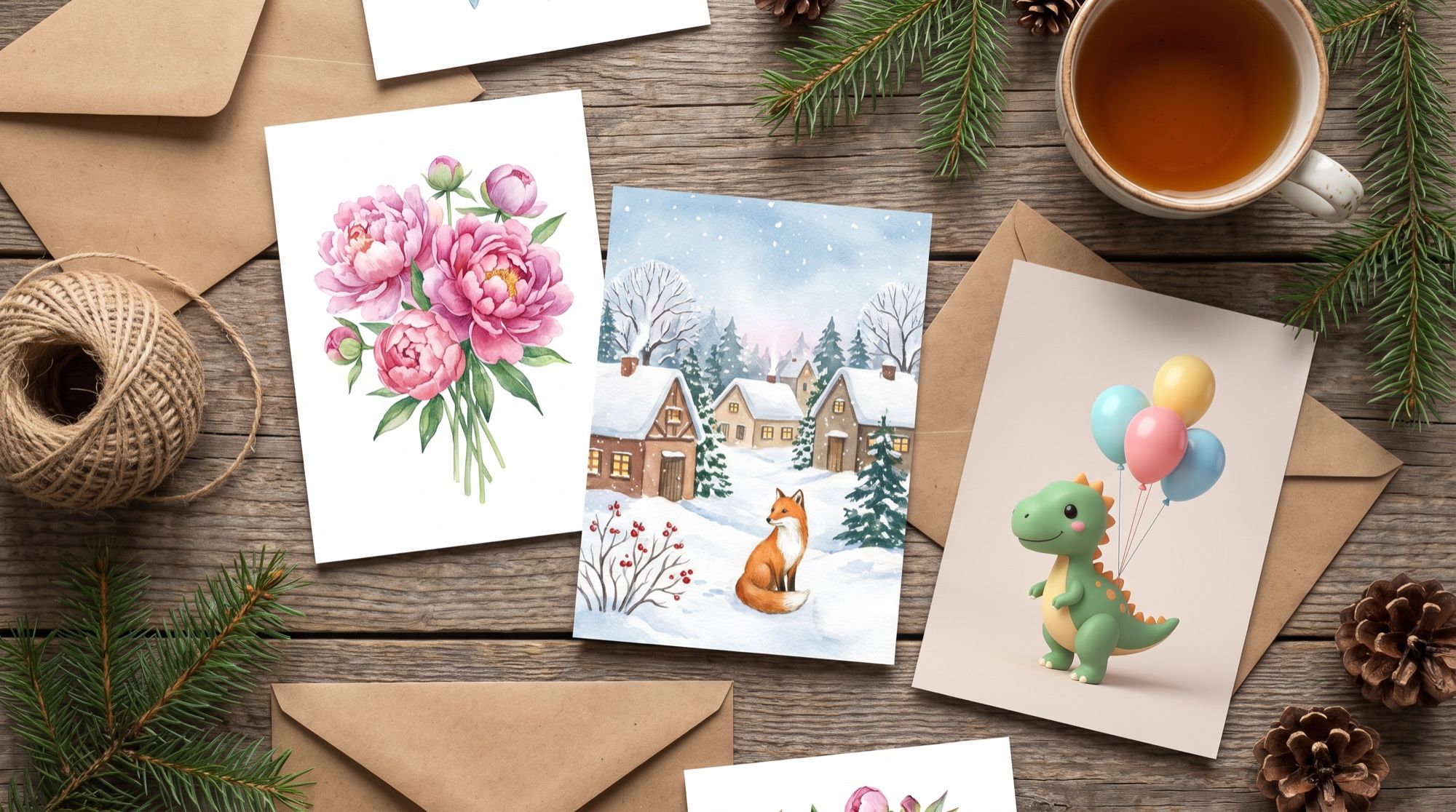
An AI greeting card generator draws the whole card: illustration, design and text. Just a couple of years ago, text on generated images — especially in non-Latin scripts like Cyrillic — turned into letter-like squiggles. Models in 2026 write greetings without mistakes, so you can send the card right away, with no editor. We tested this on six occasions, in two versions: with greetings in English and in Russian. Below are the English versions. All cards and the video below were made in the AI2Face generator.
AI greeting card generator: a prompt formula
A good card comes out when the prompt has five things:
| Part | Example |
|---|---|
| Occasion and recipient | a friend’s birthday, New Year, for a colleague, for a child |
| Picture | a bouquet of peonies and a cake with candles, a winter village with a fox |
| Style | watercolor, flat vector graphics, 3D cartoon, photo |
| Text — word for word | Happy Birthday, Anya! |
| Restrictions | no other text, no logos, plenty of empty space |
Write the greeting exactly as it should look, with every accent and punctuation mark. And add “without quotation marks”: the model sometimes draws the quotes you used to mark the text in the prompt. More on this in the section about mistakes below.
1. A birthday card
Birthday greeting card design: delicate watercolor illustration of a bouquet of
pink peonies and a small cake with three candles on cream textured paper, a few
gold confetti dots, lots of air. At the top elegant hand-lettered text in deep
rose color: Happy Birthday, Anya! Print-ready, no other text, no logos.
A name on the card is the main reason to make it with AI rather than grab a stock one online. Change the name and the flower color, and you have a series of cards for all your friends.
2. A New Year card
New Year greeting card illustration: a cozy snowy village at night with a
decorated fir tree full of warm lights, glowing windows, gentle snowfall, a small
red fox in a knitted scarf in the foreground. At the top elegant white
hand-lettered text: Happy New Year! and below it a smaller line: Joy and warmth in 2027. Soft painterly style, deep blue and warm gold palette, no other text.
The second line is smaller than the headline so the card reads well on a phone: the main message is visible at once, the wish when you look closer.
3. A card from your own photo
Upload your photo as a reference and you’ll be on the card yourself. The model changes the outfit, background and design, and keeps the face if you ask for it directly.
Turn this photo into a New Year greeting card: the same woman, keep her face
exactly the same (face shape, grey-green eyes, freckles, nose, lips), now wearing
a cozy red knitted sweater, smiling softly and holding a mug of cocoa next to a
decorated Christmas tree with warm fairy lights. A festive frame of fir branches,
pinecones and red berries around the edges. At the bottom elegant gold lettering,
written without quotation marks: Warmth and wonder in the New Year!
The source is an ordinary selfie in a white t-shirt against a grey wall from our AI hairstyle try on guide. You can make a family card from several photos the same way — see our guide to an AI family photoshoot.
4. A card for a colleague
Minimalist birthday card for a male colleague: flat vector illustration of a
coffee cup, a paper plane and a small gift box on a deep navy background with
thin gold lines. Modern sans-serif text in white: Happy Birthday! and below a
smaller line: May everything work out on the first try. Clean layout, no other text.
For work cards, ask for a “flat vector illustration” and a “sans-serif font” — you’ll get something restrained, like a corporate card.
5. A card for a child
Children's birthday card: a cute 3D cartoon green dinosaur in a striped party hat
holding colorful balloons, confetti and a small cake, bright pastel background.
At the top one line of big playful rounded text, written once and without
quotation marks: Misha is 5! Soft clay-like 3D style, no other text, no logos.
6. A “good morning” card
Good morning greeting card: a cup of coffee with latte art on a wooden windowsill,
autumn maple leaves, a soft knitted blanket, morning sun rays through the window,
cozy warm tones, photorealistic. At the top elegant handwritten white text without
quotation marks: Good morning! and below it a smaller line: Have a warm day.
A photorealistic style suits “good morning” and “good night” cards: they don’t look like a cheap social media template.
Which AI writes card text without errors
We made the New Year card with one prompt in two models: Nano Banana Pro and GPT Image 2.5.
| Nano Banana Pro | GPT Image 2.5 | |
|---|---|---|
| Text errors | none | none |
| Typeface | both lines hand-lettered, large | hand-lettered headline, the second line in a small serif |
| Illustration | calm, plenty of room for text | rich: a bridge, a river, mountains, more detail |
| Best for | a print-style card with large text | a picture-like card where detail matters |
Both models wrote the lettering without errors. Choose by the character of the image: Nano Banana Pro gives a clean card with large text, GPT Image 2.5 a richer illustration.
Common text mistakes and how to avoid them
On the first attempt, none of the eight cards had a typo, but three had to be redone for other reasons:
- Quotation marks on the image. We put the text in quotes, and on the “good morning” card and the photo card the model drew them too. The fix: write the text without quotes and add “without quotation marks.”
- A duplicated line. On the kids’ card, “5 лет!” (“5 years!”) appeared twice. The fix: “one line, written once.”
- Extra text. Without “no other text,” the model may add captions, signs and dates.
If you have a lot of text — a poem or a long wish — make the card without text and write the greeting in the message. We tested up to two lines of text; the longer the text, the higher the risk of errors.
Video card: how to animate a card with a voice
A finished card can become a short clip. We sent the New Year card in 9:16 to Veo 3.1 and described the motion and the voice.
Gentle snow keeps falling over the village, the fairy lights on the fir tree
twinkle, warm windows flicker softly, the little fox turns its head towards the
viewer and wags its tail. The lettering at the top stays perfectly still and
sharp. A warm friendly female voice says in Russian: «С Новым годом! Пусть он
будет тёплым и счастливым.» Soft music box melody in the background. Static
camera, no new text.
The key line of the prompt is “the lettering stays perfectly still and sharp”: without it, the video model may make the letters wobble. The 9:16 format suits stories and messengers. For more on animating images, see our guide to animating photos, and on making a character speak — talking photo.
Which format to choose for a card
| Where | Format | Resolution |
|---|---|---|
| Messengers, social feeds | 4:5 or 1:1 | 2K |
| Stories, status updates | 9:16 | 2K |
| 4 × 6 in print | 2:3 | 2K–4K |
| A5 print and larger | 3:4 or 2:3 | 4K |
| Video card | 9:16 | 720p–1080p |
For print, choose the maximum resolution and leave margins: the printer may trim a few millimeters from the edge.
Where to make a greeting card with AI
Nano Banana Pro, GPT Image 2.5 and Veo 3.1 are all in one AI2Face generator: draw a card, then animate the one you like into a video straight from the feed. The cost of each generation is shown before you start, you can pay by card or crypto, and credits from packs don’t expire — handy for saving them up for the holidays. For festive shots with people, see our AI Christmas photoshoot prompts.
Bottom line
An AI greeting card generator makes a card for any occasion and any name in one generation, and in 2026 it writes the text without typos: in our test, every greeting came out correct, even in Cyrillic. For cards with large text and for printing, use Nano Banana Pro; for rich illustrations, GPT Image 2.5; for a card with a voice, Veo 3.1. Write the greeting word for word, without quotes, add “no other text” — and check every letter before sending.
FAQ
How do I make a greeting card with AI?
In the prompt, describe the occasion, the picture, the style and the exact greeting text, then choose a format: 4:5 for messengers and printing, 9:16 for stories. Nano Banana Pro draws the card with the text in one generation.
Does AI write the greeting without spelling mistakes?
Yes. In our test, Nano Banana Pro and GPT Image 2.5 wrote every greeting — in English and in Russian (Cyrillic), the harder case — without a single typo. The errors were different: twice the model drew the prompt's quotation marks, once it duplicated a line. Adding “without quotation marks, written once” fixes both.
Can I make a card from my own photo?
Yes. Upload the photo as a reference and say the face must stay the same: “keep the face exactly as in the photo.” The model will change the outfit, add a tree, a frame and the greeting, and keep the facial features.
Can I make greeting cards with AI for free?
Yes, a few. AI2Face gives you welcome credits after signing up, and one card in Nano Banana Pro is inexpensive — the price is shown before you start.
Can I make an animated greeting card?
Yes. Send the finished card to the Veo 3.1 video model and describe the motion and voice: falling snow, twinkling lights, a spoken greeting. You get a clip up to 8 seconds long with sound.
Sources
4
- https://blog.google/innovation-and-ai/products/nano-banana-pro/
- https://ai.google.dev/gemini-api/docs/image-generation
- https://developers.openai.com/api/docs/guides/image-generation
- https://ai.google.dev/gemini-api/docs/veo