An AI coloring page generator makes a page for one child: a favorite character, their dog, the letter they are learning now. The models draw clean outlines on a white background and match the complexity to the age when you ask. We made six coloring pages in the AI2Face generator for different jobs and checked which ones you can print right away.
How to write a prompt for an AI coloring page generator
Subject + age + line weight + the technical lines. That last part turns an ordinary picture into a coloring page:
Printable coloring page for children aged 5 to 7: [subject]. Medium-thick clean
black outlines, all shapes closed, medium-sized areas to color, no shading,
no grey, no hatching, pure white background, black and white line art only,
white margins. No text, no signature.
- “all shapes closed” — every area is closed, so a crayon doesn’t leak past the outline.
- “no shading, no grey, no hatching” — no shadows and no hatching. Otherwise the model paints volume in grey, and there’s nothing left to color.
- “white margins” — margins, so the printer doesn’t crop the drawing.
- “No text, no signature” — models like to drop an artist signature in a corner.
You can describe the subject in your own words. Keep these technical lines in English: every model reads them the same way.
Coloring pages by age
| Age | Lines | Area size | Subject |
|---|---|---|---|
| 2–4 years | very thick | large, 5–10 areas | one character, no background |
| 5–7 years | medium | medium, 20–50 areas | a scene of 2–3 characters with a background |
| 8–12 years | medium and thin | small details | an adventure, vehicles, animals in a setting |
| Adults (mandala coloring) | thin | hundreds of tiny areas | mandalas, ornaments, patterns |
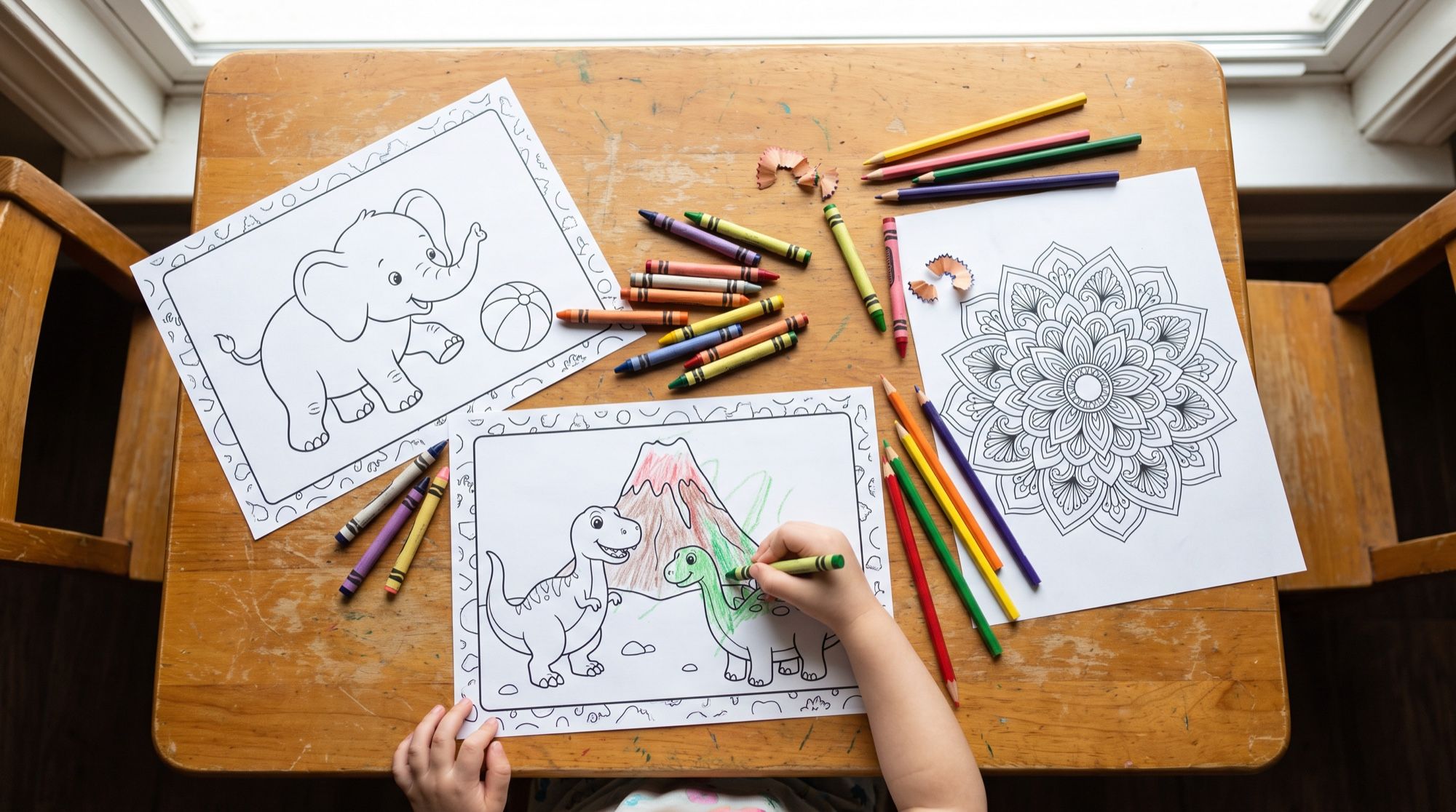
A coloring page for toddlers, ages 2–4
Printable coloring page for toddlers aged 2 to 4: one big friendly cartoon baby
elephant sitting and holding a striped ball, very thick bold black outlines,
large simple closed shapes, almost no small details, no shading, no grey,
pure white background, generous white margins. No text.
A coloring page for ages 5–7
Printable coloring page for children aged 5 to 7: a friendly scene with two cute
cartoon dinosaurs, a long-neck one and a small triceratops, playing near a gentle
volcano in a jungle with big leaves, ferns, a few butterflies and the sun with
a face. Medium-thick clean black outlines, all shapes closed.
An adult coloring page: two models
We sent one mandala prompt to Nano Banana Pro and GPT Image 2.5:
Printable antistress coloring page for adults: an intricate symmetrical round
mandala with floral, leaf and feather motifs, fine but crisp continuous black
lines, many small closed areas, no shading, no grey fills, pure white background.
| Nano Banana Pro | GPT Image 2.5 | |
|---|---|---|
| Pattern density | very high | high, but readable |
| Line clarity | thin, grey in places | crisp and black |
| What to color with | fineliners, gel pens | colored pencils, markers |
For adult coloring pages we’d take GPT Image 2.5. Nano Banana Pro’s pattern looks nicer on screen, but some lines come out grey and vanish in print.
A coloring page from a photo
Upload a picture and ask the model to redraw it as outlines. Photos with one large subject and a simple background work best. We used a photo of a corgi on a sofa.
Redraw this entire photo as a printable coloring page for children aged 6 to 9.
Nothing photographic may remain: the whole image, including the room, is clean
black outline drawing on pure white. The same corgi in the same pose lying on its
back on the sofa on the knitted blanket, with a correct, cute and recognisable
corgi face. Simplified background with just the sofa, the blanket, a window and
two potted plants, no shading, no grey.
The models handled this job differently. GPT Image 2.5 produced a clean coloring page on the first try. On the first try, Nano Banana Pro left half the frame as a photograph, and on the second try it distorted the dog’s face:
The line “Nothing photographic may remain” is required. Without it, the model sometimes outlines only the subject and leaves the background as a photo. You can make a coloring page the same way from a family photo or a child’s drawing. With people, check the result extra carefully: faces distort in outline more often.
An alphabet coloring page: letter B and a bee
A coloring page works well as a learning card: a letter, a word, and a picture of that word. This one is the letter B and a bee.
Printable alphabet coloring page for preschool children. At the top left a large
capital letter B drawn as a hollow bubble outline letter for coloring. In the center
a big cute cartoon bumblebee flying over a flower. At the bottom the word BEE in large
hollow outline letters for coloring. Write the letter and the word exactly, without
quotation marks.
The model draws the letters as hollow outlines (“hollow bubble letters”), so the child colors them too. You can build a whole alphabet this way: change the letter, the word and the character, and keep the rest of the prompt the same. The pages stay in one style.
A colored page comes to life
You can animate a finished, colored page. We showed what the dinosaur drawing would look like after wax crayons, then sent the frame to Veo 3.1.
You can animate a real child’s drawing the same way. Photograph the sheet from above in daylight and describe who should move and how. More in our guide to animate a photo.
How to get a coloring page ready to print
- A 3:4 frame. It’s the closest to an A4 sheet (210×297 mm) and leaves margins. A 1:1 square on A4 leaves an empty third of the sheet.
- 4K for print. A4 at 300 dpi needs 2480×3508 pixels. A 3:4 frame at 2K is 1792×2400, about 200 dpi: enough for a kids’ coloring page, but thin mandala lines get softer. At 4K you have room to spare.
- Print in grayscale. A color printer sometimes builds black from three inks, and the lines come out brownish.
- “Fit to page”, not “fill the page”. Otherwise the printer crops the edges of the drawing.
- Check for grey. If you see grey fills or hatching on screen, regenerate with “no grey, no shading”. In print they turn into mud.
Limits
- Outlines that aren’t closed. Rare, but they happen. Check the large areas before you print for a toddler.
- Density that doesn’t match the age. Without an age, models draw too much for a toddler. Write the age in the prompt.
- Faces and hands in a photo. Faces distort when a photo becomes outlines. In our dog test, one of the two models failed twice.
- Someone else’s characters. Name a famous cartoon character and the model may draw a recognizable copy. Fine for printing at home. Not for selling coloring pages.
- Text. Models spell a short word correctly. Check long captions and instructions letter by letter.
Where to use an AI coloring page generator
Nano Banana Pro, GPT Image 2.5 and Veo 3.1 are in one AI2Face generator. You can make the page in two models and keep the better one, turn a photo into outlines, and animate the finished drawing. The cost of each generation is shown before you start, you can pay by card or crypto, and credits from packs don’t expire. If you need to bring color back to an old photo instead of drawing a coloring page, see our guide to ai photo restoration free.
Bottom line
An AI coloring page generator does in half a minute what used to mean searching image sites: a page for the age, a favorite character, and even the child’s own dog. For kids’ scenes and the alphabet, Nano Banana Pro is enough. For adult mandalas and coloring pages from photos, GPT Image 2.5 did better in our test: cleaner lines, and the dog’s face stayed whole. What matters in the prompt is the age and the technical lines: closed outlines, a white background, no grey. For A4, generate at 3:4 and 4K.
FAQ
How do you create a coloring page with an AI coloring page generator?
Describe the subject and the child's age, then add the required words: “black outlines, white background, no shading and no grey, every line closed.” Nano Banana Pro or GPT Image 2.5 draws a print-ready page in about half a minute.
Can you make a coloring page from your own photo?
Yes. Upload the photo and ask to “redraw the whole photo as a coloring page, and leave nothing photographic.” In our corgi test, GPT Image 2.5 gave a clean result on the first try. Nano Banana Pro distorted the dog's face.
How do you make a coloring page for A4?
Generate at 3:4 and at 4K, so the lines stay sharp on the sheet. Print with “fit to page” and in grayscale, so the printer doesn't mix color into the black.
Can you create a coloring page for free?
Yes, a few pages. AI2Face gives you welcome credits after you sign up, and one coloring page in Nano Banana Pro is inexpensive — the price is shown before you start.
How do you colorize a black-and-white photo?
That's a different job: colorization. Upload the old photo and ask to “color the photo in natural colors, without changing anything else.” We cover it in our guide to ai photo restoration free.
Sources
3
- https://blog.google/innovation-and-ai/products/nano-banana-pro/
- https://developers.openai.com/api/docs/models/gpt-image-2.5-sunburst
- https://ai.google.dev/gemini-api/docs/veo