An AI character generator gives you a hero in a minute: describe them and get a picture. What’s harder is making the second, third and tenth image show the very same hero. We tested the whole path on one invented heroine — from the first portrait to a video with sound. All images and the clip below were made in the AI2Face generator.
How an AI character generator works: 4 steps
- A character brief. A short appearance description that never changes — you’ll paste it into every prompt.
- The first full-body portrait. Generate 2–4 versions and pick one; it becomes the master reference.
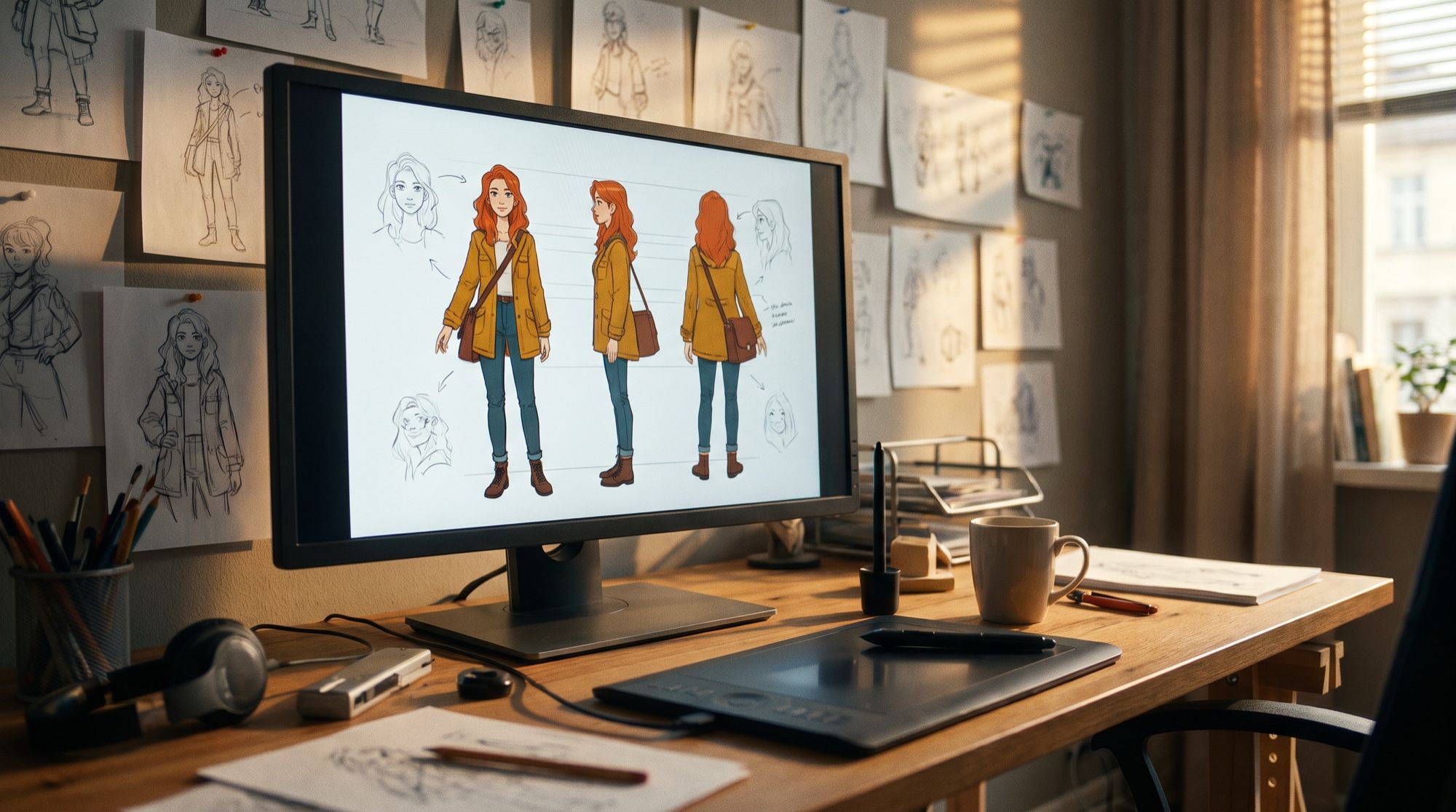
- A character sheet. Angles and expressions on one sheet show how the hero looks from the side and the back.
- Scenes from the reference. Upload the master portrait as a reference and change only the scene, pose and emotion.
We used Nano Banana Pro for every step: it accepts up to 14 reference images and holds facial features well between frames.
How to describe a character: the brief
The brief is 2–3 lines about appearance, with no plot and no background. It includes:
| What | Example for Mira |
|---|---|
| Role and age | 24, bicycle courier and amateur mechanic |
| Face | freckles, green eyes, a small scar on the left eyebrow |
| Hair | short asymmetric copper-red bob |
| Outfit | mustard utility jacket with pockets, black cargo pants, chunky boots, fingerless gloves |
| Signature details | brass goggles on her head, a paper-crane patch on the sleeve |
| Style | semi-realistic illustration, like a modern animated film still |
Signature details matter most. They let viewers recognize the hero in another pose and another light: a crane patch and goggles work far better than “a pretty girl.”
Mira, a 24-year-old bicycle courier and amateur mechanic: short asymmetric
copper-red bob, freckles, green eyes, a small scar on the left eyebrow, round
brass goggles pushed up on her head, an oversized mustard-yellow utility jacket
with many pockets and a patch of a paper crane on the left sleeve, black cargo
pants, chunky worn boots, fingerless gloves.
The first full-body portrait
Add a pose, a style and a neutral background to the brief: a plain background shows the silhouette and the outfit best.
Full-body character concept portrait of [brief]. She stands in a confident relaxed
pose, one hand on the strap of a canvas messenger bag, slight smile. Semi-realistic
illustrated style like a modern animated film still, soft studio light, plain warm
grey background. No text, no logos.
Look at the eyes: the brief says green, the model drew brown. Catch details like this right away — once a portrait becomes the master reference, keep the feature it actually shows in your prompts.
A character sheet: angles and expressions
A character sheet shows the hero from the front, side and back and with different expressions in one image. Artists, animators and anyone who will draw the hero later rely on it.
Character design reference sheet of [brief]. On one wide sheet: full-body
turnaround — front view, side view and back view — standing in a neutral pose, plus
a row of four head close-ups with different expressions: happy laugh, determined,
surprised, tired. Same character, same outfit and colors in every view, light grey
background, no text labels.
The sheet worked on the first try: the outfit, bag and crane patch are present in every view, and the expressions read clearly. Two flaws: the side view is cropped at the waist, and the eyes here are green — as in the brief, but not as in the master portrait. That’s the core problem with AI characters: two independent generations give you two slightly different people. A reference solves it.
One character in different scenes: working with a reference
To keep Mira herself, we uploaded the master portrait as a reference and changed only the scene in the prompt. Every prompt ended with the same safety line:
Keep the character exactly as in the reference image: same face, brown eyes,
freckles, copper-red asymmetric bob, brass goggles on her head, mustard-yellow
utility jacket with the paper crane patch, black cargo pants, boots, fingerless
gloves. Same semi-realistic illustrated style. No text, no logos.
Mira is instantly recognizable in all three scenes: the bob, the goggles, the mustard jacket, the crane patch. We also ran the café scene through GPT Image 2.5 — it held the character too, but added more background detail and warmer light.
One character in three styles
A reference also works for changing style: you can move the hero into anime, a 3D cartoon or photorealism while keeping the signature details.
Redraw the same character from the reference as [a classic 2D anime illustration
with cel shading / a stylized 3D animated film character with soft rounded shapes /
a photorealistic young woman on a city street, 85mm lens]. Same outfit, colors
and features.
The photorealistic version is a way to test whether the design feels “alive”: if you can imagine the hero as a real person, the design is coherent. For profile pictures in different styles, see our guide to AI avatars.
A brand mascot
A character for a business — a mascot — follows the same rules, only simpler: the silhouette must read even as a tiny icon.
Friendly brand mascot for a small coffee shop: a cheerful red fox barista with a
tiny green apron and a paper cup, big expressive eyes, rounded shapes, soft 3D
cartoon style like a clay toy, full body, waving, plain cream background, simple
and memorable silhouette. No text, no logos.
Mascot rules: 2–3 main colors, one clear detail of the role (an apron, a cup) and no small elements that disappear in an icon. You can make a logo to match using our guide to the AI logo generator.
How to bring a character to life: a video with sound
A finished scene can become a clip. We sent the workshop frame to Veo 3.1 and asked for the robot to come alive and for Mira to say a line.
The small round robot's eyes light up and it slowly raises one hand and waves. The
red-haired young woman in the mustard jacket pulls back in surprise, then laughs and
says in Russian in a cheerful young female voice: «Ну вот, ты живой!» The robot
answers with a short happy electronic beep. Warm lamp light flickers, dust floats in
the air. Slow gentle camera push-in, same illustrated animated-film style as the
image, her face and outfit stay the same. No music, no subtitles, no text.
For more on making a hero speak, see our guide to the talking photo. And if your hero needs a whole story, move on to our guide to the AI comic generator — there, Mira became the star of the cover.
What to create a character for
| Task | What to do |
|---|---|
| Comic, book, webtoon | brief + sheet + scenes from a reference |
| Game, NPC, tabletop campaign | a character sheet with angles for the artist |
| Brand mascot | a simple silhouette, 2–3 colors, the role in one detail |
| Avatar and social media | a hero from your own photo in the style you want |
| Video and animation | a scene from the reference → Veo 3.1 |
Limitations
- Without a reference, features drift. Two independent generations give slightly different people: in our case the eye color diverged.
- Small details go first. A scar on the eyebrow, text on patches, the number of pockets — check them in every frame.
- A character sheet is a concept, not a blueprint. Proportions between views may differ slightly; for 3D modeling, the sheet needs refining.
- Other people’s characters. Don’t create characters from well-known franchises or real people without consent: that’s both a legal and an ethical risk.
Where to create a character
Nano Banana Pro, GPT Image 2.5 and Veo 3.1 are all in one AI2Face generator: the portrait, the sheet, the scenes and the video live in one feed, and any finished frame can go straight into the next generation as a reference. The cost of each generation is shown before you start, you can pay by card or crypto, and credits from packs don’t expire.
Bottom line
Generating a character with AI is easy; keeping them consistent is a matter of technique: a brief with signature details, a master portrait and a reference in every scene. In our test, Mira stayed herself across three scenes, three styles and a video, and the only mismatch — eye color between two independent generations — showed exactly why you can’t skip the reference. For heroes who appear in many scenes, use Nano Banana Pro; to bring them to life, Veo 3.1. Start with a six-line brief and one good full-body portrait.
FAQ
How do I create a character with AI?
Describe the hero with a “brief”: role, age, face, hair, outfit, 2–3 recognizable details and style. Generate a full-body portrait in Nano Banana Pro, pick the best one, and use it as the reference for every scene after that.
How do I keep one character consistent across poses and scenes?
Upload a good portrait of the hero as a reference and in every prompt change only the scene, pose and emotion, while listing the appearance in the same line each time. In our test, that kept Mira recognizable in three scenes and three styles.
Why does the AI change my character's face?
Because without a reference every generation is a new person from the same description. In two independent generations, Mira got different eye colors. The fix is a reference plus repeating key features in every prompt.
Can AI make a character sheet?
Yes. Ask for front, side and back views and a row of expressions on one sheet. Nano Banana Pro made one on the first try; the side view was cropped at the waist and can be generated separately.
Can I create a character from my own photo?
Yes. Upload your photo as a reference and ask to redraw you in the style you want — anime, 3D cartoon, comic. The face stays recognizable if you list its features in the prompt.
Can I create a character for free?
Yes, a few images. AI2Face gives you welcome credits after signing up, and one image in Nano Banana Pro is inexpensive — the price is shown before you start.
Sources
4
- https://blog.google/innovation-and-ai/products/nano-banana-pro/
- https://ai.google.dev/gemini-api/docs/image-generation
- https://developers.openai.com/api/docs/guides/image-generation
- https://ai.google.dev/gemini-api/docs/veo