AI2Face doesn’t charge per model: every generation — images, videos, product cards — is paid for with credits from a single balance. This is part 7 of the AI2Face user guide. Prices in the screenshots are as of the time they were taken; the current ones are always in the plans window.
How AI2Face pricing and credits work
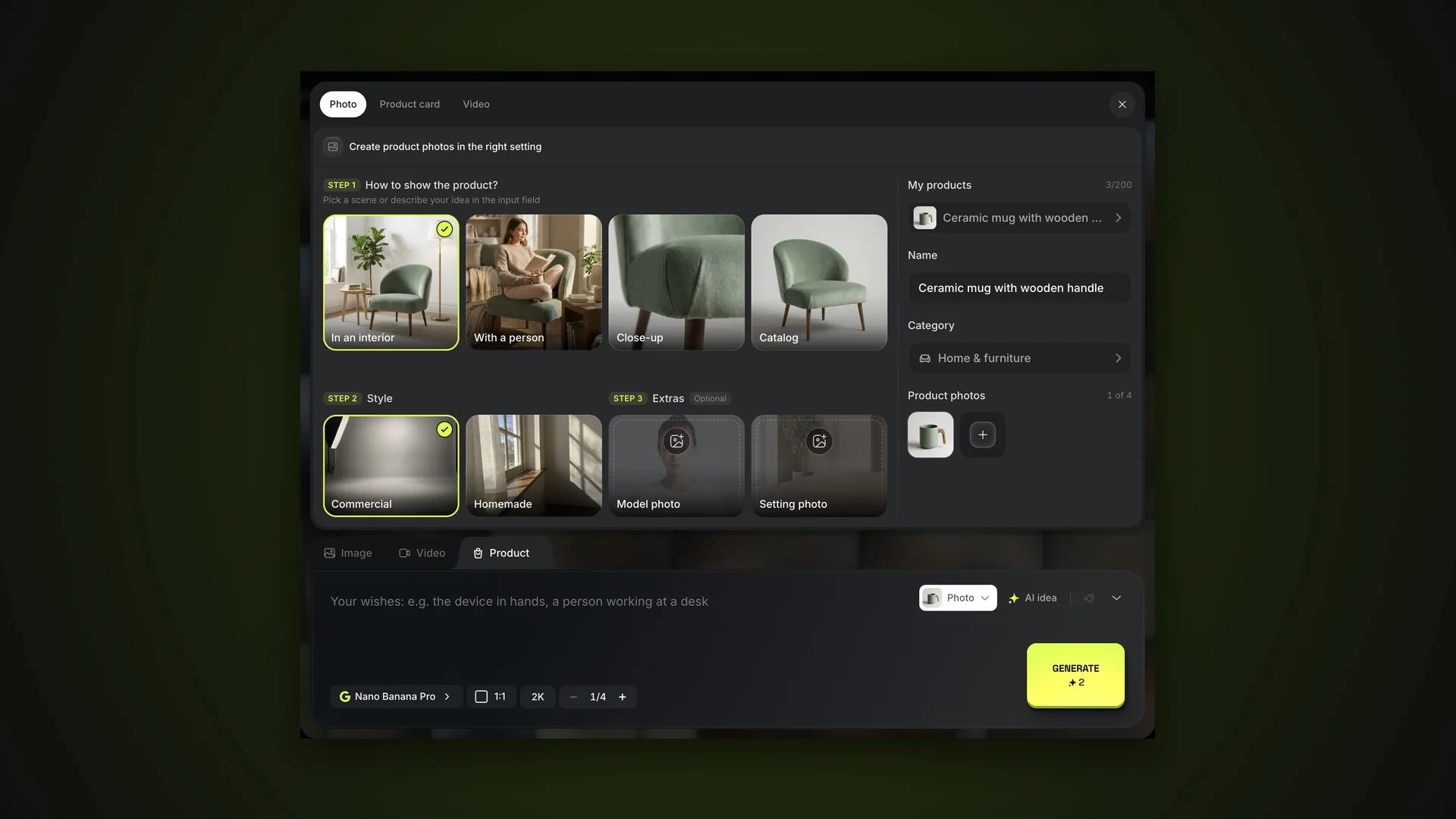
A credit is the internal unit of payment. The cost of a generation depends on the model, the resolution, the video duration and the number of variations. You see it on the Generate button before you start: change the model or aspect ratio and the number updates instantly.
Credits are deducted when a job starts and refunded if:
- the generation fails because of the model or the network;
- you cancel the job while it’s still in the queue.
There are two kinds of credits:
- plan credits — added every month of your subscription; unused credits expire on the next credit date;
- pack credits — bought separately, never expire and are spent after plan credits.
Plans: what a subscription gives you
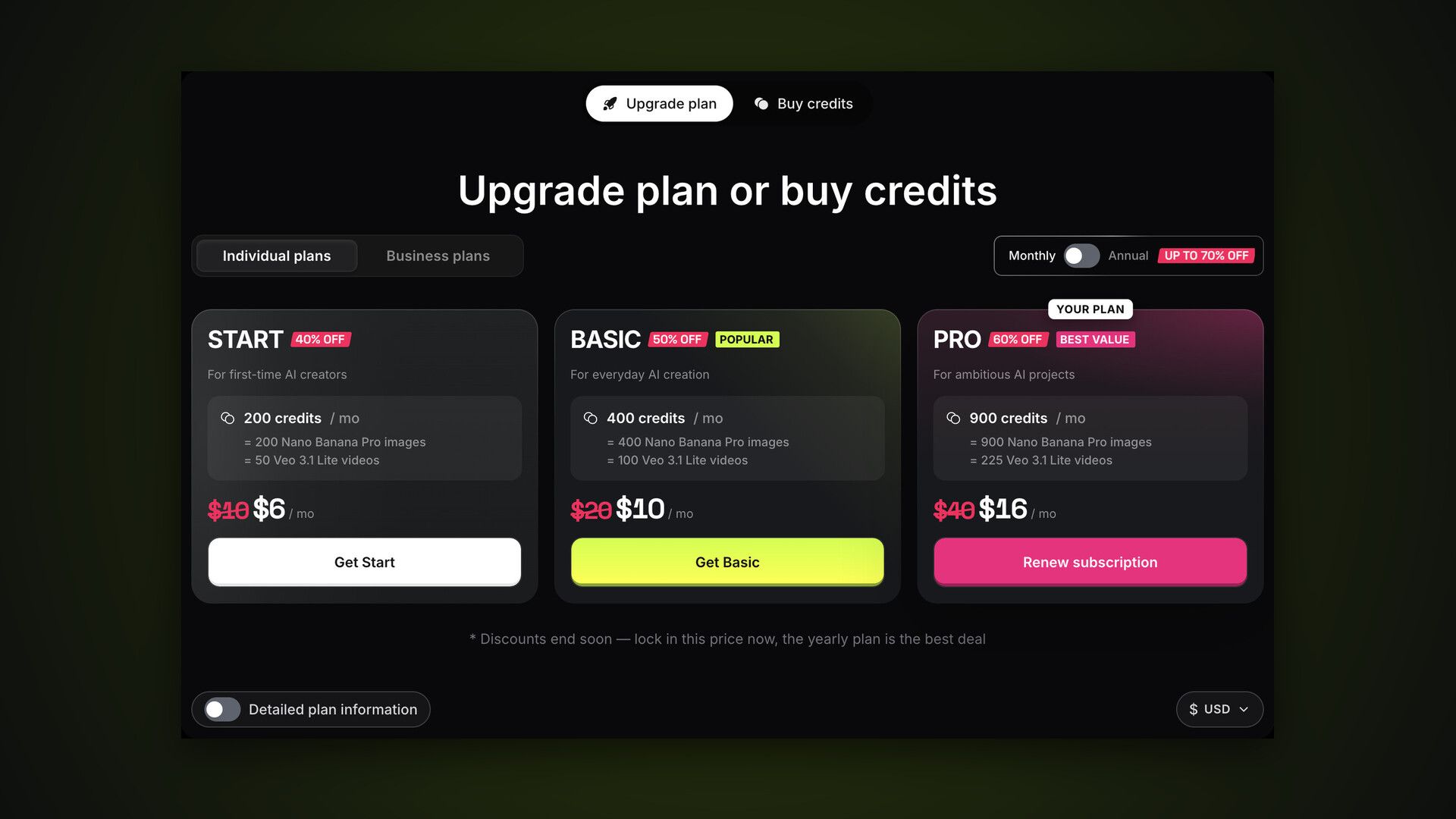
The plans window opens from Buy Credits in the top bar or Upgrade plan in the profile menu. The Upgrade plan tab lists individual plans — Start, Basic and Pro — and business plans: Team, Scale and Enterprise. The Monthly / Annual toggle shows the discounted annual price.
Under each price you can see how many Nano Banana Pro images or Veo 3.1 Lite clips the monthly credits cover. The Detailed plan information toggle expands a table: how many characters you can create, how many jobs run in parallel, maximum quality, queue priority, the preset and reference catalogs and your upload limit.
On the free plan, images show a watermark and downloads are disabled. A subscription removes the watermark and unlocks full-quality downloads.
Credit packs: when your monthly credits run out
The Buy credits tab in the same window offers one-off packs from 200 to 10,000 credits. The bigger the pack, the lower the price per image. Pack credits never expire, so they’re handy to keep in reserve for busy months.
Prices are shown in the currency you pick at the bottom of the window. It’s a conversion at the current rate; you’re charged in the payment provider’s currency.
How to pay for AI2Face
After Purchase or Get [plan], AI2Face asks you to choose a payment method:
| Method | What it accepts |
|---|---|
| Card from any country | Visa, Mastercard, Apple Pay, PayPal |
| Alternative payment | bank cards and other methods |
| Cryptocurrency | USDT, USDC, BTC, ETH, SOL and more |
Credits and plans are added automatically once the payment is confirmed. A plan paid by card from any country renews automatically; you can turn auto-renewal off in Subscription → Manage subscription. Other methods don’t auto-renew: when your plan ends, the account switches to the free plan, so renew in advance.
If you renew the same plan early, the end date moves right away, and the credits for the new month arrive on the next credit date. Need them sooner? Open Subscription and press Start now: the monthly credits arrive at once, the rest of the current month’s credits expire, and your plan end date stays the same. It works the same way when your subscription is paid several months ahead.
The Subscription page: plan, balance and models
Profile menu → Subscription shows:
- plan — name, expiry and what’s included;
- credits — how many monthly credits are left, when they expire, how many non-expiring pack credits you have and when the next monthly credits arrive;
- plan models — every model with its type (images or video) and status, Available or Locked; reviews of each are in the Models section;
- your plan includes — the tools you’ve already tried and the ones you haven’t.
Balance history: where your credits went
Profile menu → Balance history shows statistics and every transaction for a period: today, 7 days, a month, 3 or 6 months, a year or all time. At the top: credits added and spent, models used and generations, then a bar of spending by model. The table lists each transaction: a charge for a generation with its model and resolution, a purchase, a bonus, a refund, a promo code.
Promo codes
Profile menu → Promo codes: enter a code and click Redeem. A promo code can give credits, a plan for several days or both. Codes aren’t case-sensitive, and each can be redeemed once. Your redemption history is below.
Promo codes arrive in our emails and seasonal campaigns. Another way to earn credits is the affiliate program: a share of every payment made by friends you invite.
Bottom line
Go by the cost on the Generate button — it’s the honest price of that exact run. If you generate every week, get a plan: its credits are cheaper, and the watermark and free-plan limits disappear. Top up with packs when your monthly credits run out or you want a reserve — they never expire. Keep an eye on spending in Balance history and redeem codes on the Promo codes page. The final part of the guide: the affiliate program.
FAQ
Do AI2Face credits expire?
Plan credits arrive every month: whatever you haven't used expires on the next credit date, and in the last paid month — on the day your plan ends. Credits from packs never expire and are spent after your plan credits.
I renewed my plan, so why didn't the credits arrive?
If you renew the same plan before it ends, the paid month is queued and its credits arrive on the next credit date, shown on the Subscription page. To get them right away, press Start now there: the rest of this month's credits expire, and your plan end date stays the same.
Can I use AI2Face for free?
Yes — once you verify your email, you get starter credits. On the free plan, images show a watermark, downloads are disabled and some models and resolutions are locked.
How can I pay?
By card from any country (Visa, Mastercard, Apple Pay, PayPal), with alternative methods, or with crypto — USDT, USDC, BTC, ETH, SOL and more.
Are credits refunded if a generation fails?
Yes, automatically. Cancelling a job while it's still queued also refunds the credits — it shows up as Refund in your balance history.
Where do I enter a promo code?
In the profile menu → Promo codes. Codes aren't case-sensitive, and each promo code can be redeemed once.