Ads eat images: a packshot for the site, authentic photos for social, stories, banners — and three variants of each for testing. Shooting that set means a studio, a model, a stylist and several days. An AI ad generator makes it from one product photo. We tested this on a fictional drink, MOSS — sparkling yerba mate in a can — and built nine creatives. Every image was made in the AI2Face generator with Nano Banana Pro.
How an AI ad generator works: what you need
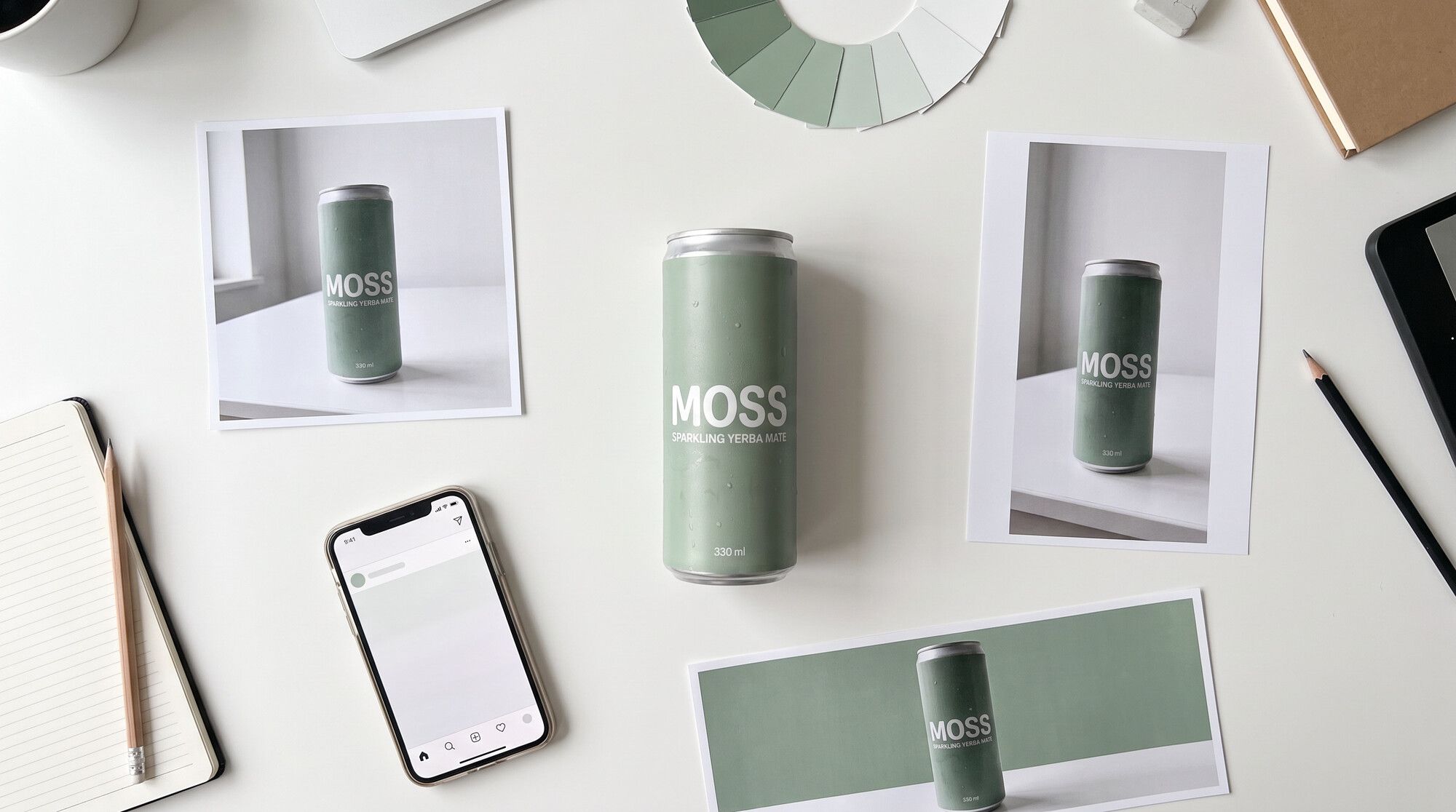
The key input is a photo of your product. Even a phone shot on a white table works: the model takes the shape, color, logo and label text from it and carries them into any scene. Without a photo, the AI draws “a similar can,” and it’s a different can in every shot.
Second, a product lock in every prompt: one line listing what must not change. “Keep the can exactly as in the photo: matte sage-green, the white MOSS logo, the line SPARKLING YERBA MATE spelled exactly, 330 ml.” With it, the model doesn’t “improve” the packaging or mix up letters.
Third, the offer and the copy. Those are yours: the AI renders a headline well, but it won’t figure out why your product beats the competition.
1. Hero packshot
The main image for your site, marketplace listings and feed ads: the product up close, a striking scene, studio-quality light.
Hero packshot for an ad: the can standing on a mossy rock in a shallow
forest stream, splashes of water frozen around it, fresh mint leaves and
lime slices, dramatic soft backlight, dark green background with bokeh,
condensation droplets, high-end beverage advertising photography.
No other text, no other logos. Keep the can exactly as in the photo:
[product lock]
Match the scene to the positioning: a natural drink gets nature and water, an energy drink gets neon and motion. For more product shot ideas, see our AI product photography prompts.
2. UGC photos: the product in a “customer’s” hands
UGC (user-generated content) looks like it was shot by a regular customer: a selfie, a desk shot, slightly off framing. On social media it reads as a recommendation rather than an ad. AI makes it without creators or approvals.
Casual UGC-style smartphone selfie of a fictional young woman around 25
with short curly dark hair and freckles, wearing a denim jacket, standing
next to her city bike on a sunny street, holding the can up near her
face and smiling, slightly imperfect framing, natural daylight, authentic
social media photo, not a studio shot.
Keep the can exactly as in the photo: [product lock]
The UGC keywords are “smartphone,” “casual,” “slightly imperfect framing,” “not a studio shot.” Without them the model gives you a glossy ad that looks staged. Keep people in UGC fictional; if you need a recurring brand face, save it as a character — that’s how an AI influencer works.
3. A story ad with a headline and a button
Vertical 9:16 for Stories, Reels and Shorts ads. This one needs copy: a short headline at the top and a button at the bottom.
Vertical social media story ad: the can in the center on a sage-green
background with soft shadows and floating mint leaves and ice cubes, at
the top a large bold white headline written without quotation marks:
Energy without sugar, at the bottom a white rounded button with dark
green text written without quotation marks: Try it. Clean modern layout,
plenty of space. All text spelled exactly.
Keep the can exactly as in the photo: [product lock]
Write the copy word for word and add “without quotation marks” — otherwise the model sometimes draws quotes around the headline. Leave space at the top and bottom: the Stories interface covers the edges of the frame.
4. A banner with an offer
A horizontal 16:9 banner for your site, emails and display networks: product on the right, offer on the left.
Wide web banner ad: on the right the can on a light stone surface with
mint leaves and a lime, on the left a clean light-cream area with a bold
dark-green headline written without quotation marks: 20% off your first
order, and below it a smaller line written without quotation marks:
Next-day delivery. Minimal modern design. All text spelled exactly.
Keep the can exactly as in the photo: [product lock]
Ad sizes, banner copy rules and a model test on lettering are covered in our AI banner generator guide. For marketplaces, there’s a separate guide to AI product infographics.
5. Variants for an A/B test
You almost never nail an ad on the first creative. You need variants: different backgrounds, moods, audiences. The AI makes them with one edit to the prompt — only the scene changes, the product stays the same.
Each scene is a separate hypothesis about the audience. Citrus on yellow speaks to people chasing flavor. The gym targets people who want energy before a workout. The night city is for a young urban audience. Run all three with equal budgets and keep the one with the best CTR.
6. Video ads
Video drives reach on Reels and Shorts. The most reliable route is animating a finished ad image: the packshot becomes the first frame, and the prompt describes one action — droplets running down the can, a splash rising, someone taking a sip. That keeps the product from drifting between frames. See how in animate a photo and video generation in AI2Face.
How to build an ad set in AI2Face: the workflow
- Add your product. The generator’s Product tab stores up to 4 photos per product. AI2Face analyzes the photos and suggests scene ideas; details are in the guide to product photos and cards in AI2Face.
- Make the packshot — your main image, and the check that the packaging and label text carry over accurately.
- Add UGC shots — 2–3 everyday scenes with fictional people.
- Build the formats with copy — a story and a banner with your offer.
- Multiply for testing — 3 scenes per hypothesis, the same product.
The whole set in this article — nine images — took us under half an hour.
Limitations
- Small text on packaging. The model carries over the logo and large lettering accurately, but ingredient lists or barcodes may get distorted. Check every letter.
- Ad disclosure. A creative made by AI is still an ad: follow your market’s disclosure rules — in the US, the FTC expects the brand relationship disclosed in the post itself.
- UGC with real people. Don’t pass off a generated “customer” as a real review. A testimonial from a fictional person misleads buyers.
- Other brands. Keep competitors’ logos and packaging out of your shots.
Bottom line
An AI ad generator can produce almost the whole set: one product photo becomes a packshot, UGC shots, a story and a banner with your offer, plus variants for testing. The key is the product photo as a reference and a product lock with the logo and label text in every prompt — that keeps the product identical across every image. Start with the packshot, then make 2–3 UGC shots and 3 A/B variants. Keep the offer, the copy and picking the winner by CTR for yourself — that’s the marketer’s job, not the model’s.
FAQ
Is there a free AI ad generator?
Yes, you can make your first creatives for free. AI2Face gives you welcome credits when you sign up: upload a product photo, choose Nano Banana Pro and paste the prompt for the format you need. The cost is shown before you generate.
Can I make ads from a photo of my own product?
Yes, and you should. The product photo works as a reference: the model carries the packaging, logo and label text into a new scene. In our test, the can kept its color, logo and all label text in nine shots out of nine.
Can AI write ad copy on the image without typos?
Short headlines and buttons, yes. Nano Banana Pro rendered “Energy without sugar,” “20% off your first order” and “Try it” without errors. Write the copy word for word and add “without quotation marks.”
How do I make a video ad with AI?
Use a finished ad image as the first frame and describe one motion: the can turns, droplets run down, someone takes a sip. 4–8 second clips with a single action come out cleaner than long ones.
Will an AI ad generator replace a designer and a photographer?
For test creatives and social posts, largely yes: a set of nine images takes about half an hour. Strategy, the offer, copy and judging results still need a person.
Sources
3
- https://blog.google/innovation-and-ai/products/nano-banana-pro/
- https://ai.google.dev/gemini-api/docs/image-generation
- https://www.ftc.gov/business-guidance/resources/disclosures-101-social-media-influencers