An AI cover generator gives you a finished picture with the headline already on it, instead of a background you then spend an hour pairing with a font. Models in 2026 render short headlines cleanly, hold a layout for the platform’s aspect ratio, and change one detail when you ask in words. We made five covers in the AI2Face generator and checked where the model can finish the job and where a person still has to look.
What an AI cover generator can make
| Cover | Aspect ratio | What matters |
|---|---|---|
| Book, ebook | 2:3 | a large title, the author’s name, one strong image |
| Track, album, single | 1:1 | readable at a 100×100 thumbnail |
| Podcast | 1:1 | title and topic on two lines, a simple picture |
| VK community header | 21:9 → 2.5:1 | text near the center; a phone crops the edges |
| Article, post, video | 16:9 | headline on half the frame, strong contrast |
YouTube thumbnails are a separate job, with their own rules for a click. We covered that in the AI thumbnail generator guide. For posters and events, see the AI poster generator guide.
Cover sizes for each platform
| Platform | Size | Where the requirement comes from |
|---|---|---|
| VK community cover | recommended 1920×768 px, minimum 960×384 px, JPG or PNG | VK help |
| Apple Music | square, recommended from 3000×3000 px, minimum 1400×1400 px | Apple Music help for suppliers |
| Kindle ebook | 2560 px tall × 1600 px wide (1.6:1) | Kindle Direct Publishing help |
What that means when you generate:
- Book. A 2:3 frame at 2K in Nano Banana Pro is 1696×2528 px, a ratio of 1.49. For Kindle, crop the width to 1.6:1 or scale the height up to 2560 px.
- Track. A square at 2K is 2048×2048 px: above Apple’s minimum, below the recommendation. For a release, generate at 4K.
- VK. A 21:9 frame at 2K is 3168×1344 px. Crop the top and bottom to 2.5:1 and scale down to 1920×768.
A prompt formula for a cover
Job + main image + style and color + the exact words + where the text sits + what to leave out.
- The job (“book cover”, “square single cover”) tells the model the layout: where to leave room for the title.
- Write the words without quotation marks, and add “Write the words exactly, without quotation marks”. Otherwise the model sometimes draws the quotation marks as part of the lettering.
- Position (“in the upper third”, “on the left, over a dark area”) keeps text off a face or the main object.
- Exclusions: “no other text, no logos, no barcode”. Without that line the model adds slogans and icons it invented.
A book cover
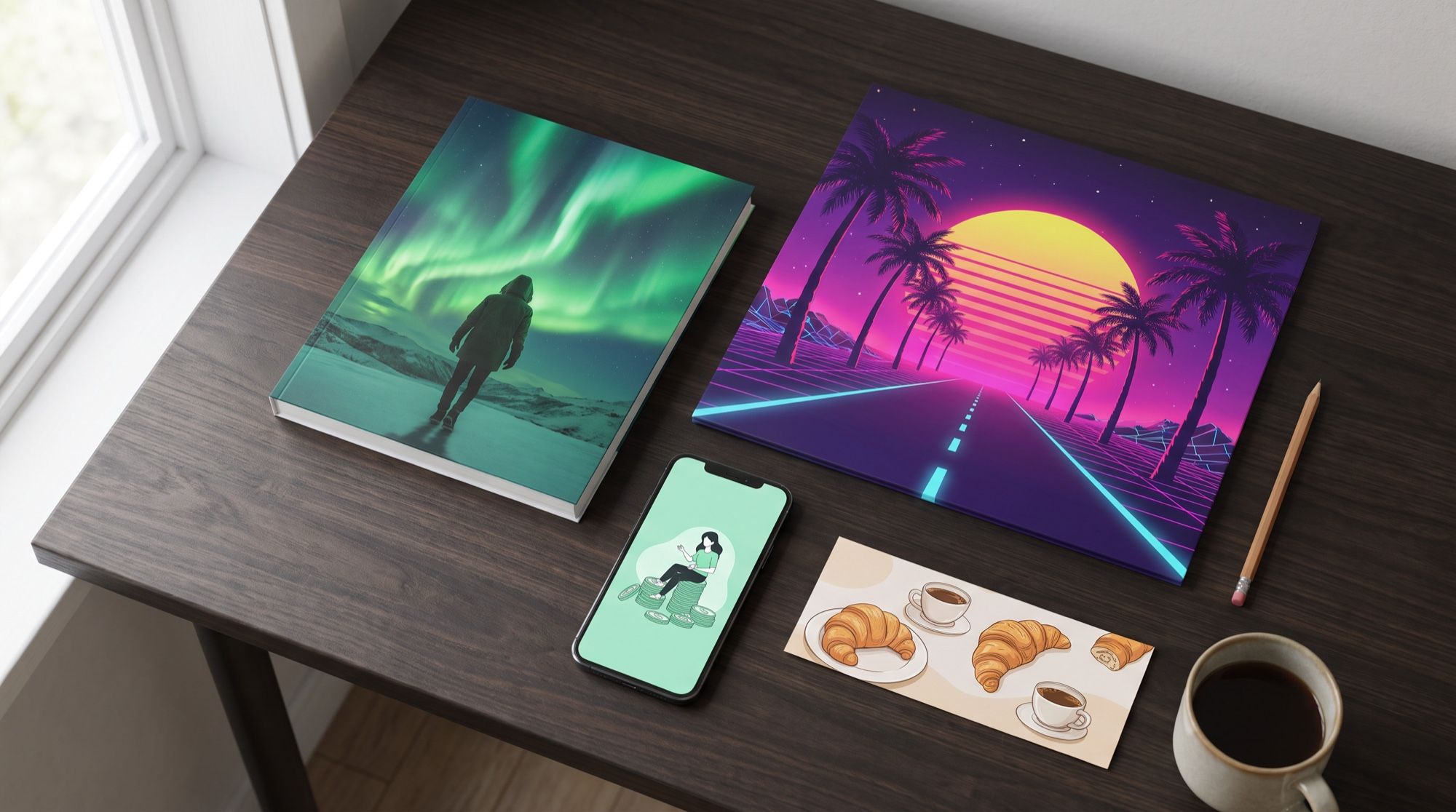
Professional book cover for a Russian fantasy novel. Artwork: a lone traveller
in a dark hooded cloak standing on a snowy cliff above a frozen northern sea,
aurora borealis in green and violet over the sky, a small lighthouse far away,
painterly cinematic illustration. Typography: the title North Wind in large
elegant serif letters in the upper third, the author name Anna Lesnaya in smaller
spaced capitals at the bottom. Write the words exactly, without quotation marks.
No other text, no logos, no barcode.
You can write the prompt in your own language. An English description of the scene still gives the model fewer chances to mix up what to letter and what to draw. Only the words that must appear on the cover stay in the language of the cover.
Which model writes cover text without mistakes
We sent the same prompt to Nano Banana Pro and GPT Image 2.5.
| Nano Banana Pro | GPT Image 2.5 | |
|---|---|---|
| Cyrillic on the first try | no errors | no errors |
| Typeface | decorative, “fantasy” | classic book type |
| Illustration | soft painting | more detail and contrast |
| Replacing the lettering by an edit | succeeded on the second try | twice left a Cyrillic “Н” in the name |
| Best fit | illustrated covers and series | covers with dense detail |
This article includes six covers with Cyrillic text, and none of them had a typo on the first try. The English lettering in the other pictures is a later edit. That edit is the weak spot: when we translated the cover into English, GPT Image 2.5 twice produced “АНHA LESNAYA”, with letters from two alphabets mixed. Check long text and any edit by eye. Don’t trust the model for that.
A track cover
Square single cover art for a synthwave track. An empty straight night highway
with no vehicles, glowing pink and cyan light trails along the road, leading
toward a huge low pink and orange sun on the horizon, purple sky with a neon
grid and stars, distant wireframe mountains, VHS texture, bold 1980s aesthetic.
Typography: the track title Night Route in a chrome retro italic font across
the lower third, and the artist name LUNA-7 in small neon pink letters at the top.
The title must stay readable at small thumbnail size. No cars, no other text.
In the first two attempts the model put a car on the road that looked very much like a real 1980s model. That is a problem for a release: a recognizable car design belongs to someone else. We removed the car with the words “no vehicles”, and the cover only got cleaner. Check for recognizable cars, brands and characters before you send the file to a distributor.
The track itself can become a video. The ai music video generator guide shows how to cut pictures to a song.
A podcast cover
Square podcast cover art for a podcast about personal finance. Flat modern
illustration: a calm smiling person in a cozy sweater sitting on a big stack of
coins and holding a cup of tea, a small potted plant growing from one of the
coins, warm mint green and cream color palette, lots of clean space. Typography:
the podcast title Money Without Panic in large bold rounded sans-serif letters at
the top, and a small subtitle a podcast about personal finance under it.
A flat illustration with one character works for a podcast. In a catalog it sits next to dozens of other covers at thumbnail size, and a photograph gets lost there. The subtitle “a podcast about personal finance” tells the topic to anyone who doesn’t know the name.
Social media header banner
Wide full-bleed social network community header banner for a small neighborhood
bakery and coffee shop, one continuous photo across the entire image with no
frames, borders or inner panels. Photorealistic warm morning scene: a wooden
counter on the right with fresh croissants, rye bread loaves and a cup of
cappuccino with latte art. Typography on the left over a calm darker area: the
name Bread & Coffee in large hand-lettered cream script, and below it the line
Fresh pastries every morning. Keep the text and the bread away from the extreme
left and right edges.
VK is the worked example. The first version asked the model to “keep everything in the safe zone”, and it literally drew a frame inside the banner. Describe the result, not the term: “keep the text and the bread away from the left and right edges”. In the VK mobile app the center of the cover is what people see, so don’t put the community name on the very edge.
A cover for an article or a video
For an article or a post, “action on the right, headline on the left” is enough. An underline in a color already in the photo — here orange, like the shoes — ties the words to the picture. If the cover needs your portrait, upload your own photo as a reference. That is covered in the AI thumbnail generator guide.
Text in the generation, or added later
- In the generation, when the text is short (2–6 words) and is itself part of the design: chrome letters, a handwritten script, lettering in perspective. Doing that by hand takes a long time.
- On top, in an editor, when the text is long, legally sensitive (an ISBN, an age rating) or will change (an air date, an episode number). Then ask for “empty space at the top for a headline, no text”.
- Translating a cover is an edit: upload the finished cover and ask to replace only the words, keeping the typeface and the position. That is how the English lettering on these covers was made.
A series in one style
For a book series, podcast episodes or a blog section, use the first cover that worked as a reference. Attach it to the next generation and write “same style, same typeface, new title — …”. The palette, the type and the layout stay; the image and the words change. In AI2Face you can send a picture from the feed as a reference in one click, and keep a logo or an author photo in AI2Face assets.
Limits
- Small type. The smaller and longer a subtitle is, the more likely a missing or extra letter. Check every word.
- Editing lettering is less reliable than generating it. Replacing text that was already there worked on the first try in four of the six covers.
- Someone else’s objects. The model can draw a recognizable car, a logo on the shoes or a familiar character. Write “no logos, no brand marks” and check the result.
- Exact pixels. The generator gives a frame in the ratio you asked for, not in the platform’s pixel size. Do the final crop and scale in an editor.
- A barcode, an ISBN, a publisher’s logo go on by hand. The model will draw something that looks right and doesn’t scan.
Where to make the cover
In AI2Face, Nano Banana Pro and GPT Image 2.5 sit in one generator: make a cover in one model, compare it with the other, and translate the lettering by an edit. The cost of each generation is shown before you start, you can pay by card or crypto, and credits from packs don’t expire. AI2Face replaces the AI metadata on the image with camera data, so social networks don’t put an automatic “made with AI” label on the cover. How the generator works is in the AI2Face image generator guide.
Bottom line
In 2026 an AI cover generator is a finished cover, not a blank to decorate later. Six of six covers in our test came out with correct Cyrillic text on the first try. For illustrated book covers and series, use Nano Banana Pro. For covers with dense detail, use GPT Image 2.5, and run your own prompt through both. Let the model draw a short headline. Add long text, an ISBN and dates in an editor. Before you publish, match the size to the platform in the table above and check the cover for anyone else’s brands.
FAQ
How do I make a cover with AI?
Pick the aspect ratio for the platform, describe the main image, the style and the colors, then give the headline as exact words and say where it sits. Nano Banana Pro draws the cover with the lettering in about half a minute, and a bad detail can be fixed with a follow-up prompt.
Which AI writes text on a cover without mistakes?
Nano Banana Pro and GPT Image 2.5. In our test, six covers with Cyrillic text came out without typos on the first try. Still check long subtitles and small type before you publish.
What size should a VK community cover be?
VK recommends 1920×768 pixels, with a minimum of 960×384, in JPG or PNG. Generate at 21:9 and crop the top and bottom to 2.5:1, keeping the text closer to the center.
Can I make a book cover with AI for free?
Yes, a few versions. AI2Face gives you welcome credits after you sign up, and one cover in Nano Banana Pro is inexpensive — the price is shown before you start.
Can I use an AI cover commercially?
Yes, if it shows no one else's brands, logos, recognizable people or characters. Before you sell a book or release a track, check the cover for those details — the model can draw them by accident.
Sources
5
- https://vk.ru/faq18266
- https://itunespartner.apple.com/music/support/5215-digital-packaging-music
- https://kdp.amazon.com/en_US/help/topic/G6GTK3T3NUHKLEFX
- https://blog.google/innovation-and-ai/products/nano-banana-pro/
- https://developers.openai.com/api/docs/models/gpt-image-2.5-sunburst