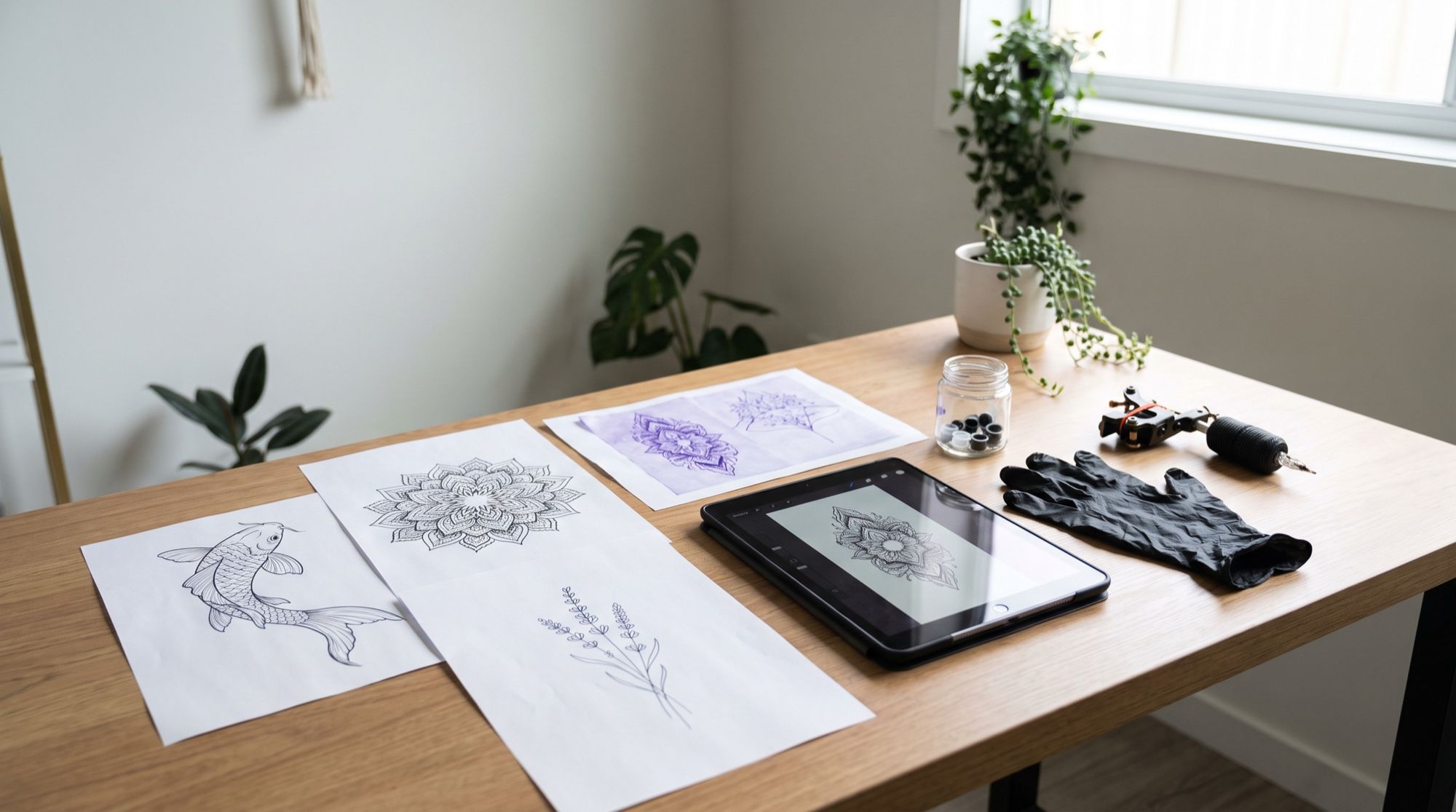
An AI tattoo generator helps at the hardest stage — when the idea exists only in your head. You describe it in words, get a design, and then an image of how it will look on your arm. We tested five popular styles and a try-on on a photo. All images below were made in the AI2Face generator.
How to use an AI tattoo generator to make a design
The prompt formula: subject + style + color + the word “design” (flash). The last part matters: without it, the model draws a pretty picture rather than a design you can transfer to skin.
Tattoo flash design: [subject], [fine-line / dotwork / old school / Japanese] style,
[black ink / color palette]. Clean flat digital artwork on a pure white background
filling the frame, front view, no skin, no hands, no paper texture, no watermarks,
no signatures, ready for a stencil.
We added “no paper texture” and “no watermarks” after the first batch. Without them, Nano Banana Pro framed the design as a photo of a sheet of paper three times out of five, and once — this is important — drew the watermark of a well-known classifieds site in the corner. You can’t use such an image: check the corners of every design.
5 designs by style
Fine-line
Tattoo flash design: a delicate fine-line botanical tattoo of a sprig of lavender
with a small moth, thin single-needle black lines, minimal shading, elegant,
centered and large in the frame. Clean flat digital artwork on a pure white
background, no paper texture.
Dotwork and blackwork
Tattoo flash design: a symmetrical blackwork mandala with dotwork shading and
geometric patterns, crisp black ink, centered and large in the frame. Clean flat
digital artwork on a pure white background, ready for a stencil.
Old school
Traditional American old school tattoo flash: a swallow carrying a red heart with
a ribbon banner across it, bold black outlines, limited palette of red, yellow,
green and blue, flat color. On the banner one word in bold English capital letters,
written once and without quotation marks: MOM. No other text.
Japanese style
Japanese irezumi style tattoo design: a koi fish swimming upward through stylized
waves and cherry blossoms, bold outlines, traditional colors — orange, red, deep
blue — vertical composition suitable for a forearm.
Script lettering
Tattoo lettering design: elegant flowing script lettering of one English word,
written once and without quotation marks: Freedom. Fine black ink, a few decorative
flourishes, centered, ready for a stencil, no other text.
Both models spelled the word correctly. Nano Banana Pro added more flourishes, while GPT Image 2.5 made the lettering simpler and easier to read. For small lettering on the wrist, pick the simpler version: thin flourishes blur over time.
Try on a tattoo on a photo
The most useful thing AI gives you is the chance to see the design on your own body before the session. Take a photo of the area in daylight and upload two references: the photo and the design.
Place the koi fish tattoo design from the second image onto the inner forearm in
the first image as a real healed tattoo: follow the curve and perspective of the
arm, natural skin texture and fine hair visible through the ink, the same colors
and linework as the design, realistic light and shadows matching the photo. Keep
the arm, hand, table and lighting exactly as in the first image. Photorealistic.
The arm, table and window light stayed exactly the same, and the tattoo followed the curve of the forearm with fine hair over the ink. This makes it easy to compare sizes: try on the same design smaller and larger and see which looks more natural. More on editing your own photos in our guide to the AI photo editor.
How to prepare a design for your artist
| What | Why |
|---|---|
| White background, front view | the artist transfers the outline to a stencil without extra detail |
| Vertical or horizontal composition for the area | the design follows the shape of the body |
| 2–3 sizes in the try-on | you see where details become too small |
| A separate file for lettering | artists often choose and adjust lettering separately |
| No watermarks or signatures | someone else’s mark in a design is a reason to drop the image |
Limitations
- A design is not finished work. The artist adapts it to your anatomy, size and their technique — that’s a normal part of the process.
- Fine details blur at small sizes. Fine-line and dotwork need enough area.
- Watermarks and logos. The model may reproduce someone else’s mark — it happened once in five tries for us. Check the whole frame.
- Check lettering letter by letter. Both models handled it, but a mistake in a tattoo is expensive.
- Don’t copy artists’ work. Don’t ask AI to recreate someone else’s recognizable tattoo — use your own ideas.
Where to make a tattoo design with AI
In AI2Face, Nano Banana Pro and GPT Image 2.5 are in one generator: the design and the try-on on your own photo can be made in the same feed. The cost of each generation is shown before you start, you can pay by card or crypto, and credits from packs don’t expire. More on writing prompts for different styles in our guide to AI image prompts.
Bottom line
An AI tattoo generator covers the whole path from idea to try-on: a design in the right style takes one generation, a try-on on your own photo takes a second. In our test all five styles and the script word came out clean, and the koi sat on the forearm like a real tattoo. Write “design on a white background, no watermarks” in the prompt, check the corners and the letters, try on two or three sizes — and bring your artist the source file together with the best variants.
FAQ
How do I create a tattoo design with AI?
Describe the subject, style, color and placement, and ask for “a design on a pure white background, front view, no skin.” Nano Banana Pro draws a design in about half a minute; make 3–4 variants and bring the best one to your artist.
Can I try on a tattoo on a photo?
Yes. Upload a photo of the body area and the design as two references and ask to place the tattoo on the skin following the curve and the light. In our test the koi sat on the forearm like a real tattoo, while the arm, background and light stayed the same.
Can AI make tattoo lettering?
Yes. Nano Banana Pro and GPT Image 2.5 both rendered a script word without errors, in English and in Russian. Check every letter: a typo in a tattoo can't be undone.
Can I make a tattoo design for free?
Yes, a few variants. AI2Face gives you welcome credits after signing up, and one design in Nano Banana Pro is inexpensive — the price is shown before you start.
Will AI replace a tattoo artist?
No. AI helps you find an idea and a style, but only an artist can adapt the design to your anatomy, size and the technique of the work.
Sources
3
- https://blog.google/innovation-and-ai/products/nano-banana-pro/
- https://ai.google.dev/gemini-api/docs/image-generation
- https://developers.openai.com/api/docs/guides/image-generation