Turning a photo into a drawing used to mean commissioning a portrait from an artist, or spending a week learning a graphics editor. Now a model redraws the shot in the technique you ask for, from a single sentence, and keeps the face. We took one portrait and ran it through six techniques in the AI2Face generator, so the difference shows on one source — not on six separate lucky examples.
How to turn a photo into a drawing: 3 steps
- Upload the photo as a reference. A regular phone shot is fine.
- Name the technique and the material: “pencil on white paper”, “watercolor on rough paper”, “oil on canvas with visible strokes”.
- Forbid changes to what matters: “keep the face, hairstyle, freckles and pose as in the photo”. Without that line, the model draws someone who looks like you, not you.
A prompt is easy to build as technique + material + what to keep + what to simplify + “no signature”. The last part matters because models like to drop an artist’s signature in the corner.
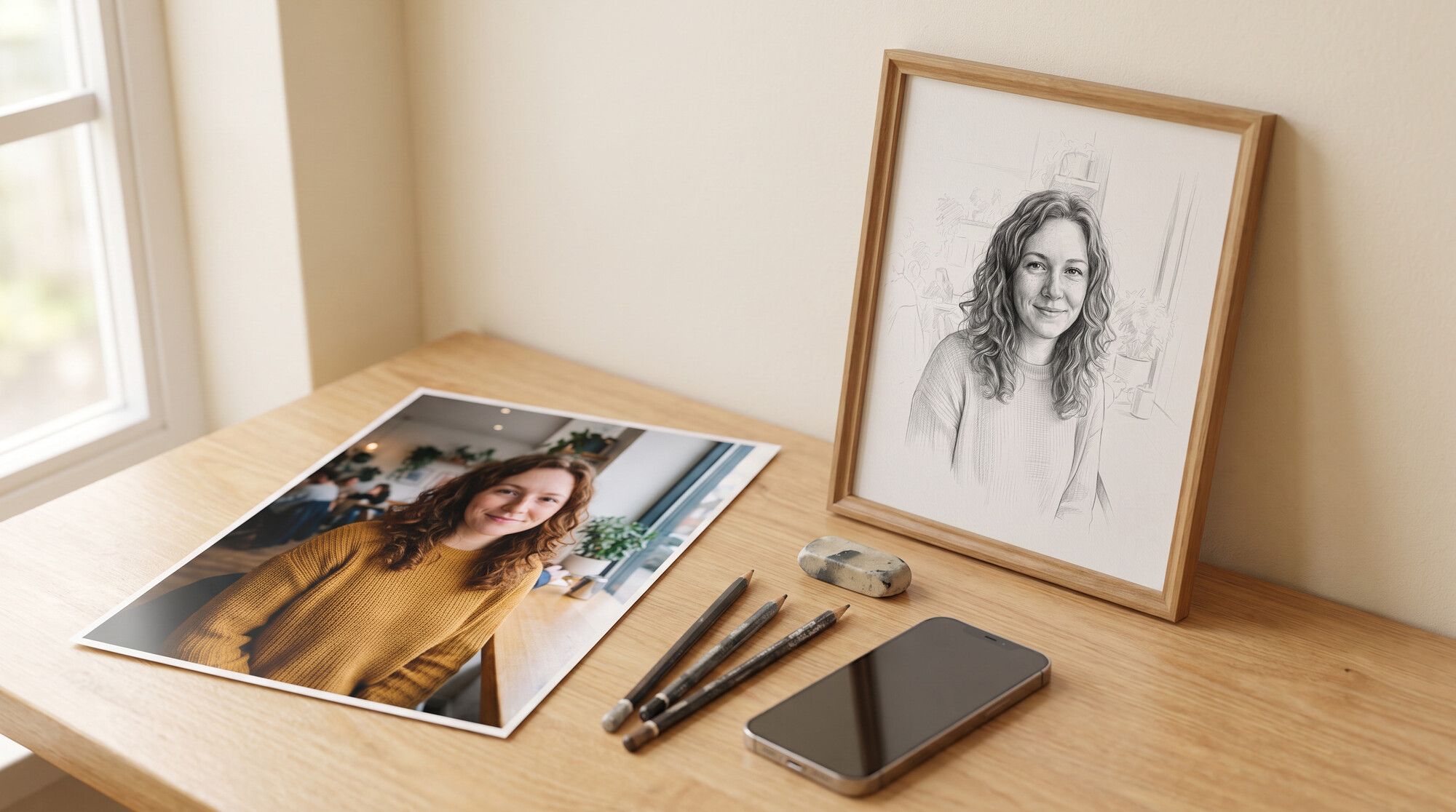
The source for every test is a portrait of a fictional woman by a café window:
Which drawing style to pick
| Technique | How it looks | What it’s for |
|---|---|---|
| Pencil (graphite) | hatching, white paper | a framed gift, a portrait “as if an artist drew it” |
| Charcoal, sanguine | dense dark patches, soft edges | a dramatic portrait, photos of men |
| Watercolor | transparent washes, drips | gentle portraits, children, a wedding |
| Oil | thick strokes, canvas texture | a “painting” for a room, a gift for parents |
| Line art (contour) | one line, no shadows | print on a mug, a t-shirt, a tattoo sketch |
| Pen and ink | thin lines and hatching | a sketchbook, an illustration for a post |
| Child’s drawing | crayons, naive proportions | a card, a joke, a gift from a child |
Artists’ styles and anime are a separate topic. How to make a photo “Ghibli-style”, or in the manner of a well-known school of painting, is covered in our articles on how to turn a photo into anime and AI photo style transfer.
Turn a photo into a drawing in pencil
Turn this photo into a realistic graphite pencil portrait drawing on white
textured drawing paper. Keep the woman's face, curly hair, freckles, smile and
pose exactly the same so she stays recognisable. Soft hatching and blending for
shadows, fine lines for curls, the sweater and cafe background only lightly
sketched and fading out to white paper at the edges. Black and white, no color.
No text, no signature.
The phrase “fading out to white paper at the edges” makes the drawing feel alive: the edges stay unhatched, as in a real sketchbook. Without it, the model draws the background out to the edges, and the result looks like a photo with a sketch filter.
Which model keeps the face better: Nano Banana Pro or GPT Image 2.5
We sent the same prompt to Nano Banana Pro and GPT Image 2.5:
| Nano Banana Pro | GPT Image 2.5 | |
|---|---|---|
| Facial likeness | high | high |
| Looks like a drawing | yes: hatching, white paper | closer to a black-and-white photo with pencil texture |
| Background | barely indicated, as asked | drawn almost in full |
| When to use it | a gift “as if an artist drew it” | a realistic graphite portrait |
For pencil and watercolor we’d pick Nano Banana Pro: it’s more willing to leave the paper blank and to draw with hatching. GPT Image 2.5 renders light and volume more accurately, but the result sits closer to a photograph.
A watercolor drawing and oil
Repaint this photo as a loose watercolor portrait on cold-press watercolor paper:
transparent washes, soft color bleeds and visible paper texture, some white paper
left unpainted around the edges. Keep the woman's face, freckles, smile and pose
the same so she stays recognisable.
For oil, the material and the light change: “classical oil painting on canvas, visible thick brushstrokes, soft chiaroscuro light, dark warm background”. A dark background immediately gives the portrait a museum look.
Turn a photo into a contour drawing (line art)
Contour is the most practical format: people print it on mugs and t-shirts, convert it to a vector, and use it as a tattoo sketch.
Redraw this photo as minimalist line art: clean continuous black ink lines of
even thickness on pure white, no shading, no grey, no hatching, no color. Keep
the face shape, curly hair outline, smile and pose; the background reduced to
two or three lines of the window and a small plant.
“no grey, no hatching” is required: without those words the model adds hatching, and a contour stops being a contour. If you need a drawing with no background for print, cut it out with the guide on how to remove background from an image with AI. If you need a coloring page rather than a portrait, the prompts are in the AI coloring page generator article.
Turn a photo into a child’s drawing
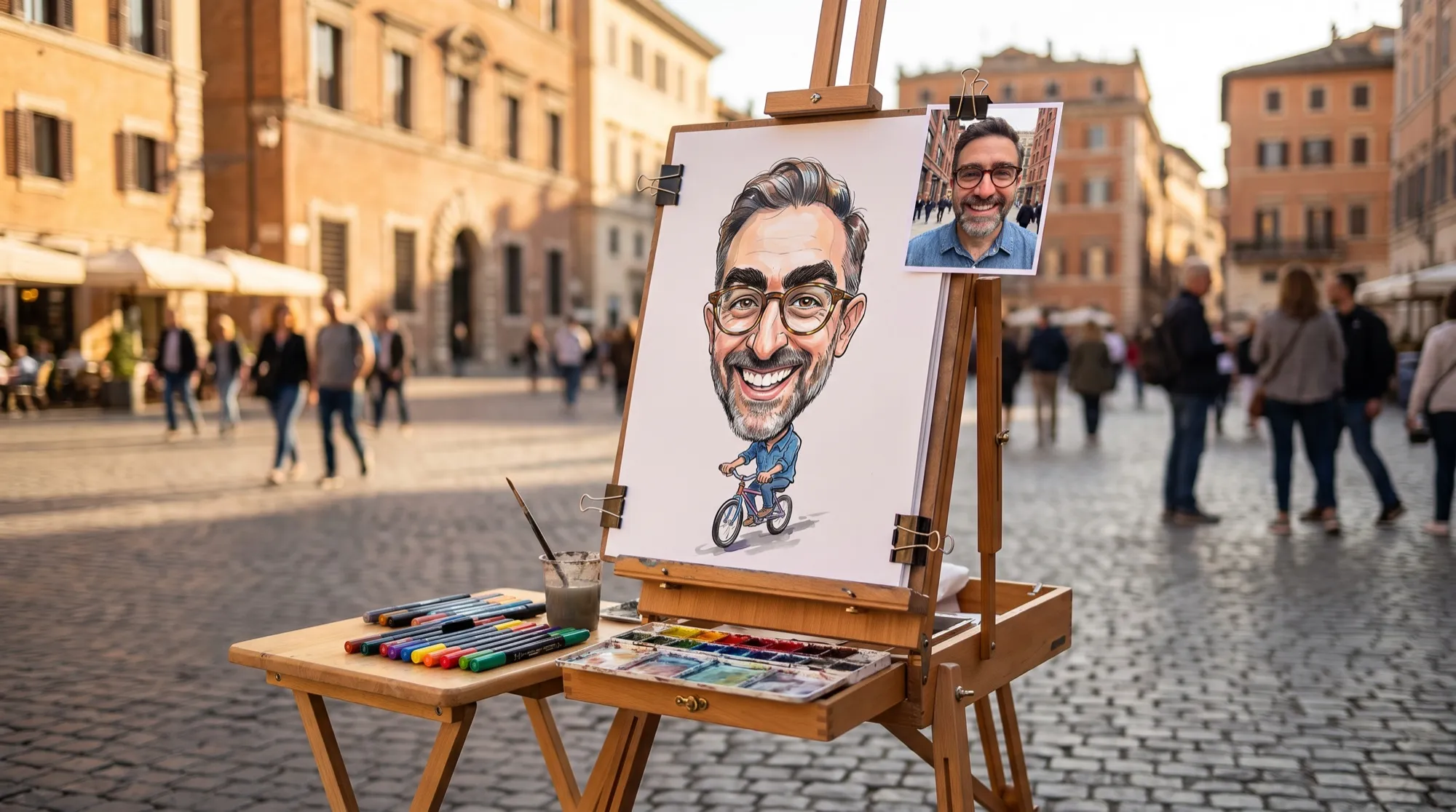
The most popular “joke” format: as if a child drew you. The model should keep recognizable features and draw them naively.
Redraw this photo as if a six-year-old child drew this woman with wax crayons
and felt-tip pens on white paper: naive proportions, a big round head, dots for
freckles, curly brown scribbles for hair, a yellow sweater, a big smile, a window
and a plant drawn simply next to her, a little sun in the corner.
Name 2–3 features of the person in the prompt (hairstyle, glasses, clothing color) — that’s how people recognize them. The face in a child’s drawing won’t be a portrait, and that’s normal.
Which photos work for a drawing
- A sharp face, close up. The more pixels on the face, the closer the likeness. If the shot is small or blurry, first improve it with an AI photo enhancer.
- Soft daylight. Hard shadows from a flash turn into muddy patches of hatching.
- No beauty filters. Smoothed skin gives a “plastic” drawing with no character.
- A quiet background. The model will simplify a busy background anyway, but it may leave extra details in it.
- One or two people. In a group photo the faces are small, and the likeness drops.
How to print the drawing and give it as a gift
- Match the frame. 4:5 and 3:4 are closest to 20×25 and 30×40 frames and to an A4 sheet. A 1:1 square on A4 leaves a blank third of the sheet.
- Resolution: 4K. A4 at 300 dpi needs 2480×3508 pixels. Our 4:5 frame at 2K is 1856×2304, about 200 dpi on A4: excellent on a screen, but a thin pencil stroke gets softer in a frame. 4K gives twice as much on each side.
- Paper. Watercolor and oil print better on matte textured paper: gloss gives away a digital print.
- Sign it by hand. Models write signatures with mistakes, so add the name and the date with a pen on the mat.
Limitations
- Likeness isn’t guaranteed. The stronger the stylization (oil, a child’s drawing), the more the model “simplifies” the face. Make 2–3 versions and pick the best.
- Hands and fingers. If hands are in the frame, check the fingers: mistakes show less in a drawing than in a photo, but they do happen.
- Small details. Earrings, patterns on clothes and lettering may be redrawn the model’s own way.
- Other people’s photos. Redraw your own shots, or shots you have permission to use: a drawing of a recognizable face is still an image of that person.
Where to turn a photo into a drawing
In AI2Face, Nano Banana Pro and GPT Image 2.5 sit in one generator: you can send the photo to both models and pick the better drawing. The cost of each generation is shown before you start, you can pay by card or crypto, and credits from packs don’t expire. On download, AI2Face replaces the model’s service tags with ordinary camera data, so social networks don’t mark the picture as AI-generated. If you want an avatar from the portrait, see the AI profile picture generator article.
Bottom line
You can turn a photo into a drawing in half a minute, in any technique, if the prompt has three things: the material, the line “keep the face and pose as in the photo”, and a ban on a signature. For pencil and watercolor that look “as if an artist drew it”, use Nano Banana Pro — it hatches and leaves the paper blank. For a realistic graphite portrait with accurate light, GPT Image 2.5 fits. For a framed print, generate at 4K in 4:5; line art is ready for a mug or a t-shirt right away.
FAQ
How do I turn a photo into a drawing with AI?
Upload the photo to the generator and write the technique plus the main condition: “redraw this photo as a pencil drawing; keep the face, hairstyle and pose as they are.” Nano Banana Pro or GPT Image 2.5 returns a drawing in 20–40 seconds.
Does the model keep the face when it turns a photo into a drawing?
Yes, if you ask for that directly and give it a sharp photo. In our test both models kept the face shape, the curls and the freckles in every technique except the child's drawing: there the face is simplified on purpose.
Which photo works best for a drawing?
A sharp portrait in daylight: the face large, no filters and no strong shadows, a quiet background. Dark, blurry and group shots give a weaker drawing.
Can I print a drawing made from a photo?
Yes. For an A4 sheet in a frame, generate at 4K in 4:5 or 3:4: a 2K frame printed on A4 is about 200 dpi, which isn't enough for a pencil stroke.
Can I turn a photo into a drawing for free?
Yes, a few drawings. AI2Face gives you welcome credits after you sign up, and the cost of each generation is shown before you start.
Sources
3
- https://blog.google/innovation-and-ai/products/nano-banana-pro/
- https://ai.google.dev/gemini-api/docs/image-generation
- https://developers.openai.com/api/docs/models/gpt-image-2.5-sunburst