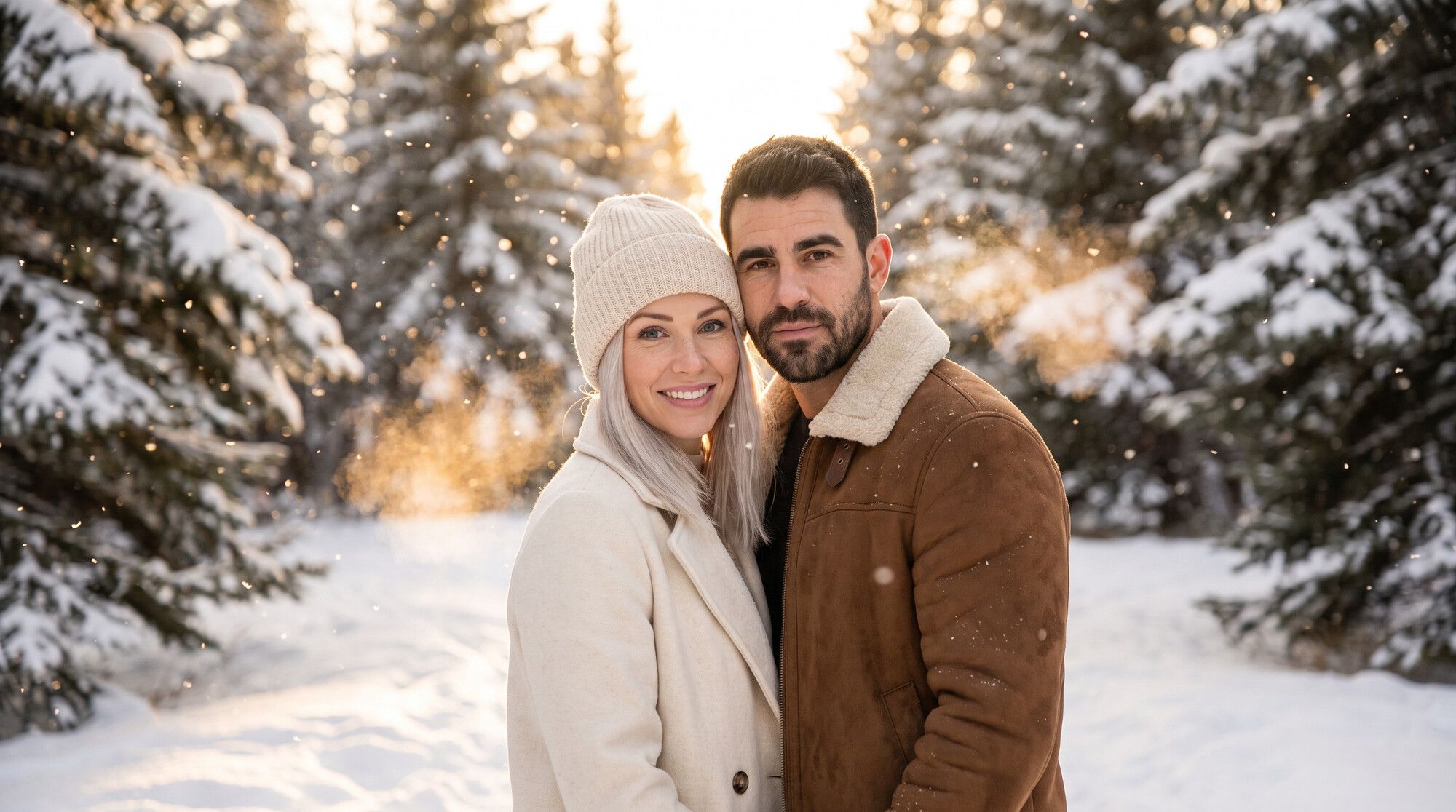
A winter photoshoot without the frostbite: all you need is one photo of your face, and the snowy forest, the ski slope and the northern lights come from the prompt. Every shot below was made from two home selfies — a woman with a platinum bob and a bearded man — in Nano Banana Pro, no retouching. Copy the prompts and swap the scene for your own. There are no Christmas trees here — those have their own collection: Christmas photoshoot prompts.
How to write a winter photoshoot prompt
A winter prompt follows the same photoshoot prompt formula as any other. Four parts, in this order:
- Keep the face. “Keep the woman’s face, grey-blue eyes, light freckles and platinum blonde shoulder-length hair exactly as in the photo.” Spelling out the features protects the likeness in scenes where the face is in shadow or under a hat.
- Scene and action. Where you are and what you’re doing: walking down a street with a coffee, carrying skis on your shoulder, lying in the snow. An action brings the shot to life; “standing in front of a forest” makes it flat.
- Outfit. A specific garment and color: “chocolate brown faux fur coat”, not “warm clothes”.
- Light and camera. “Soft overcast light”, “sunny frosty day”, plus the lens and aperture. Write “realistic photo” instead of “8K” and “hyperrealistic”: the buzzwords make skin look plastic.
For winter without the holidays, add “no Christmas decorations”. Without that line, snowfall in a city often turns into a Christmas market with string lights.
Which photo to upload
The model takes more than the face from your photo. Anything in the source frame can end up in the winter scene:
- Face uncovered, daylight. No sunglasses, no hood, no app filters.
- No phone, no hand at the edge of the frame. Our female selfie had a hand holding a phone at the bottom. In 4 scenes out of 9 (forest, city, mountains, Russian village), the model drew that hand with the phone along the bottom edge.
- One photo per person. For a couple or a family, upload a separate shot of each person and link them in the prompt: “the woman from the first photo, the man from the second photo.”
First we tried to fix the flaw with text and added “her hands are free, no phone in the frame.” It didn’t work in any of the four scenes. In the city shot she held a coffee with both hands, and a third hand with a phone still appeared at the bottom. Only cleaning up the source worked: a single edit — “remove the hand holding the phone at the bottom of the photo, keep everything else” — gave us a selfie without the phone, and all four scenes made from it came out clean. The same trick works for any unwanted detail — see our guide on how to remove an object from a photo.
One trace of the selfie remained. In the forest scene, a blurred dark hoodie sleeve appeared at the bottom three times in a row — the model repeated the “arm next to the lens” angle. The line “photo taken by a photographer from three meters away, clean foreground” didn’t help, so we cropped the bottom of the shot. The best source for a winter photoshoot is a photo taken by someone else or with a self-timer.
What to wear for a winter photoshoot
The outfit in the prompt makes half the shot. Winter has its own trap: light clothes blend into white snow, and a scarf up to the nose or a low hat hides the face, so the model has to invent it.
| Scene | What to write in the prompt | Why |
|---|---|---|
| Forest, snowfall | “white faux fur hat and an ivory wool coat” | light colors read against dark fir trees; in open snow you need side light |
| City evening | “chocolate brown faux fur coat, gloves, a cup of coffee” | dark fur contrasts with the snow, busy hands make the pose natural |
| Close-up | “chunky knitted scarf up to her chin” | keep the scarf below the chin, or the face disappears under the fabric |
| Russian village | “red floral wool shawl, sheepskin coat” | a bright shawl becomes the main color against the white background |
| Mountains | “red ski jacket, goggles pushed up on a helmet” | goggles over the eyes hide half the face |
| Men’s portrait | “brown shearling jacket, dark knitted beanie” | a beanie above the eyebrows keeps the face visible |
| Couple, family | a different jacket color for each person | it’s easier for the model not to mix up people or blend their features |
Winter photoshoot prompts for women: forest, city, frost
Three scenes that start almost any winter album. The face prefix stays the same, only the scene changes.
Idea 1. A forest in heavy snowfall
Keep the woman's face, grey-blue eyes, light freckles and platinum blonde shoulder-length
hair exactly as in the photo. Winter forest photoshoot: she stands among snow-covered pine
trees during heavy snowfall, snowflakes on her hair, white faux fur hat and an ivory wool
coat, soft overcast light, 85mm lens at f/1.8, realistic photo, no Christmas decorations.
Idea 2. A city evening with coffee
[face prefix from idea 1] Winter evening in the city: she walks along a snowy street with
warm lights from shop windows and street lamps, chocolate brown faux fur coat, holding
a paper cup of hot coffee in gloved hands, light snowfall, bokeh, 50mm lens at f/1.6,
cinematic photo, no readable signs, no Christmas decorations.
Idea 3. Frost on the eyelashes
[face prefix from idea 1] Frosty close-up portrait: hoarfrost on her eyelashes and on the
strands of hair near her face, small snowflakes, visible breath vapor, chunky grey knitted
scarf up to her chin, cold blue morning light, 105mm lens at f/2.8, realistic photo.
The face is recognizable in all three shots: grey-blue eyes, freckles, a straight platinum bob. The “no readable signs” line worked — the shop windows glow, but there’s no lettering. In the close-up the model drew the freckles more visibly than on the selfie: a 105mm lens shows skin closer than a phone’s front camera.
Russian winter, mountains and the northern lights
Travel scenes: a frosty village, a ski slope and a polar night. The key here is to keep the outfit and props from covering the face.
Idea 4. Russian winter: a shawl and a village
[face prefix from idea 1] Russian winter: she stands in a snowy village with old wooden
houses and birch trees covered in hoarfrost, a red floral wool shawl over her head and
shoulders, a sheepskin coat, sunny frosty day, blue sky, rosy cheeks, 85mm lens at f/2,
realistic photo.
Idea 5. A ski resort
[face prefix from idea 1] Sunny day at a ski resort: she stands on a snowy slope holding
skis on her shoulder, red ski jacket, goggles pushed up on a white helmet, snowy mountain
peaks and deep blue sky behind, bright sun, correct exposure on the face, 35mm lens
at f/5.6, realistic photo, no logos.
Idea 6. Under the northern lights
[face prefix from idea 1] Arctic night: she stands on the shore of a frozen lake under
green northern lights, white down parka with a fur hood, holding a warm glowing lantern
that lights her face, stars, snow, long exposure look, 24mm lens at f/1.8, realistic photo.
Two lines make these shots work. “Correct exposure on the face” matters on bright snow: without it, the face comes out dark against the sky. The lantern is the light source for the night scene: under the northern lights, an unlit face turns into a silhouette.
Men’s winter photoshoot
A men’s winter portrait relies on textured clothing and “rugged” props: a car, a campfire, an axe by a woodpile. We went with an off-road car on a forest road.
Idea 7. By an off-road car on a forest road
Keep the man's face, dark beard, brown eyes and short dark hair exactly as in the photo.
Men's winter portrait: he stands next to a dark off-road car on a snowy forest road, brown
shearling jacket, dark knitted beanie, snow on the pine trees, light snowfall, overcast
soft light, 85mm lens at f/2, realistic photo, no logos, no license plate.
The “no logos, no license plate” line is worth adding to any shot with a car: the model may draw a real brand’s badge or a random plate number, which makes the image awkward to post. 8 more men’s scenes are in our men’s photoshoot prompts.
Winter photoshoot for couples and families
For a couple, upload two photos — one per person — and link them in the first line. You can add a child by description if you don’t have their photo or would rather not upload it.
Idea 8. A couple making snow angels
The woman from the first photo and the man from the second photo are a couple. Keep both
faces exactly as in the photos: her platinum blonde hair and freckles, his dark beard.
Winter couple photoshoot, top-down shot: they lie side by side in fresh deep snow making
snow angels and laughing, she in a white puffer jacket, he in a dark green parka,
snowflakes on their hair, soft daylight, 35mm lens, realistic photo.
Idea 9. A family on a snow tube
[couple prefix from idea 8] They are parents with their 6-year-old son with dark hair
and a red knitted hat. Winter family photo: the three of them slide down a snowy hill
together on a big inflatable snow tube, laughing, snow flying, colorful winter jackets,
sunny day, 50mm lens at f/4, realistic action photo.
Both faces held up in both shots, even in motion with snow flying. The model drew the son from the description: a red hat, an orange jacket, laughing along with his parents. The more people in the frame, the more often the model mixes up and blends their features, so keep a family shot to three or four people. More scenes are in our couple photoshoot prompts, AI family photoshoot and AI kids photoshoot. For a winter shot with a dog, see photos with your dog or cat.
How to turn a summer photo into a winter one
If you have a great summer shot, there’s no need to reshoot it: upload it and ask for a change of season. The key is to spell out what to keep and what to replace.
Idea 10. Summer → winter
Turn this summer photo into winter. Keep the woman, her face, pose, framing and the park
path exactly the same. Replace the season: snow on the ground and on the tree branches,
light snowfall, overcast winter light. Change her outfit to a long camel wool coat, a cream
knitted hat and scarf, warm boots, replace the straw bag with a small leather bag.
Realistic photo.
Nano Banana Pro kept the face, the full-length framing and the curve of the path. The green trees became bare and snowy, and the sundress, sneakers and straw bag gave way to a winter look. The pose shifted: her hands moved because the leather bag hangs from her shoulder. The same prompt turns any of your photos into winter, and targeted edits — snow in the hair, a fur coat instead of a jacket — are covered in our guide on how to edit a photo with AI.
Where to run these prompts
Every prompt in this article works in AI2Face. It brings together Nano Banana Pro, Nano Banana 2, GPT Image, Seedream and other top models — for less than subscribing to each one separately. You can pay by card, crypto or another convenient method. Besides the subscription there are credit packs: they don’t expire at the end of the month. AI2Face replaces the AI tags in the file with ordinary camera data, so social networks don’t label your winter shots as AI-generated. New accounts get starter credits, so your first shots cost nothing.
Finished winter shots are a natural fit for a 2027 photo calendar: twelve months, twelve scenes from one photo of you. And any shot can be animated into a video — the snow will start to fall.
More prompt collections: AI photoshoot prompt, Women’s photoshoot prompts, AI autumn photoshoot, Christmas photoshoot prompts, Christmas profile pictures.
Bottom line
A winter photoshoot prompt is the face, the scene, a specific outfit and the light. With the features spelled out in the first line, Nano Banana Pro kept the face in all ten scenes, from a frosted close-up to a family on a snow tube. Keep the scarf below the chin, push the goggles up onto the helmet, and put dark clothes against white snow. For winter without the holidays, write “no Christmas decorations”; for a car, “no logos, no license plate”. The main lesson of this set is about the source: a phone and a hand in a selfie move into the winter shots, and text doesn’t fix it. Clean up the photo before uploading or take it with a self-timer, and turn a summer shot into winter with a single edit.
FAQ
How do you write a winter photoshoot prompt?
Open with a line asking the model to keep your face and features: eye color, freckles, hair. Then the scene (forest, city, mountains), the outfit and the light, and the lens at the end: “85mm lens at f/1.8”. If you want winter without the holidays, add “no Christmas decorations”.
Can AI turn a summer photo into a winter one?
Yes. Upload the summer shot and write “turn this summer photo into winter, keep the face, the pose and the framing”: snow on the ground and branches, light snowfall, a warm coat instead of a dress. Nano Banana Pro kept the face, the composition and the park path, and swapped the dress and the straw bag for a coat and a leather bag.
Why is there an extra hand or a phone in my winter shot?
The model carries details from the source photo into the new image. A selfie with a phone in hand gave us a hand with a phone in 4 scenes out of 9, and the line “no phone in the frame” didn't help. Cleaning up the source did: remove the phone and the hand with an edit, or crop the photo before uploading.
Should I write the prompt in English or another language?
Nano Banana Pro understands both English and other languages. We wrote our prompts in English, and results from translated prompts are close. If the model misses a detail, repeat it as a separate short phrase.
Can I make a winter photoshoot for free?
New AI2Face accounts get starter credits, enough for your first winter shots. A Nano Banana Pro image at 2K costs 2 credits; this whole set, retries included, took 50.
Sources
2
- https://ai.google.dev/gemini-api/docs/image-generation
- https://blog.google/innovation-and-ai/products/nano-banana-pro/