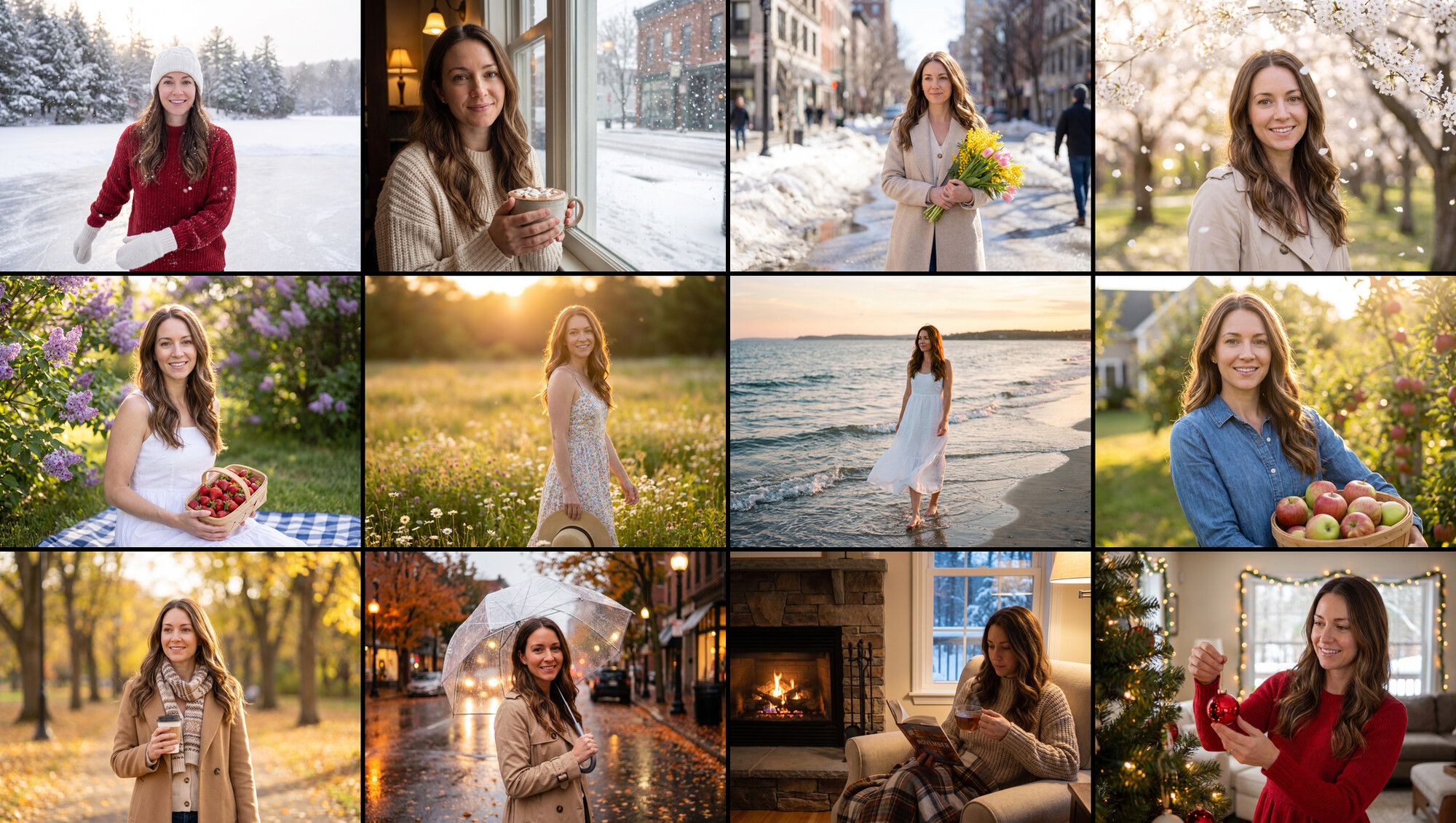
A photo calendar is one of the most popular holiday gifts — for grandparents, parents, coworkers. It used to take 12 good photos from the year. Now one selfie is enough: the AI places you in any scene, from a skating rink to the seaside. Below are all 12 months we made in Nano Banana Pro from a single photo, the prompts behind them, and an honest test: can you trust an AI model with the date grid itself?
How to make a photo calendar 2027: 3 steps
- Shots. Upload one clear selfie taken in daylight and generate 12 scenes — one per month. Start every prompt with “keep the woman’s face and hair exactly as in the photo.”
- Date grid. Drop the shots into a calendar maker, or ask the AI to draw the whole page — the prompt is below. In the second case, check every date.
- Print. Download the shots at full size and order prints: a wall calendar on A4/Letter or A3, a desk calendar or a one-page yearly poster.
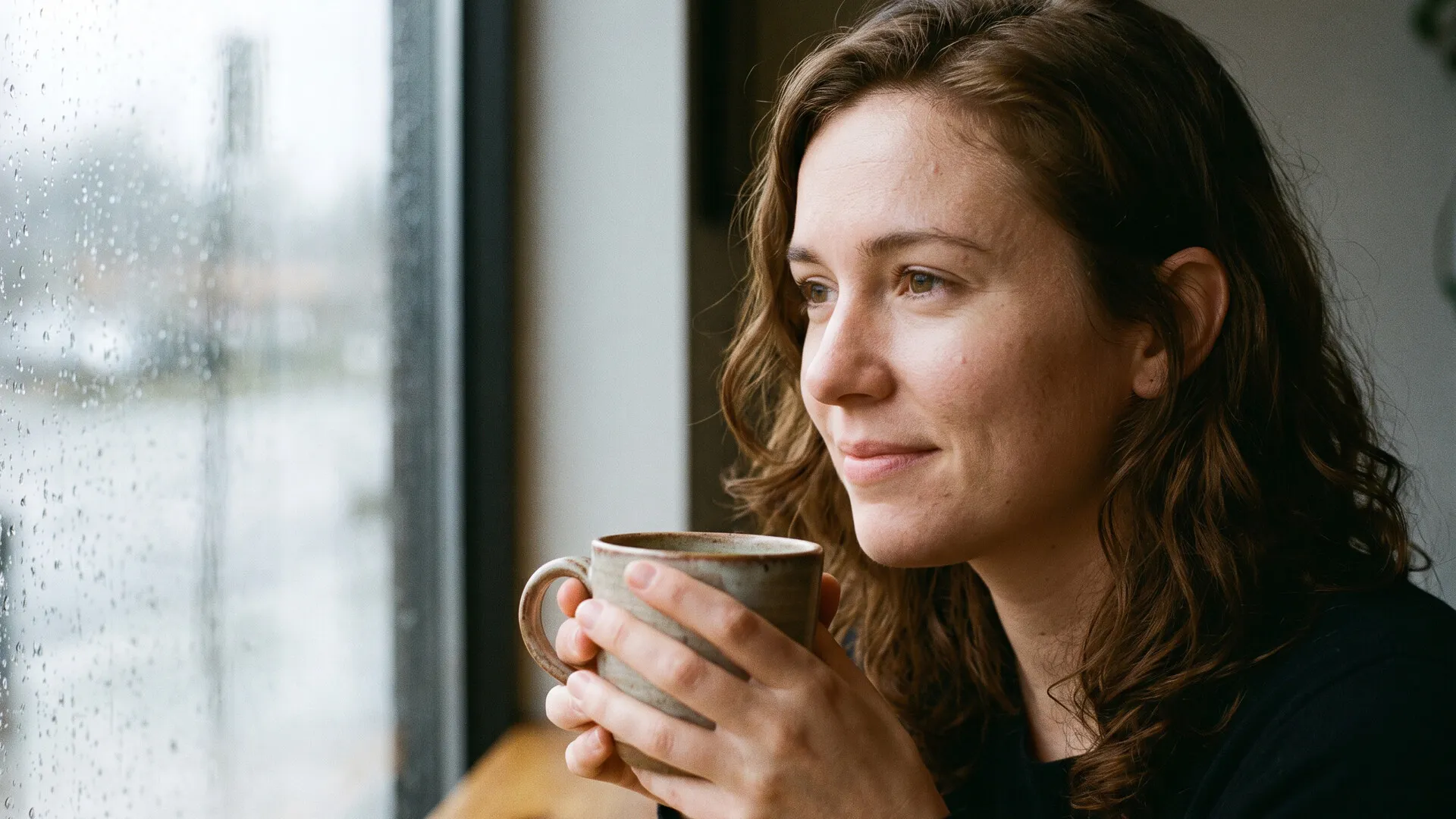
For every shot below we used one home selfie taken in a kitchen. The model kept the face, eyes and long chestnut hair across all 12 months — compare the source and January.
Calendar prompts for every month
All 12 prompts follow the same pattern: the face line, the month, the scene, the outfit, the light and the lens. Add “horizontal frame, no text”: text on the photo will clash with the grid, and 4:3 fits the top half of a portrait page. The prefix is the same for all:
Keep the woman's face, hazel eyes and long wavy chestnut hair exactly as in the photo.
… Realistic photo, horizontal frame, no text
January to June
January: she ice-skates on a frozen lake among snow-covered fir trees, white knitted
hat and mittens, red sweater, light snowfall, soft morning light, 85mm lens at f/2
February: she sits by the window of a cozy café with a big mug of hot cocoa with
marshmallows, heavy snowfall outside, chunky knit sweater, warm interior light, 50mm
lens at f/1.8
March: she walks along a sunny city street with melting snow and puddles, holding a
bouquet of yellow mimosa and pink tulips, light beige coat, spring sun, 85mm lens at f/2
April: she stands under blooming white cherry trees in a park, petals in the air,
light trench coat, soft spring light, 85mm lens at f/1.8
May: picnic in a garden full of blooming lilac bushes, she sits on a blanket with a
basket of strawberries, white cotton dress, golden afternoon light, 50mm lens at f/2
June: she walks through a meadow of wildflowers and daisies at sunset, straw hat in
her hand, light floral dress, warm backlight, 85mm lens at f/2
July to December
July: she walks barefoot along a sea beach at sunset, linen dress fluttering in the
wind, waves at her feet, golden hour, 35mm lens at f/2.8
August: she picks ripe apples in a sunny orchard at a country house, wicker basket
full of apples, denim shirt, warm late summer light, 50mm lens at f/2
September: she walks down a park alley with golden leaves holding a paper cup of
coffee, camel coat and a scarf, soft sunny day, 85mm lens at f/2
October: rainy autumn day, she stands under a transparent umbrella on a city street
with orange leaves and warm street lights, trench coat, dusk, 35mm lens at f/2
November: she reads a book in an armchair by a fireplace, cup of tea, cozy plaid,
first snow visible through the window, warm evening light, 35mm lens at f/2
December: she decorates a Christmas tree in a cozy living room, holding a shiny glass
ornament, warm garland lights, snow outside the window, red knit dress, 35mm lens at f/2
The December shot doubles as a calendar cover. If you want a separate cover, add a large “2027” to the prompt: according to Google, Nano Banana Pro renders text in images accurately. For more seasonal ideas, see our Christmas photoshoot prompts and autumn photoshoot prompts.
Can AI draw a calendar grid?
We tested it on a January 2027 page. We took the January shot and asked for the month grid below it — in Nano Banana Pro and in GPT Image 2.5. The first prompt had no hints:
Wall calendar page for January 2027: this photo at the top, the month grid below.
Title "January 2027". Flat print layout, white background, no spiral binding, no shadows
The second stated the weekday of the 1st and listed the highlighted dates:
Wall calendar page for January 2027: this photo at the top, the month grid below.
Title "January 2027". The week starts on Monday, weekday labels: Mon Tue Wed Thu Fri
Sat Sun. January 1, 2027 is a Friday, the month has 31 days, the last row ends with
Sunday the 31st. Highlighted in red: January 1 (New Year's Day) and all Saturdays and
Sundays: 2, 3, 9, 10, 16, 17, 23, 24, 30, 31. All other dates are black. Flat print
layout, white background, no spiral binding, no shadows
| Variant | January 1 | Highlighted dates | Verdict |
|---|---|---|---|
| Nano Banana Pro, no hints | Monday, Sunday-first week — wrong | none | a grid from another year |
| Nano Banana Pro, with hints | Friday — correct | correct | broken border, smudged 24 and 31, stray “New Year’s Day” caption — needs a fix |
| GPT Image 2.5, with hints | Friday — correct | correct, with a “New Year’s Day” label | a finished page |
The takeaway: without hints the AI draws a plausible grid that belongs to a different year. Hints fix the layout, but you still need to check every page. If you want to build the whole calendar in the AI, use GPT Image 2.5 and state the weekday of the 1st and every highlighted date in the prompt. If you’d rather not check each number, drop the shots into a ready-made grid in a calendar maker.
2027 at a glance: a table for your prompt
2027 isn’t a leap year: February has 28 days and the year starts and ends on a Friday. The table gives you what the grid prompt needs — the weekday of the 1st and the number of days. Add your country’s public holidays to the prompt yourself: the model doesn’t know them reliably and tends to draw a US-style grid by default.
| Month | The 1st falls on | Days |
|---|---|---|
| January | Friday | 31 |
| February | Monday | 28 |
| March | Monday | 31 |
| April | Thursday | 30 |
| May | Saturday | 31 |
| June | Tuesday | 30 |
| July | Thursday | 31 |
| August | Sunday | 31 |
| September | Wednesday | 30 |
| October | Friday | 31 |
| November | Monday | 30 |
| December | Wednesday | 31 |
Write the week start explicitly — “the week starts on Monday” or “on Sunday.” Without it, models pick one at random, and the whole month shifts by a column.
Print size and resolution
Nano Banana Pro shots in 2K at 4:3 are 2400 × 1792 pixels. That gives you simple print math:
| Calendar | Page size | Photo area | Is 2K enough? |
|---|---|---|---|
| Wall A4, photo on top | 210 × 297 mm | ~210 × 157 mm | yes, ~290 dpi |
| Wall US Letter, photo on top | 8.5 × 11 in | ~8.5 × 6.3 in | yes, ~280 dpi |
| Wall A3, photo on top | 297 × 420 mm | ~297 × 222 mm | for home printing (~205 dpi); 4K for a print shop |
| One-page yearly A3 | 297 × 420 mm | one large shot | for home printing; 4K for a print shop |
| Desk tent calendar | ~210 × 100 mm | ~140 × 100 mm | yes, with room to spare |
Print shops usually ask for 300 dpi and a 2–3 mm bleed on each edge. Keep faces and text more than 5 mm from the edge of the page, and further from the binding on a flip calendar. If a shot is ready but the resolution falls short, don’t regenerate it in 4K — the scene will change. Upscale the photo instead: the face and composition stay the same.
Where to run these prompts
Every prompt in this article works in AI2Face: it has Nano Banana Pro, GPT Image 2.5, Seedream and other top models — for less than subscribing to each one separately. You can pay by card, crypto or another convenient method. Besides the subscription there are credit packs that don’t expire at the end of the month, so you can make your 12 calendar shots without a subscription. New accounts get starter credits.
More holiday ideas: Christmas cards with AI, Christmas profile pictures, Christmas pictures 2027, AI pet portrait, Family photoshoot prompt.
Bottom line
A photo calendar 2027 is easiest to build from 12 shots based on one selfie: Nano Banana Pro keeps the face across every month as long as each prompt starts with the face line. Without hints, AI draws the date grid wrong — January 1 lands on the wrong weekday. With the weekday and the highlighted dates in the prompt, GPT Image 2.5 produced a finished page, while Nano Banana Pro got the dates right but left drawing defects. The safest route is shots from the AI and the grid from a calendar maker. If you build everything in the AI, check every page against the table above. For a wall A4 or Letter calendar 2K is enough; for A3 at a print shop, generate in 4K.
FAQ
How do I make a photo calendar for 2027?
Generate 12 shots from your selfie — one scene per month — then place them into a date grid: in a calendar maker or directly in the AI model with a prompt that lists the highlighted dates. Print the finished pages at a photo lab or a print shop.
What day of the week does 2027 start on?
Friday. January 1, 2027 is a Friday, and the year has 365 days, so December 31, 2027 is a Friday too.
Can AI draw a calendar grid?
It can, but without hints it gets it wrong: in our test both models put January 1 on the wrong weekday. With a prompt that states the weekday of the 1st and lists the highlighted dates, GPT Image 2.5 drew January without errors.
What image format do I need for a calendar?
For a wall calendar with the photo on top, a horizontal 4:3 shot. A 2K image (2400 × 1792 pixels) across a 21 cm (8.3 in) wide page gives about 290 dpi — enough for professional printing. For A3 or tabloid, generate in 4K.
Can I make a family photo calendar?
Yes. Upload a photo of each family member and tie people to the shots in the prompt: “the woman from the first photo, the man from the second.” Nano Banana Pro keeps a likeness for up to five people in one image.
Where can I print a calendar?
At a photo lab, a print shop or an online printing service. Before ordering all the pages, print one and check skin tones and the highlighted dates on paper.
Sources
4
- http://government.ru/docs/59913/
- https://www.garant.ru/hotlaw/federal/2245207/
- https://ai.google.dev/gemini-api/docs/image-generation
- https://blog.google/innovation-and-ai/products/nano-banana-pro/