









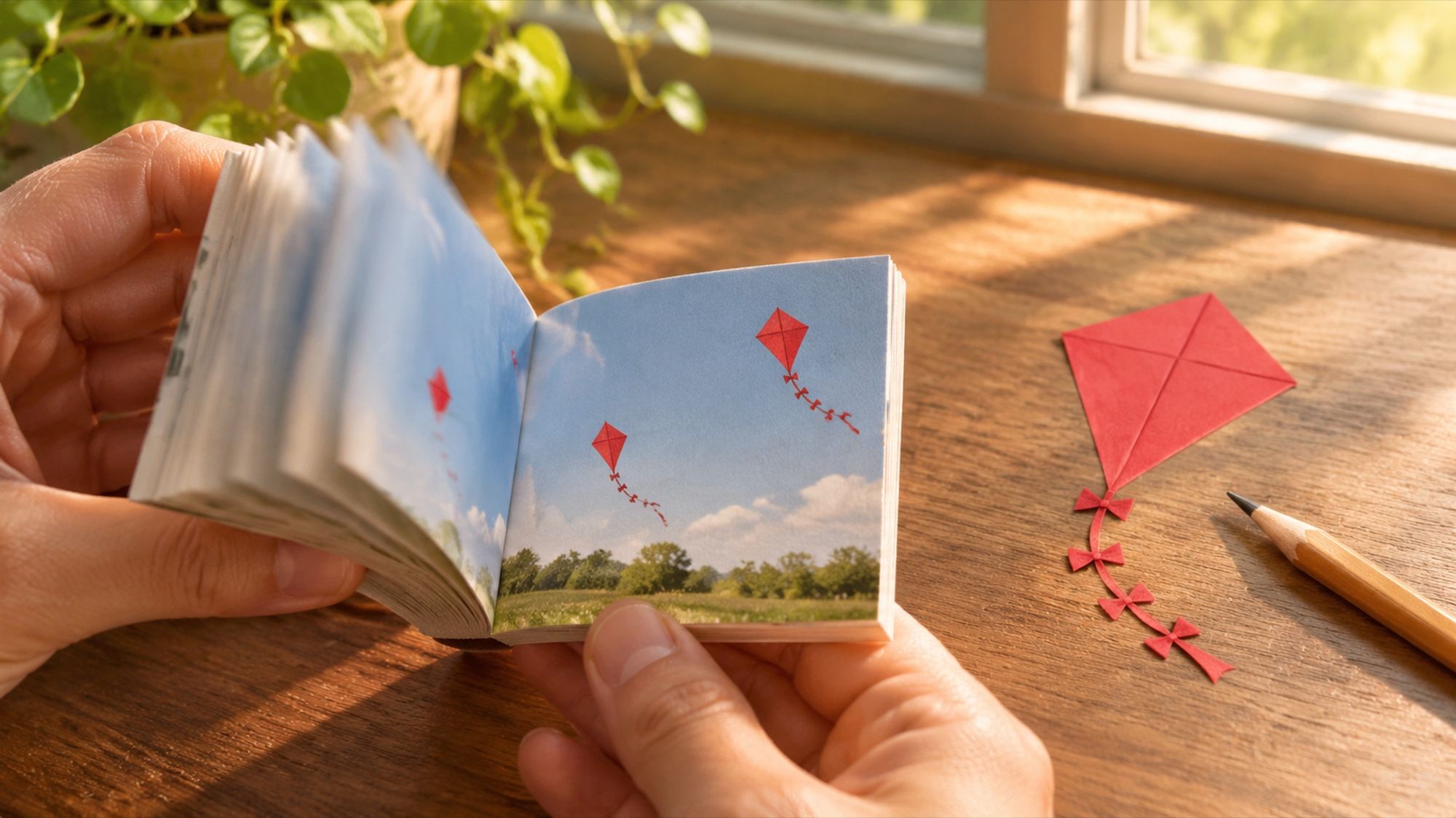
Key facts
| Developer | OpenAI |
|---|---|
| Release date | November 4, 2026 (with ChatGPT Images 2.6) |
| API models | gpt-image-2.6-flare and gpt-image-2.6-sunburst |
| What it does | Generates and edits images from text and images, makes animated GIFs and SVGs |
| Size | Multiples of 16 px, up to 3840 px per side, 0.66 to 8.3 MP, from 1:3 to 3:1 |
| Quality and complexity | quality — low, medium, high, xhigh, max, auto; complexity — low, medium, high (default high) |
| GIF | 2–16 frames (default 9), 20 to 2000 ms per frame (default 200) |
| API price | $30 per 1M output image tokens, $8 per 1M input image tokens; no Batch API |
| In AI2Face | Yes, in the generator — Flare and Sunburst, still images and GIFs |
What is GPT Image 2.6
GPT Image 2.6 is OpenAI’s family of image models released on November 4, 2026. In ChatGPT it runs as ChatGPT Images 2.6, on every plan, on the web, in the desktop and mobile apps, and in Codex. In the API it comes as two models:
- Flare (
gpt-image-2.6-flare) — for fast iteration: at low quality an image is ready in six seconds; - Sunburst (
gpt-image-2.6-sunburst) — for detailed work: higher quality and more stable results across a series of edits.
It follows GPT Image 2.5, which came out in September and is still in the API. How the lineup evolved from GPT Image 1.5 to 2.6 is covered on the GPT Image family page. Launch details, early Arena scores and our side-by-side test of 2.6 and 2.5 on identical prompts are in the news story GPT Image 2.6 released.
According to OpenAI, people now create about 4 billion images a week across ChatGPT, Codex and the API, more than 500 million a day.
What GPT Image 2.6 can do
Animated GIFs. Instead of a still image, the model can return a short looping animation, from text or from an uploaded photo. In the API that’s output_format: "gif": 2 to 16 frames, 20 to 2000 ms per frame. OpenAI pitches GIFs for mascots, social media reactions and animated storyboards before a video shoot.
Complexity: how much the model thinks about the scene. A new setting with three values, low, medium and high, with high as the default. High is for dense text, complex layouts and scenes where objects relate to each other. Low suits focused edits like swapping a background or a sign. Complexity has no separate fee. It isn’t the same as quality: quality controls rendering detail, complexity controls how much planning goes into the frame.
Markup-guided edits. You draw on a transparent layer over the image, circling, adding arrows or writing what to change, and the model edits what you marked. The layer must be a PNG with transparency, the same size as the source, up to 16.8 MP and 50 MB. Markup can’t be combined with a mask in the same request. ChatGPT already had this; 2.6 brings it to the API.
SVG. The model draws a vector image: first a raster sketch, then it vectorizes it. Text-to-image only, one image per request. You pay for the sketch at the image model’s rates plus the tokens spent on the SVG. The output is clean vector code with no scripts, external resources or embedded rasters, ready for a website or print.
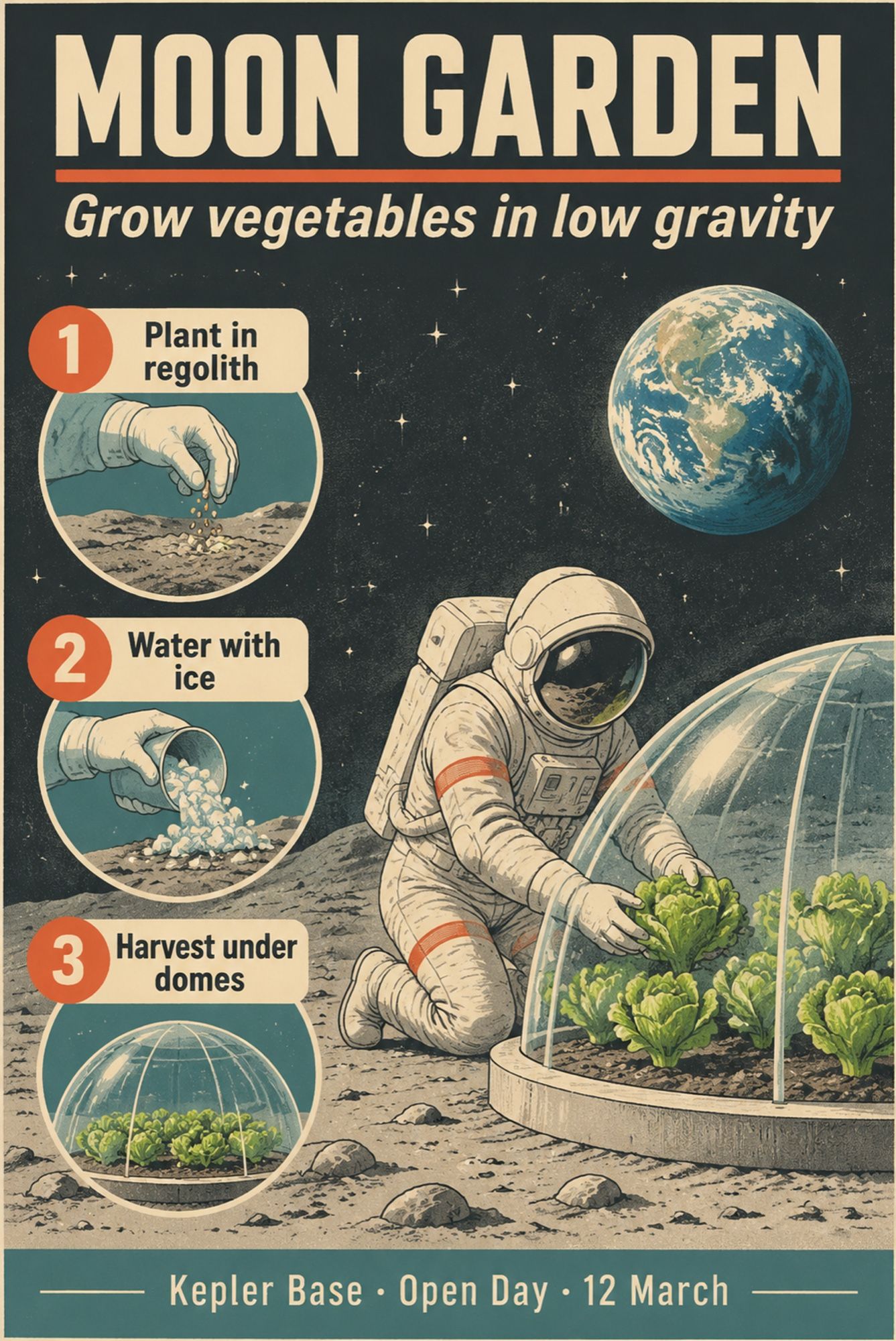
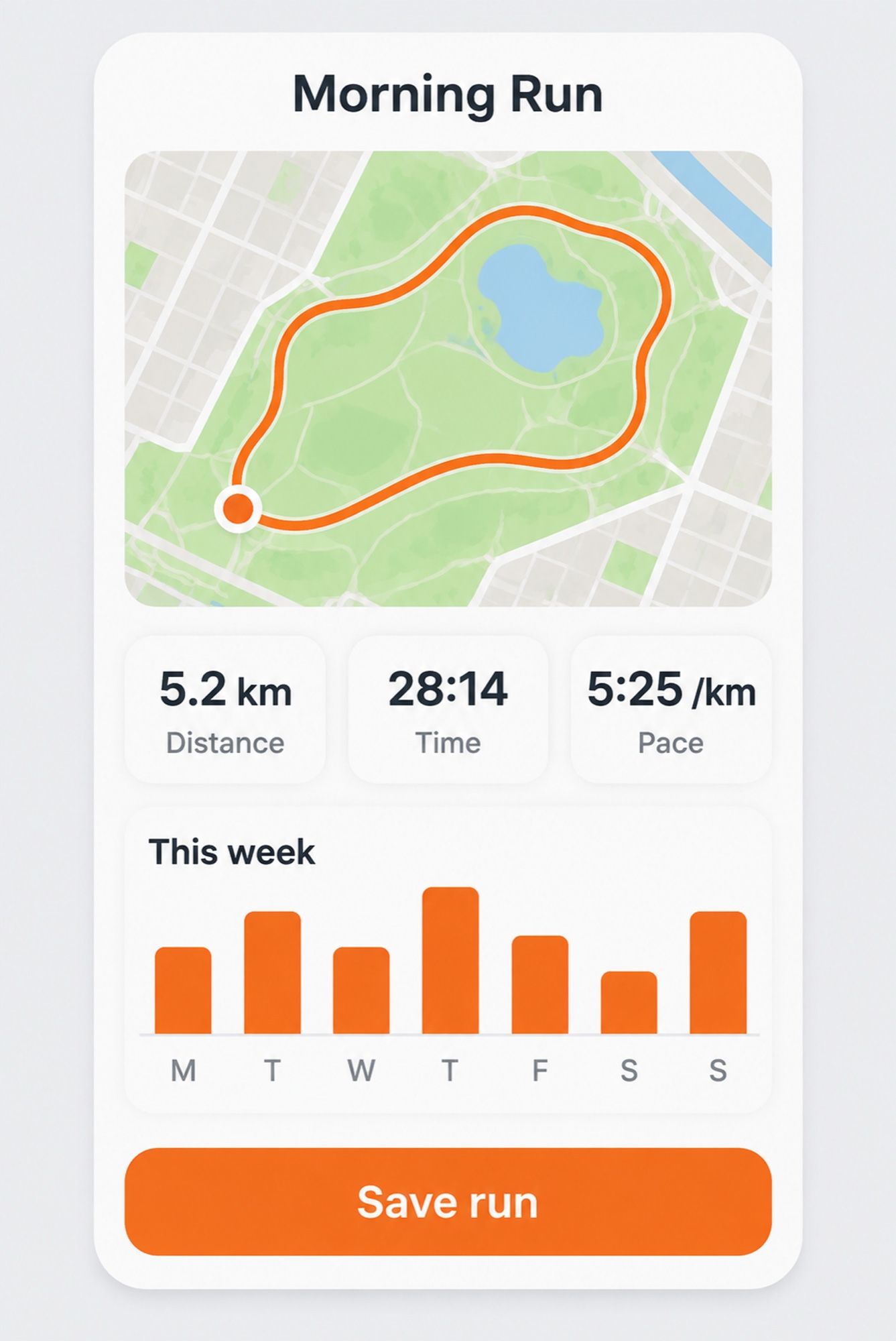
Text and layout. Like 2.5, the model handles text in images confidently. Every line on the poster and the app screen in the gallery above came out right, including “5:25 /km”, the weekday labels and the small footer line on the poster. OpenAI also singles out Flare for cleaner layouts in posters and product shots.
Size, quality, background. The same as 2.5: any size in multiples of 16 px up to 3840 px per side, quality from low to max, and transparent backgrounds for still images.
Saved references in ChatGPT. You can save a photo of yourself, a pet or a character under a name and call it with @ in new chats. In AI2Face, characters do the same job: you save a person from 2–4 photos and call them with an @Name tag in any model in the generator.
How to make a GIF with GPT Image 2.6
All three animations below were made in AI2Face with GPT Image 2.6 Sunburst: 9 frames, one generation each, no cherry-picking.
GIF from text. Describe the character, a single motion and the background. Prompt: “Seamless looping animation: a round chubby orange cat mascot waves its paw hello and blinks once, gentle bounce, flat vector cartoon style with clean outlines, plain off-white background”.
The cat holds its shape in every frame: the stripes, ears and proportions don’t drift. The wave takes four frames, the blink two more, and the rest bring it back to the starting pose, so the loop closes without a jump.
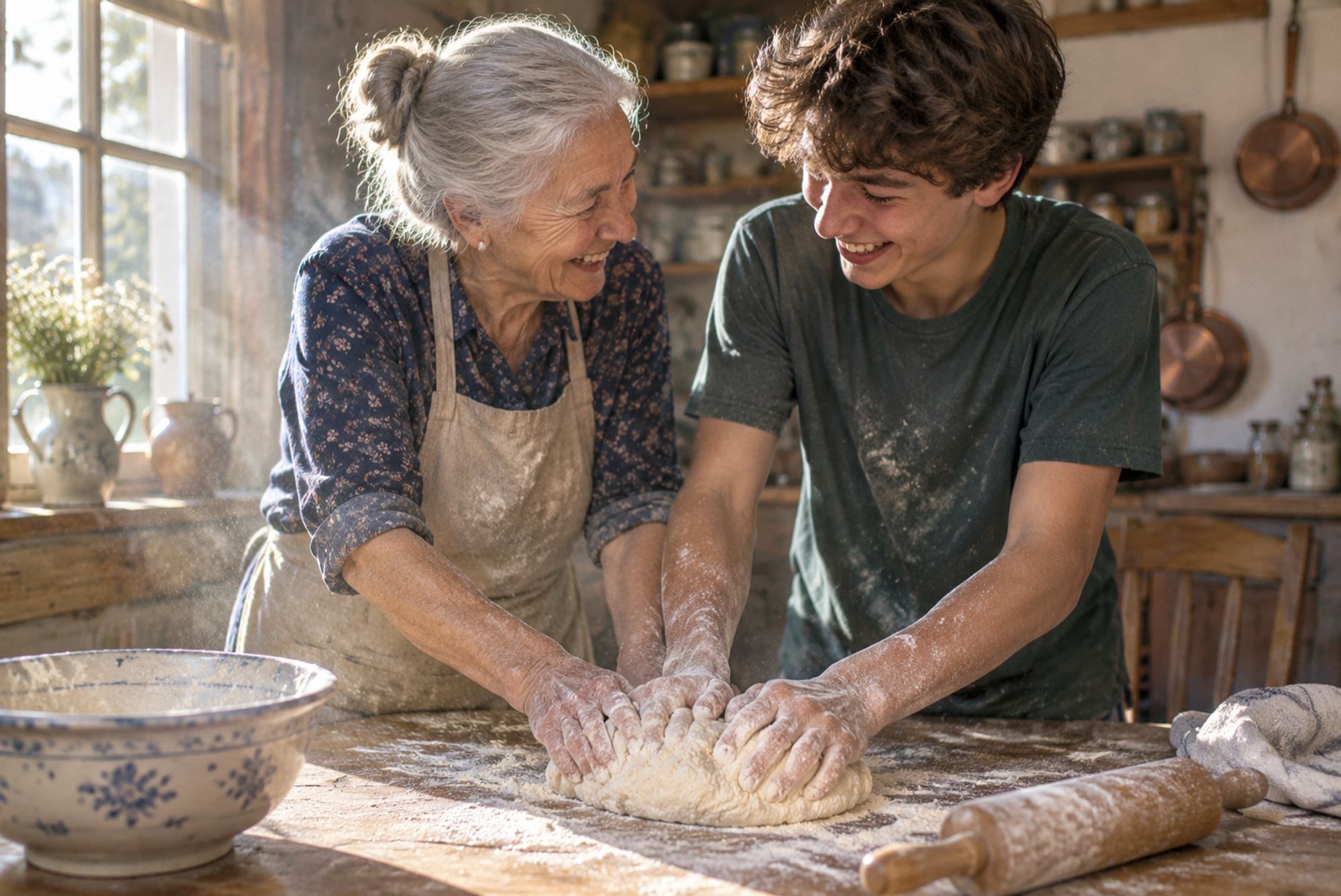
GIF from your own photo. Upload a shot and say what should move and what should stay as it is. We took the kitchen shot from the gallery and asked: “Animate this photo as a short seamless loop: the grandmother and grandson keep kneading the dough, flour dust drifts through the window light, they keep laughing. Keep their faces, clothes, the kitchen and the light exactly the same.”
The faces, clothes and kitchen match the source; the hands and the flour move. The motion is gentle: nine frames aren’t enough for a big action, so ask for one simple movement.
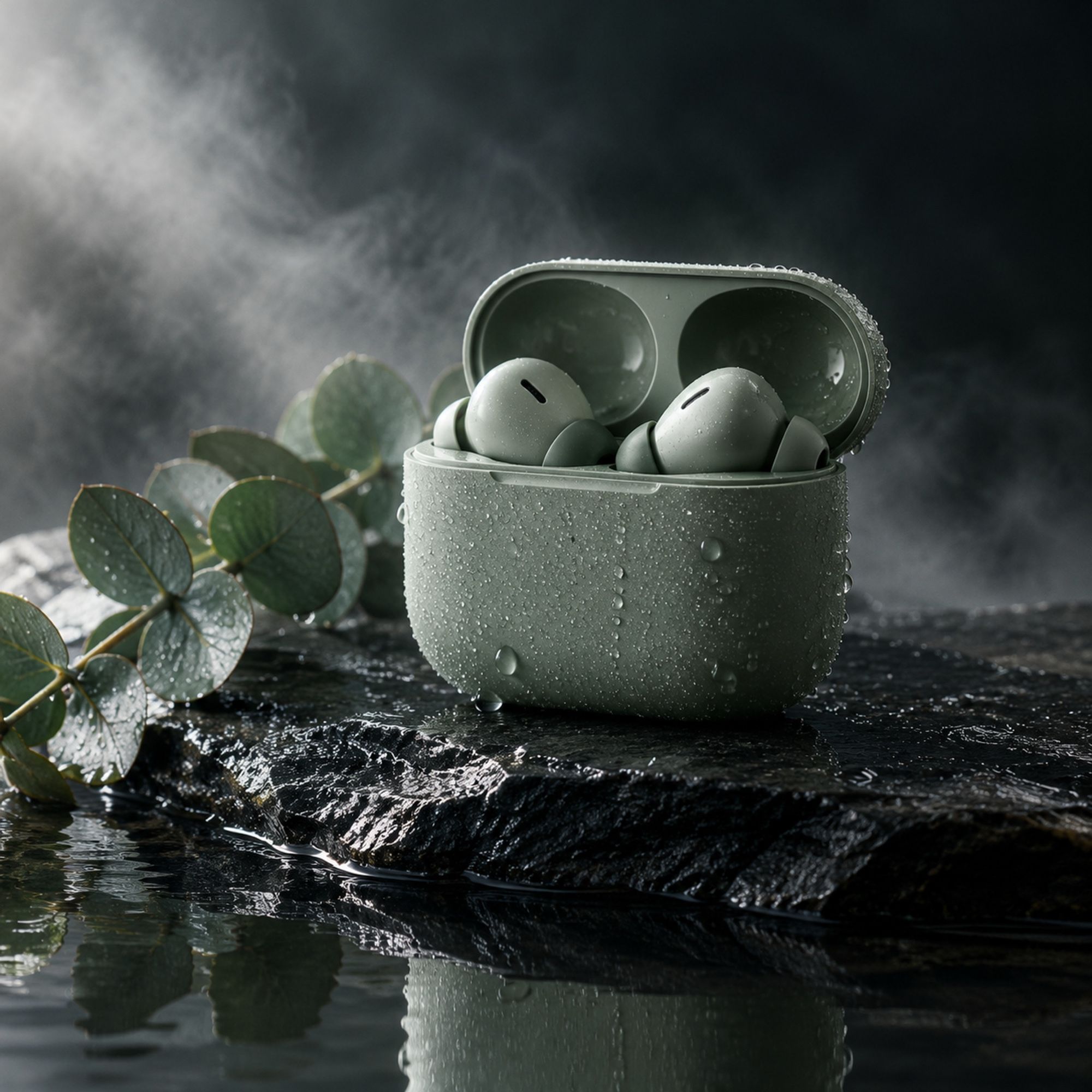
Product GIF. The same approach works for a product listing or an ad: a product photo plus slow motion and moving light.
This one shows the format’s limit: as it turns, the case changes shape slightly from frame to frame. For products, ask for light, glints, steam or mist instead, so the background and the product itself stay still and accurate.
Keep in mind:
- Frame size is small: GIF is a format for social media and messengers, not print. In our tests frames came out 400–500 px wide.
- Length is up to 16 frames. At 120–150 ms per frame that’s a 1–2 second loop.
- Looping: ask for a “seamless loop” and describe a there-and-back motion: a wave and return, a turn and back.
Flare or Sunburst
| Flare | Sunburst | |
|---|---|---|
| Best for | fast iteration, drafts, bulk work | final images, detail, edit series |
| Speed | from 6 seconds at low | slower than Flare |
| Strength | layout of posters and product shots | quality at medium and high, stability across edits |
| Price per token | $30 per 1M output | $30 per 1M output |
| GIF and SVG | yes | yes |
The same price per token doesn’t mean the same price per image: the two models use a different number of tokens.
On the same prompt the difference is small: the composition, light and steam over the tea match. Sunburst adds finer detail, like the engraving on the spoon handle and the folds and threads of the napkin. Flare’s frame is brighter and more vivid. For a regular image, start with Flare. Move to Sunburst when small details matter or when you’ll edit the same image several times.
GPT Image 2.6 or 2.5
- You need GIFs, SVG or complexity: only 2.6 has them; 2.5 doesn’t.
- You need a regular image: the versions are close. In the first weeks after launch, 2.6 Sunburst ranked below 2.5 Sunburst on Arena in both generation and editing, and in our four-task test they tied. The full numbers are in the release story.
- You need batch processing: stay on 2.5 for now. 2.6 has no Batch API, while 2.5 offers half-price output tokens there.
- Speed: 2.6. OpenAI says generation is 50% faster, but doesn’t say at what quality or size it measured that.
Developers on the OpenAI community forum noticed that at low and medium, 2.6 uses more output tokens than 2.5. At the same rates, an image can end up costing more, so check on your typical requests.
GPT Image 2.6 vs alternatives
| GPT Image 2.6 | GPT Image 2.5 | Nano Banana 2.1 | Seedream 5.5 | |
|---|---|---|---|---|
| Developer | OpenAI | OpenAI | Google DeepMind | ByteDance Seed |
| Released | Nov 4, 2026 | Sep 8, 2026 | Oct 6, 2026 | Nov 9, 2026 |
| Max size | 3840 px | 3840 px | 4K | ~4 MP (2K) |
| Animated GIF | yes | no | no | no |
| SVG | yes | no | no | no |
| Transparent background | yes | yes | not stated | yes, native RGBA |
| Editing | mask, markup, prompt | mask, markup, prompt | prompt | up to 100 rounds without color shift |
| In AI2Face | yes | yes | yes | yes |
GPT Image 2.6 is the only one of the four that makes GIFs and vectors. Nano Banana 2.1 is stronger in scenes with people from several photos, and Seedream 5.5 in long series of edits to one image. We compared GPT Image with Nano Banana Pro in Nano Banana vs GPT Image.
GPT Image 2.6 prompts
- Structure: purpose → scene → subject → details → constraints. “An exhibition poster, vertical” works better than just “a poster”.
- Text word for word in quotes, with its position and typeface, and “no other text” at the end. That’s how the poster and app screen in the gallery came out without a single typo.
- Photos in a photographer’s terms: lens, light, skin texture, “photorealistic”.
- Edits: “change only X”, then what to keep (face, pose, light) and what to avoid: logos, extra text.
- Match complexity to the task. For a focused edit, use low with the quality you need. For a scene with a dozen objects or a dense layout, use medium or high. High complexity sometimes changes things you didn’t ask for; if that happens, lower it.
- GIFs: one motion, a seamless loop, a there-and-back movement, and what stays still.
Write the text that should appear in the image in the language you need it in.
How to use GPT Image 2.6 in AI2Face
The AI2Face generator has both models, GPT Image 2.6 Flare and Sunburst, alongside GPT Image 2.5, Nano Banana 2.1 and Seedream 5.5.
- Sign up: new accounts get starter credits. What ChatGPT and other services give for free is covered in GPT Image free.
- Open the generator and choose Flare or Sunburst.
- Write a prompt. For an animation, switch the format to GIF and pick the frame size, frame count and speed.
- Upload a photo if you’re editing a shot or animating it into a GIF. Add a specific person with an @Name tag.
- The cost in credits is shown before you generate. Credit packs never expire; pay by card or crypto.
OpenAI writes C2PA metadata with an AI-generation label into its files. AI2Face replaces it with regular camera EXIF, so social networks don’t tag your post as AI-generated.
Every image and GIF on this page was made in AI2Face with GPT Image 2.6 Sunburst; the comparison diptych was also run in Flare.
Limitations
- GIFs are short and small. Up to 16 frames, and frames came out 400–500 px in our tests. Complex action doesn’t fit in such a loop, and rotating objects change shape.
- No batch processing. 2.6 doesn’t support the Batch API, the Responses API or Chat Completions.
- SVG is text-to-image only, one image per request; the model can’t edit an existing SVG.
- High complexity changes extra things. It shows most in a series of edits to one image; use low for focused edits.
- Moderation. Prompts and results are filtered under OpenAI’s policies.
Verdict
GPT Image 2.6 is a features release: GIFs, SVG, markup edits and complexity. For regular images it’s close to 2.5 Sunburst, but it’s the only leading model that makes animations and vectors. Pick 2.6 if you need animated mascots, stickers, animated product shots, SVG icons or tight control over edits: Flare for drafts, Sunburst for finals. For series with one person from several photos, compare it with Nano Banana 2.1; for long edit chains, with Seedream 5.5, in the same AI2Face generator.
Generation examples
FAQ
How is GPT Image 2.6 different from GPT Image 2.5?
2.6 adds animated GIFs, SVG output and the complexity setting, and OpenAI says it generates 50% faster. Sizes, quality levels and token prices are the same as 2.5. For regular images the two versions are close: in its first weeks on Arena, 2.6 ranked below 2.5 Sunburst.
What is the difference between GPT Image 2.6 Flare and Sunburst?
Flare is the fast model: at low quality an image can be ready in six seconds, and OpenAI also credits it with cleaner layouts for posters and product shots. Sunburst is built for detailed work: higher quality at medium and high, and more consistent results when one image is edited several times.
How do I make a GIF with GPT Image 2.6?
Choose the GIF format and describe the motion: what moves, how, and what stays still. You can start from text or upload a photo to animate it. The animation is short, 2 to 16 frames, so simple loops work best: a wave, a blink, a turn, steam, glints of light.
Can I use GPT Image 2.6 for free?
ChatGPT offers Images 2.6 on every plan, including the free one, with limits. In AI2Face new accounts get starter credits, enough for your first images and GIFs. More options are covered in our GPT Image free guide.
How much does GPT Image 2.6 cost?
In the API it costs $5 per million text input tokens, $8 per million image input tokens and $30 per million output tokens, the same for Flare and Sunburst. OpenAI doesn't publish a per-image price: it depends on size, quality and complexity. In AI2Face the price in credits is shown before you generate.
Can I use GPT Image 2.6 images commercially?
Yes. Under OpenAI's terms the output belongs to you as long as you follow the usage policies. Check only third-party trademarks and recognizable people in the frame: the person who publishes is responsible for those.
Is GPT Image 2.6 available in AI2Face?
Yes. The generator has both models, Flare and Sunburst, with quality, background and GIF format options. You can pay by card or crypto, and credit packs never expire.
Sources
7
- https://openai.com/index/introducing-images-2-6/
- https://developers.openai.com/api/docs/models/gpt-image-2.6-flare
- https://developers.openai.com/api/docs/models/gpt-image-2.6-sunburst
- https://developers.openai.com/api/docs/guides/image-generation
- https://developers.openai.com/api/docs/pricing
- https://arena.ai/leaderboard/text-to-image
- https://openai.com/policies/terms-of-use/