Gender swap is a popular just-for-fun trend: people see what they’d look like as the opposite gender, prank friends or invent characters. App filters change only the face on top of the photo, while a model that edits from text redraws the whole look — hair, features, stubble or makeup — and keeps everything you ask it to keep. We tested a swap in both directions. Every image was made in the AI2Face generator, and the people in them are fictional.
Gender swap AI: man to woman
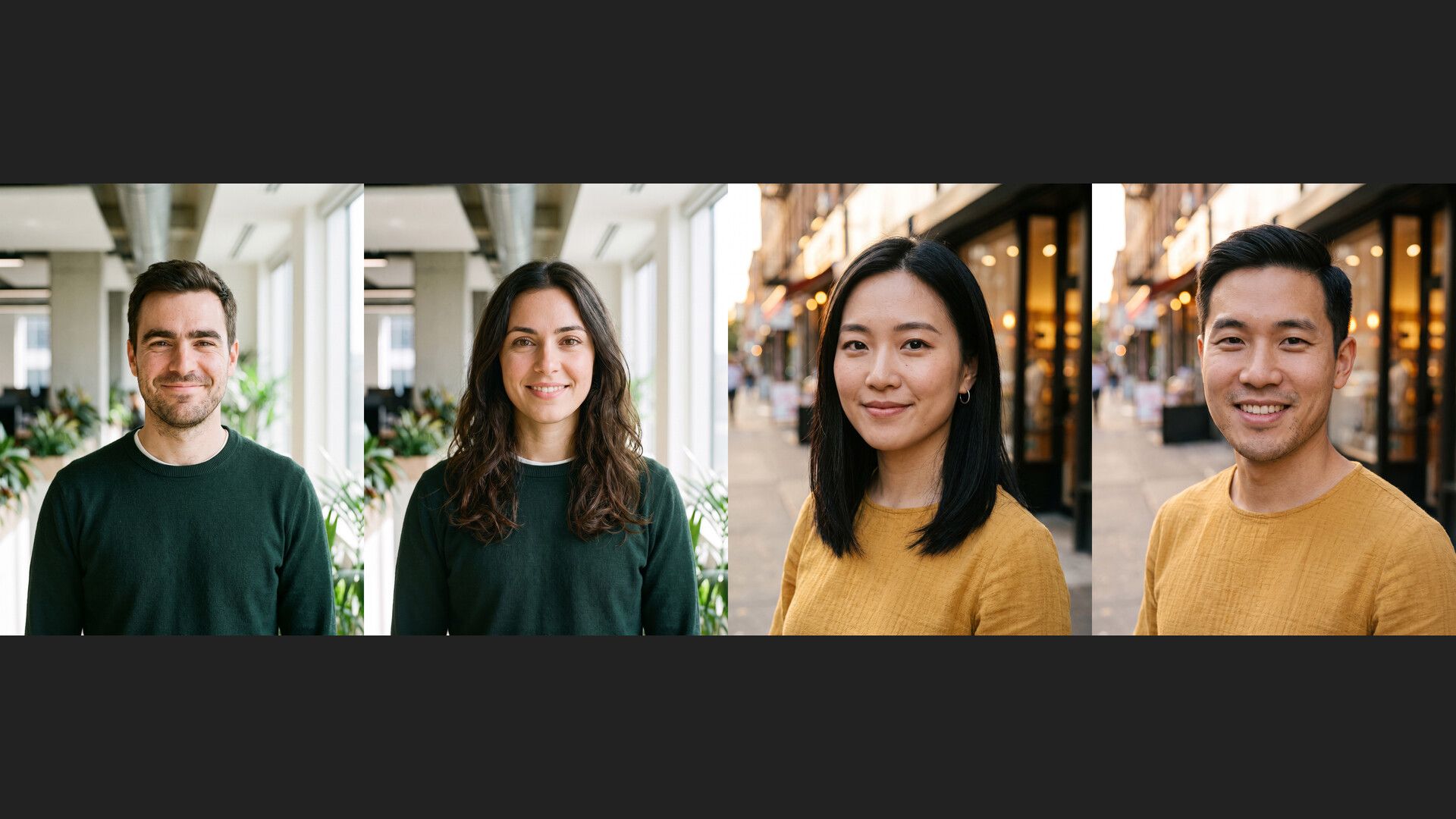
The source is a portrait of a man in a green sweater in a bright office. In Nano Banana Pro we asked for “the same person” as a woman and listed what to keep:
Gender swap: show what this man would look like as a woman. Same person,
same age, same skin tone, eye color and friendly smile, recognizable family
resemblance in the facial features, long dark-brown hair in soft waves,
softer jawline, no stubble, light natural makeup. Keep the dark green
sweater, the office background, the light, the pose and the framing exactly
the same. Realistic photo.
The sweater, the t-shirt collar, the office with plants and even the head tilt stayed the same. The hair, jawline and brows changed; the stubble is gone and light makeup appeared. The eye color and the smile are the same, so the result looks like the man’s sister rather than a random woman.
Woman to man
The second source is a woman in a mustard blouse on an evening street. The prompt mirrors the first: a short haircut, stubble, no earrings or makeup.
Gender swap: show what this woman would look like as a man. Same person, same
age, same skin tone, eye shape and warm smile, recognizable family
resemblance in the facial features, short black hair with a side part,
stronger jawline, light stubble, no makeup, no earrings. Keep the
mustard-yellow top, the evening street background, the light, the pose and
the framing exactly the same. Realistic photo.
The evening street, the shop windows and the warm light didn’t change, the blouse is the same, and the earrings are gone as asked. The eye shape and the smile carried over from the source — the “brother” resemblance is obvious.
Face only or the whole look
The prompt decides what the model changes.
| What changes | What to write | When to use it |
|---|---|---|
| Face and hair only | “Keep the clothing, background, light, pose and framing exactly the same” | a joke, “what would I look like” |
| The whole look | describe new clothes and accessories: “in a fitted navy suit”, “in a summer dress” | a character, an avatar, a party costume |
| Body and build | “broader shoulders”, “slimmer build” | full-body photos |
Always include “Same person, same age … recognizable family resemblance”: without it the model is happy to draw just an attractive person of the other gender who doesn’t look like the source.
Gender swap prompts
Full look with new clothes.
Gender swap: show this man as a woman. Same person, same age, same eye
color and smile, recognizable family resemblance. Long blonde hair in a
low ponytail, a cream blazer over a white top, gold hoop earrings. Keep the
background, light and framing the same. Realistic photo.
Group photo.
Gender swap everyone in this photo: the man on the left becomes a woman, the
woman on the right becomes a man. Each person keeps their own age, skin
tone, eyes and smile. Keep the clothes, background and poses the same.
Gender and age swap.
Show this woman as a man in his seventies: same person, recognizable family
resemblance, grey short hair, a neat grey beard, natural wrinkles. Keep the
clothing and background the same.
Anime version.
Gender swap this man into a female anime character: same hair color, eye
color and smile, long hair, 2D anime style with clean line art, keep the
green sweater.
For age changes on their own, see the AI age filter guide; to replace a face entirely, see the AI face swap guide.
Can I make a gender swap video
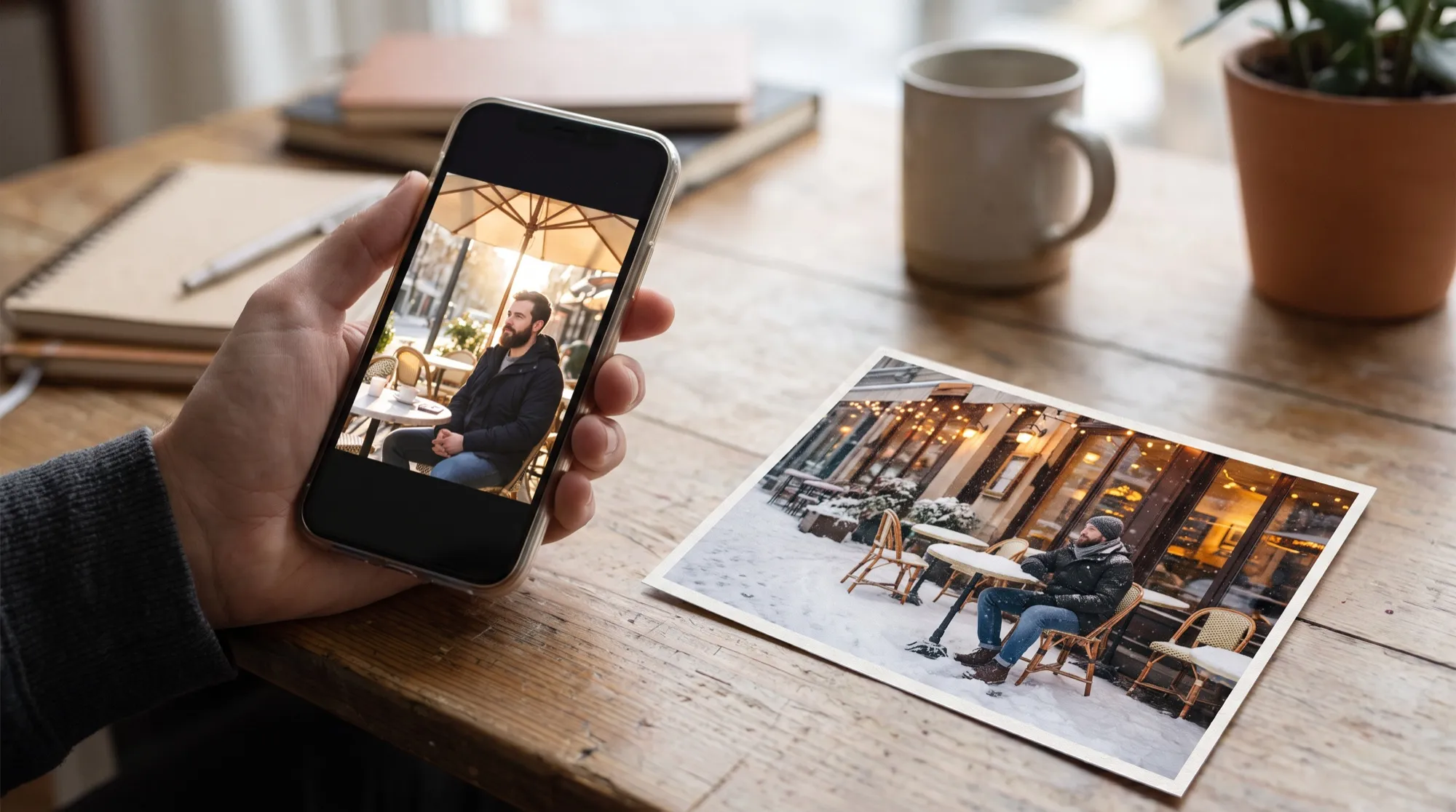
A finished photo can come alive: set it as the first frame in the Gemini Omni video model and describe a simple motion — the person smiles, brushes their hair back, turns their head. You get a short clip with sound. More in the guide on how to animate a photo.
Limitations and ethics
- It’s not a prediction. The model draws a plausible look, not how the person would actually look.
- Check the likeness by eye. In group photos and with age changes the resemblance slips more often.
- Other people’s photos. Swap genders on your own photos or on photos of people who don’t mind. A prank with someone’s photo without consent can hurt.
- Public figures. Don’t gender swap recognizable public figures, and don’t pass the result off as a real photo.
Bottom line
Gender swap AI works with one prompt if you ask for “the same person” with a family resemblance and separately list what to keep. In our test Nano Banana Pro swapped gender in both directions and kept the clothes, background, light, eye color and smile — the result looks like a brother or sister. For a character, change the whole look including clothes; for a joke, change only the face and hair. Gender swap with Nano Banana Pro is available in the AI2Face generator, with the cost shown before each run.
FAQ
How do I do a gender swap with AI?
Upload a portrait to a model that edits photos from text, such as Nano Banana Pro, and write: “Gender swap: show what this man would look like as a woman. Same person, same age…”. Separately list what to keep: clothes, background, light, pose.
Will it still look like me?
Yes, if you ask for a “recognizable family resemblance”. In our test the eye color, smile, skin tone and age carried over: the result looks like the sibling of the person in the photo.
Can I do a gender swap for free?
Yes. AI2Face gives you welcome credits when you sign up — enough for several 2K versions. The cost is shown before you start, and the service adds no watermark.
Can I gender swap everyone in a group photo?
Yes, describe people by their position in the frame: “the man on the left as a woman, the woman on the right as a man”. The more people, the more carefully you should check each likeness.
Can I make a gender swap video?
Yes. Set the finished photo as the first frame in a video model such as Gemini Omni and describe a simple motion: the person smiles and brushes their hair back. See our guide on how to animate a photo.
Sources
2
- https://blog.google/innovation-and-ai/products/nano-banana-pro/
- https://ai.google.dev/gemini-api/docs/image-generation