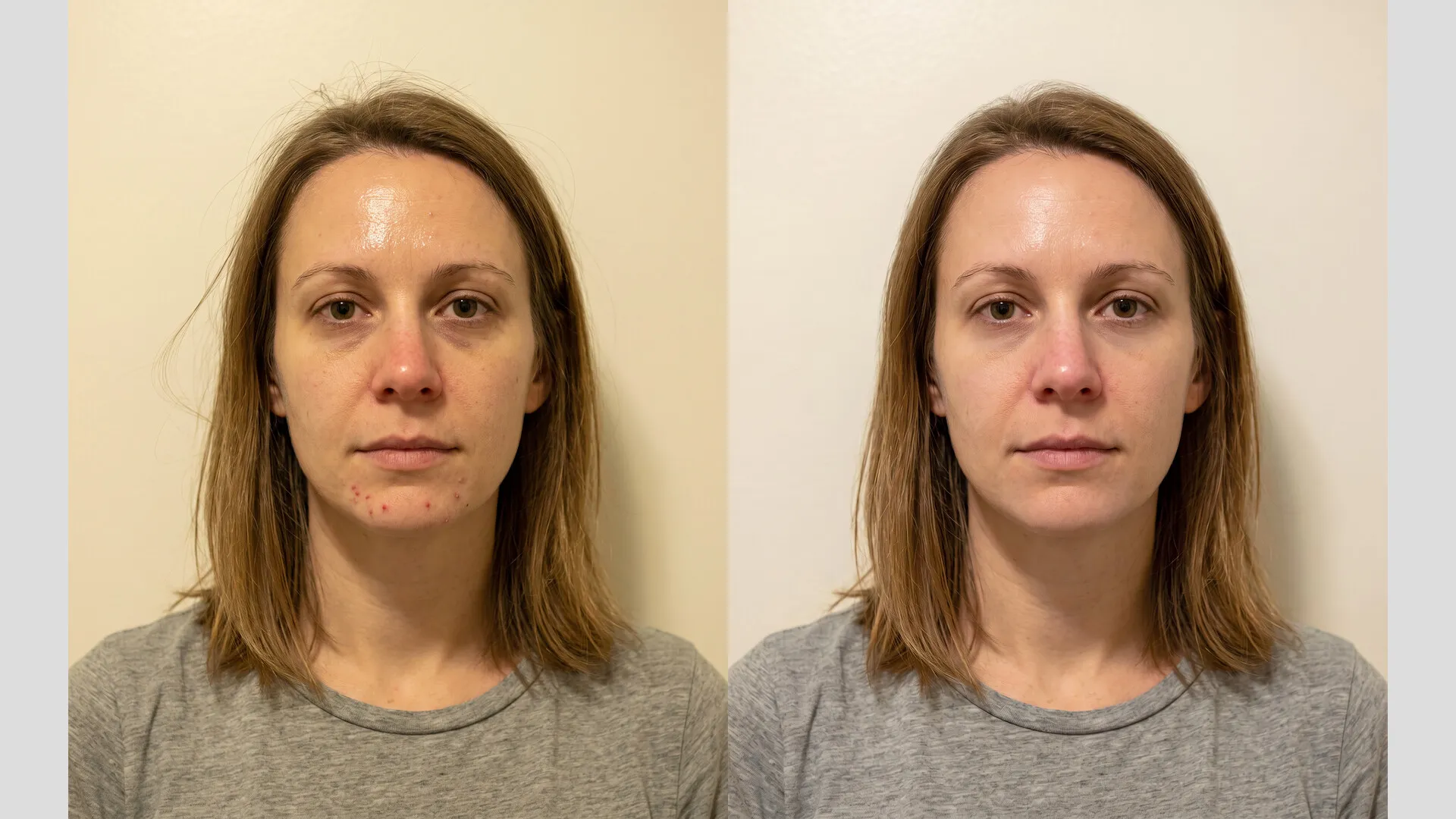
Trying on makeup without opening your makeup bag is a common need: picking a look for a wedding, testing a new lipstick shade, showing a makeup artist what you want. Apps give you a set of presets, while a model that edits photos from text applies exactly the look you describe. We tried four looks on one bare-faced selfie. Every image was made in the AI2Face generator, and the woman in the photo is fictional.
AI makeup: how it works
| App with presets | Model with a prompt | |
|---|---|---|
| How you pick a look | from a list: “natural”, “evening” | by description: shadows, liner, blush, lipstick shade |
| Shade accuracy | a fixed palette | any shade in words |
| A single product | lipstick or shadow — from a preset | anything: “a burgundy matte lipstick” |
| What stays the same | the face and background | whatever you ask to keep |
The model doesn’t lay a mask over your face — it redraws the photo with makeup, taking the light in the shot into account. That’s why the key line in the prompt is the request to keep your features, hairstyle and framing.
Natural makeup on your photo
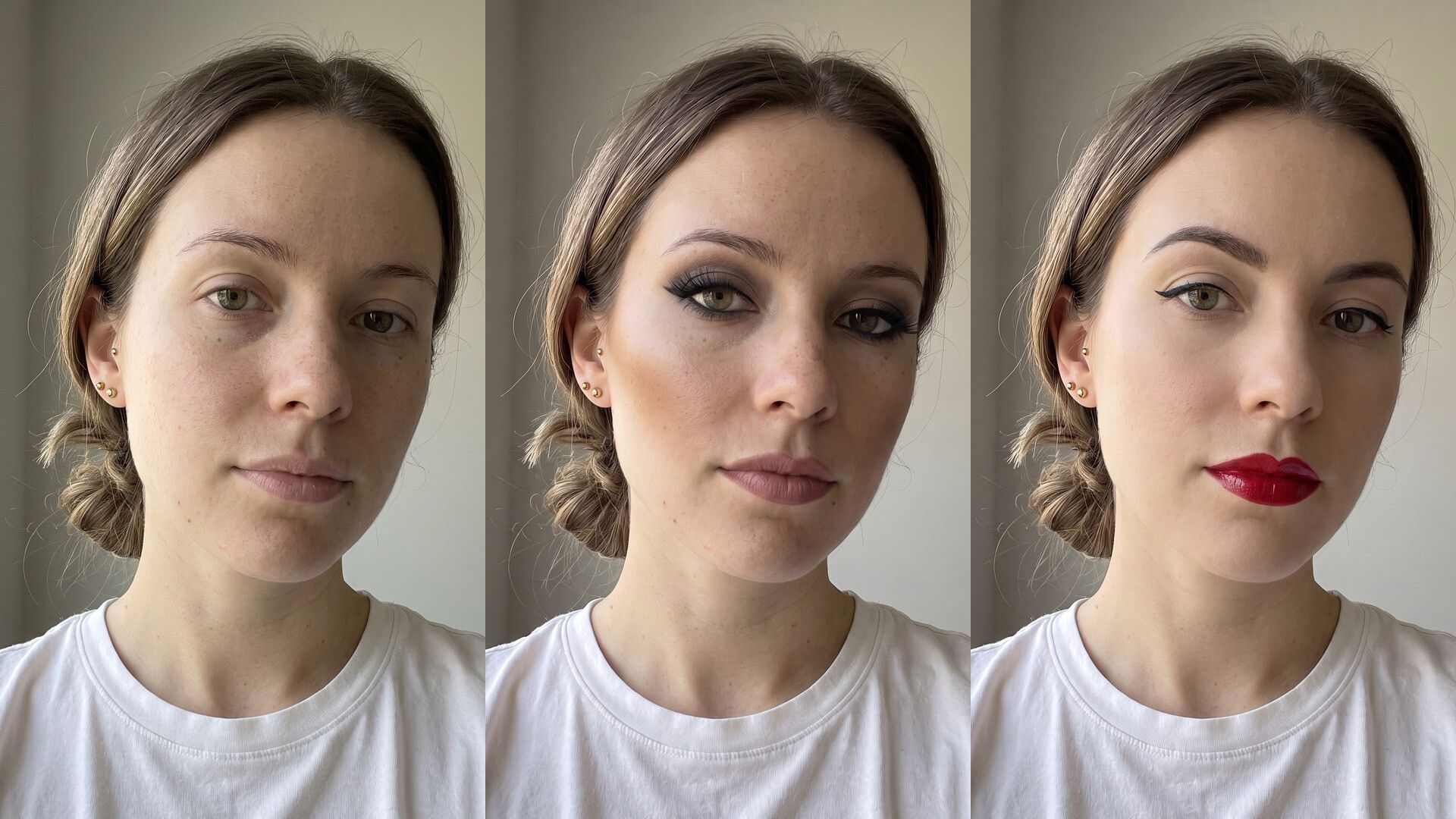
The source is a bare-faced selfie: freckles, light brows, pale lips, even window light. In Nano Banana Pro we described a light everyday look:
Apply natural everyday makeup to this woman: light dewy foundation that
keeps freckles visible, brushed-up brows, soft brown mascara, peach blush and
a nude-pink lip balm. Keep the face shape, eyes, nose, lips, expression,
hairstyle, clothing, background, pose and framing exactly the same.
The result is that “no-makeup makeup” look: darker lashes, neater brows, slightly pinker lips, more even skin. The model kept the freckles as asked — the line “keeps freckles visible” is a must in prompts like this, or the foundation covers them up.
Evening, classic and Korean makeup
We tried three more looks on the same selfie. The closing line is the same — “Keep the face shape … exactly the same”.
Evening smoky eyes:
Apply evening smoky-eye makeup to this woman: blended charcoal and bronze
smoky eyeshadow, black winged liner, voluminous lashes, sculpted cheekbones
and a muted rose matte lip.
Classic red lips:
Apply classic Hollywood makeup to this woman: flawless matte skin, thin
black cat-eye liner, defined brows and bold glossy red lips.
Korean glass skin:
Apply Korean-style glass-skin makeup to this woman: luminous dewy skin,
straight soft brows, light shimmery champagne eyelids, pink blush high on
the cheeks and a coral-pink gradient lip tint.
Each look is recognizable at a glance: smoky shadows with full lashes, thin liner with red lips, glowing skin with blush high on the cheekbones. All three kept the freckles, brow shape, earrings and bun. The model matched the shades to the light: the red lipstick in window daylight looks the way it would in real life.
AI makeup prompts: 6 looks and trying on a single product
Add the closing line “Keep the face shape, eyes, nose, lips, expression, hairstyle, clothing, background, pose and framing exactly the same” to each prompt.
Bridal.
Soft bridal makeup: luminous skin, champagne and soft brown eyeshadow,
wispy false lashes, rosy blush and a satin pink-nude lip.
Clean girl.
Clean girl makeup: dewy skin with minimal coverage, glossy brushed-up
brows, a touch of cream blush and clear lip gloss.
Prom or party.
Party makeup: gold glitter eyeshadow on the lids, black winged liner,
bronzed cheeks and a glossy berry lip.
Office.
Office makeup: even matte skin, neutral taupe eyeshadow, thin brown liner,
defined brows and a muted rose lipstick.
Trying on one lipstick.
Apply only a warm brick-red matte lipstick to her lips. Do not change
anything else.
Trying on blush or eyeshadow.
Add only soft apricot cream blush on the apples of the cheeks. Do not
change anything else.
When trying on a single product, “Do not change anything else” matters more than the rest of the prompt: without it the model happily “finishes” the whole face. To try a new hairstyle with the look the same way, see our AI hairstyle changer guide.
Which photo works best for virtual makeup
- No makeup or very little, or the new look lands on top of the old one and the model mixes them.
- Facing the camera, eyes open, the face filling the upper half of the frame.
- Window daylight, no yellow lamp or flash: the light decides how the model renders the shades.
- No filters or camera beauty mode — they’ve already smoothed the skin and shifted the color.
- Hair off the face, no glasses.
- Not a screenshot: a phone bar or app interface in the frame may get redrawn in odd ways. Our source had a navigation bar at the bottom — the model turned it into a black strip, and we cropped every frame.
Limitations
- The shade is approximate. The model renders “a red matte lipstick”, not a specific shade number from a brand’s catalog.
- The light in the photo. A warm lamp shifts every shade toward yellow — fix the light first, as in our AI photo retouch guide.
- Fine details: rhinestones, complex graphic liner and piercings may take more than one try.
- Other people’s photos. Try makeup on your own photo or on a photo of someone who doesn’t mind.
Bottom line
AI makeup takes half a minute if you describe the look part by part — base, eyes, brows, blush, lips — and ask to keep your features. In our test all four looks landed on one bare-faced selfie without losing the freckles or the likeness. For a single product, write “Apply only …” and “Do not change anything else”. Makeup try-on with Nano Banana Pro is available in the AI2Face generator, with the cost shown before each run; for other changes to your look, see the AI photo editor guide.
FAQ
How do I try makeup looks on my photo with AI?
Upload a bare-faced selfie to a model that edits photos from text, such as Nano Banana Pro, and describe the look: base, eyes, brows, blush, lips. Add the line “keep the face exactly the same”. In about half a minute you see yourself wearing it.
Can I try AI makeup for free?
Yes. AI2Face gives you welcome credits when you sign up — enough for several 2K looks. The cost is shown before you start, and the service adds no watermark.
Will my face stay the same with AI makeup?
Yes, if you ask it to keep your features. In our test all four looks kept the face shape, eyes, freckles, earrings and hairstyle.
What photo works best for virtual makeup?
A front-facing selfie in window daylight, with no makeup, filters or glasses, and hair off the face. The more even the light, the more accurate the lipstick and blush shades.
Can I try on a specific lipstick?
Yes, describe the shade and finish: “a warm brick-red matte lipstick” or “a sheer berry lip gloss”. The model can't guarantee an exact match to a specific product — check it against a swatch on your hand.
Sources
2
- https://blog.google/innovation-and-ai/products/nano-banana-pro/
- https://ai.google.dev/gemini-api/docs/image-generation