Lip sync means the lips of the person on screen move exactly in time with the words. It used to take a shoot plus a separate pass to match the lips to the sound. Video models in 2026 generate the voice and the lips together in one run, and lip-sync models fit the lips to a finished track. We gave two models the same portrait and the same line, and in a third clip we made a photo sing. Every clip was made in the AI2Face generator, and the people in them are fictional.
AI lip sync: three ways to do it
| Method | Input | Whose voice | Models |
|---|---|---|---|
| Speech from text | a photo + a line in the prompt | the model generates the voice | Veo 3.1, Gemini Omni, Kling 3.0 |
| Lips to your track | a photo + an audio file | your voice, a narrator or a song | Seedance 2.5, lip-sync models |
| Re-dubbing a video | a finished video + audio | a new track, another language | lip-sync models for video |
The first method is the fastest: everything happens in one prompt. The second is for when the voice has to be yours or the song is already recorded. The third is for dubbing finished clips into another language.
Lip sync from text: Veo 3.1 Lite vs Gemini Omni
We took a portrait of a fictional man in a café: face toward the camera, mouth closed, even window light.
Both models got the same photo as the first frame and almost the same prompt with the line in quotes:
The man from the image looks at the camera and says in a warm, calm voice
with clear lip movements: "Hi, I'm Daniel. Today I'll show you how to brew
coffee at home." He smiles and gives a small nod. Static camera, medium
close-up. Keep his face and the café exactly as in the image. No music,
no subtitles, no text.
Both models said the line word for word — we checked with speech recognition. The difference is in the facial performance.
| Veo 3.1 Lite | Gemini Omni 1.2 Flash | |
|---|---|---|
| Line accuracy | word for word | word for word |
| Articulation | wide: the mouth opens visibly, teeth show | restrained, closer to calm real-life speech |
| Expression | a smile and a nod, as asked | a smile, blinks, a slight head tilt |
| Likeness to the photo | glasses, beard and shirt kept | glasses, beard and shirt kept |
| Length per generation | 4, 6 or 8 s | up to 15 s |
| Cost | lower | higher |
Veo 3.1 Lite is more expressive — good for ads and close-ups where the speech has to read clearly. Gemini Omni is calmer and runs up to 15 seconds at a time — good for a long line or several sentences in a row. A test of three other models on one line is in our talking photo AI guide.
Singing photo: how to make a photo sing
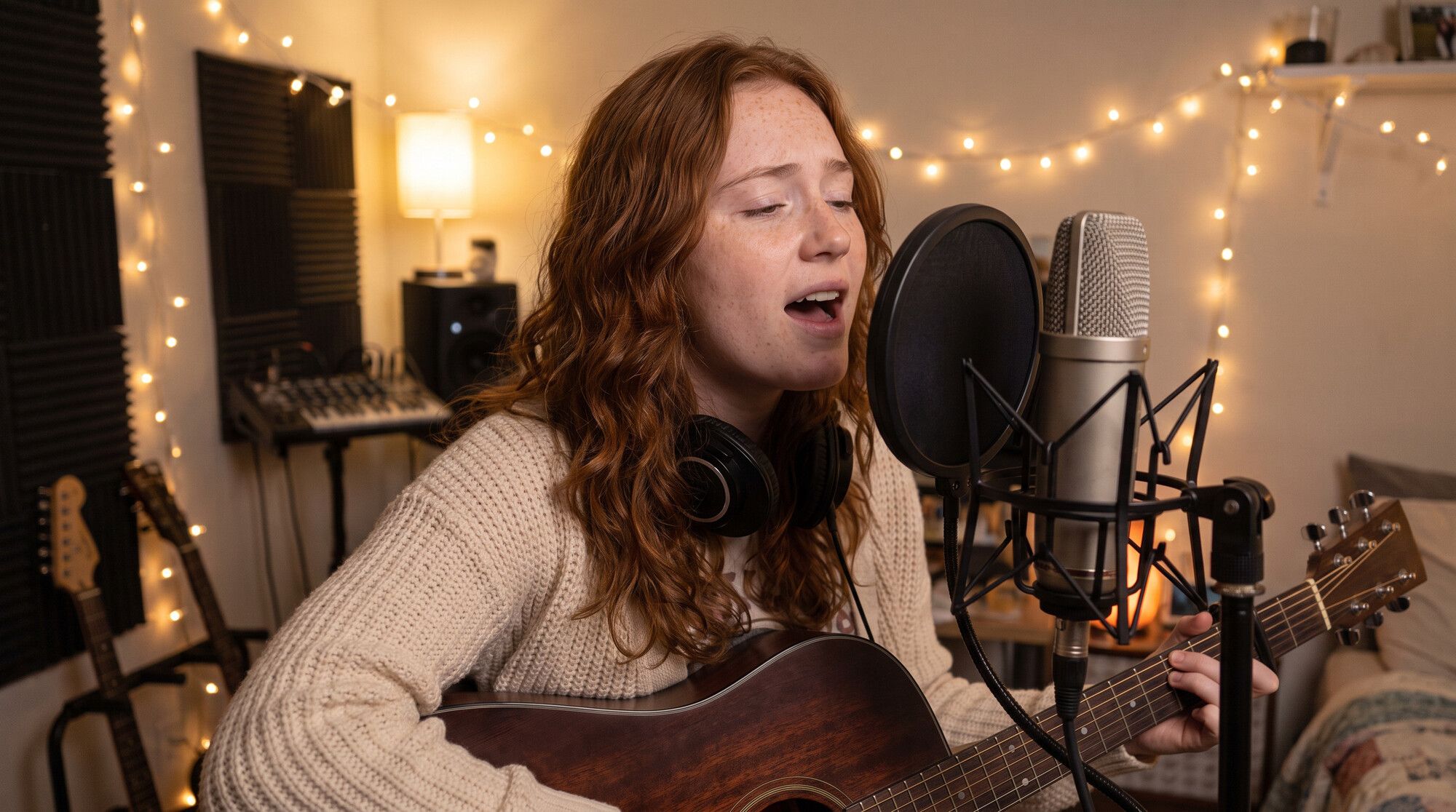
Singing is the same lip sync, with a melody and an instrument added to the words. We took a photo of a woman with a guitar.
The prompt has the song line in quotes, the singing style and what her hands do:
The young woman from the image strums the acoustic guitar and softly sings
with precise lip sync, gentle and in tune: "Paper lanterns in the rain, I
will find my way again." Her fingers move on the strings in rhythm, she
closes her eyes on the last word and smiles. Static camera, medium shot,
single continuous shot. Keep her face, guitar and room exactly as in the
image. Sound: her singing voice with matching acoustic guitar chords only.
No text, no subtitles.
The model sang the line word for word and on a melody, and the guitar sounds in time with her fingers. On the last word she closed her eyes and smiled, as asked. The model writes the melody itself: you can’t reproduce a famous song this way, and its copyright still applies anyway. For a full song of your own — your vocals or a track from a music AI — use your own track, as described below.
Lip sync to your own audio
If the voice has to be yours or the song is already recorded, you don’t generate speech — you hand it to the model.
- Record the line or take the track: a quiet room, no music under the speech, 5–15 seconds.
- Upload the portrait as the first frame and the audio as a reference in Seedance 2.5. The model takes up to 10 audio files per request.
- In the prompt, say that the speech comes from the audio and the model only handles the lips, facial expressions and blinking.
You don’t have to record the voice yourself: text-to-speech with a choice of voice and emotion is covered in our text to speech guide. Dubbing works the same way: voice the translation and lay it under the same portrait.
Which photo works best for lip sync
- Face toward the camera and large, chest-up or closer. In a wide shot the lips are tiny and the sync gets lost.
- Mouth closed or slightly open — it’s easier for the model to start speaking from a neutral position.
- Nothing near the face: hands, a microphone or hair over the lips get in the way.
- Even light without hard shadows under the nose and chin.
- One person in the frame. For a two-person dialogue, say in the prompt who says which line and in what order.
- Drawn characters and animals can talk too — see the cat example in our AI cat video article.
Limitations
- Language. Google officially supports only English in Gemini Omni. Veo 3.1 speaks other languages, but check the stress and pronunciation by ear.
- Length. Veo 3.1 Lite runs up to 8 seconds and Gemini Omni 1.2 Flash up to 15 seconds per generation. Split long speeches into lines.
- No voice cloning from text. The model invents a voice from your description (“warm, calm voice”); to sound like yourself, you need your own track.
- Other people’s faces. Google doesn’t let you upload images of recognizable public figures to Gemini Omni. Don’t make clips where a real person says something they never said.
- Watermarking. Veo and Gemini Omni clips carry an invisible SynthID watermark.
Bottom line
AI lip sync is easiest from text: a portrait as the first frame and the line in quotes — the model voices it and fits the lips itself. Veo 3.1 Lite gives more expressive articulation and costs less; Gemini Omni 1.2 Flash is calmer and runs up to 15 seconds. For singing, write the song line, the style and the instrument; for your own voice or a finished track, feed the audio to Seedance 2.5. Talking and singing photos are made in the AI2Face generator, with the cost shown before each run; to animate a photo without speech, see the guide on how to animate a photo.
FAQ
Which AI does lip sync?
Veo 3.1 and Gemini Omni sync lips to speech they generate themselves — you write the line in quotes and the model voices it and moves the lips. Seedance 2.5 and dedicated lip-sync models match lips to your own audio track.
Can I do AI lip sync for free?
Yes, for a test. AI2Face gives you welcome credits when you sign up — enough for a short clip. The cost is shown before you start, and the service adds no watermark to the result.
How do I make a photo sing?
Upload the photo as the first frame and write the song line in quotes in the prompt, plus the singing style and the instrument: “softly sings, gentle and in tune, acoustic guitar chords”. In our test Gemini Omni sang the line word for word and played the chords in time.
Can I use my own audio?
Yes. Seedance 2.5 takes audio as a reference: the speech comes from the file and the model only handles the lips, facial expressions and blinking. That's how you do your own voice, dubbing or a song.
Which language works best?
English. Google officially supports only English in Gemini Omni; other languages haven't been evaluated. Veo 3.1 speaks other languages too, but check the pronunciation by ear before publishing.
Sources
5
- https://ai.google.dev/gemini-api/docs/omni
- https://cloud.google.com/blog/products/ai-machine-learning/gemini-omni-1-2-flash-generally-available
- https://ai.google.dev/gemini-api/docs/veo
- https://blog.google/innovation-and-ai/technology/ai/veo-3-1-lite/
- https://seed.bytedance.com/en/blog/one-take-creation-flexible-referencing-introducing-seedance-2-5