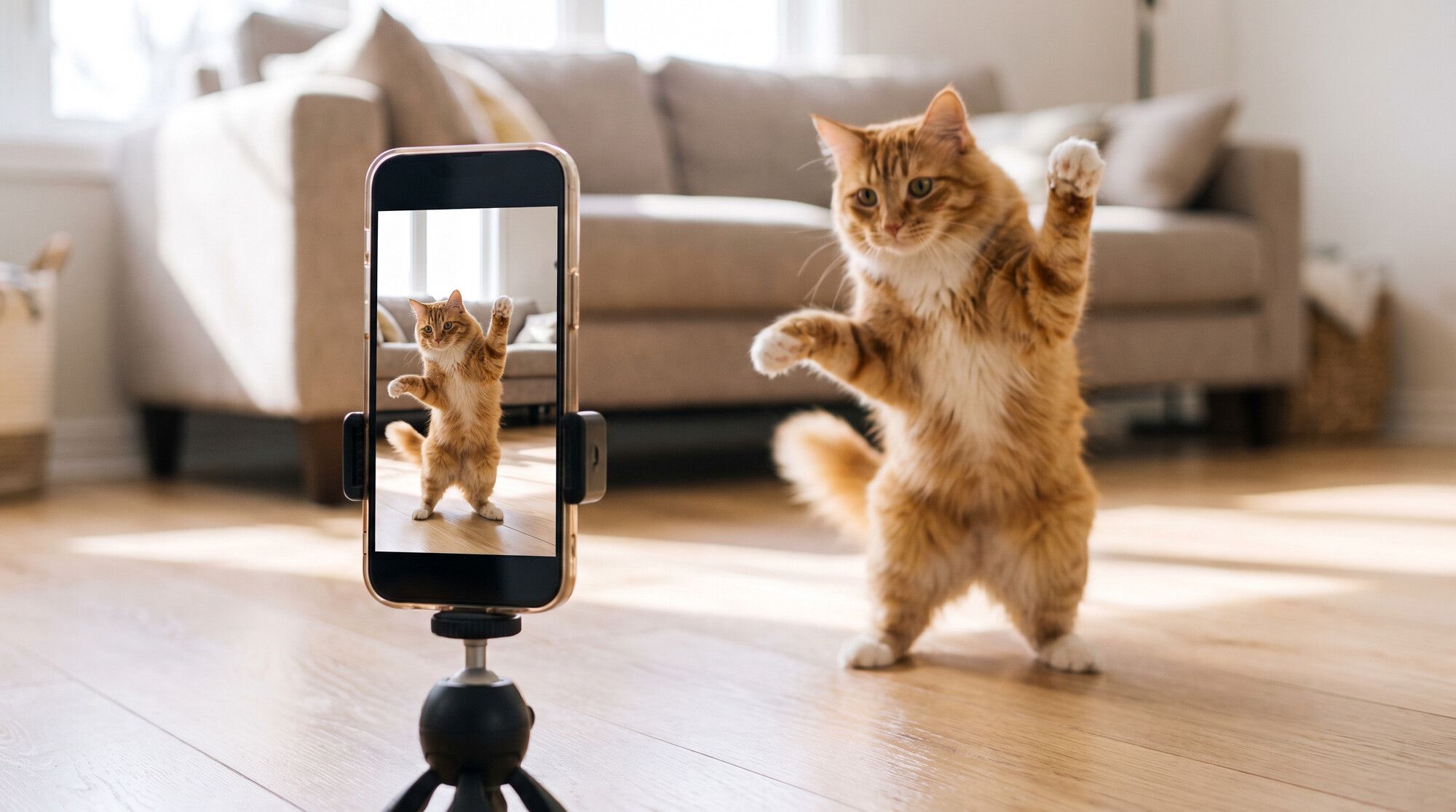
Cat videos are the biggest genre of AI clips on social media: cats dance to disco, cook breakfast, sing with a guitar and grumble in a human voice. Apps give you a one-tap “dancing cat” template, while a video model with a prompt films any scene with your own cat — your moves, your setting, your sound. We made three clips with one ginger cat: a dance from a photo, a chef cat from text and a talking cat. Every frame and clip was made in the AI2Face generator, and the cat in the photo is AI-generated too.
AI cat video: what you can make
The trends fall into four genres, and each one needs a different input.
| Genre | Input | Video model mode | What to write in the prompt |
|---|---|---|---|
| Dancing cat | a photo of your cat | image to video (first frame) | the moves step by step and the music |
| Chef cat, office cat, cat driving a car | text only | text to video | coat color, outfit, setting, action |
| Talking or singing cat | a photo or text | any | the line in quotes and the type of voice |
| Several cats, “cat band” | text or photo references | references | who stands where and what they do |
A photo as the first frame keeps your cat: its markings, its spots, your room. Text to video is faster when you just need “a ginger cat” — the model invents one. If the cat has to stay the same across a series of clips, use a photo.
How to make a dancing cat from a photo
We took an ordinary photo of a ginger cat in a living room: the cat sits in full view, looks at the camera, with window light.
The photo went in as the first frame in Gemini Omni. The prompt lists the moves in order, a static camera and the music:
The ginger tabby cat from the image stands up on its hind legs and does a
funny groovy dance on the wooden floor: it sways its hips left and right,
waves its front paws in the air to the beat and does a little spin, then sits
back down and looks at the camera. Static camera, the whole cat stays in
frame, single continuous shot. Keep the cat's fur colors, face and the room
exactly as in the image. Sound: upbeat funky disco music. No text.
The cat dances with its whole body rather than bobbing its head on a still image: it stands up, steps from paw to paw, turns and sits back in its starting pose. The stripes on the tail and the white chest hold up to the last frame. The line “the whole cat stays in frame” keeps the ears and tail from being cropped mid-move.
Chef cat: an AI cat video from text
If you don’t need your own cat in the clip, you don’t need a photo. Describe the cat as a character: coat, outfit, setting and one clear action.
Vertical video: a fluffy ginger tabby cat with a white chest wearing a tiny
white chef's hat and apron stands on a stool at a cozy home kitchen counter
and cooks pancakes: it flips a pancake in a small frying pan with its paws,
the pancake lands back in the pan, the cat looks proudly at the camera. Warm
morning light, medium shot, slow push-in, single continuous shot. Sound:
sizzling pan, soft cheerful ukulele music. No text, no logos.
The pancake flies up and lands back in the pan — the model got the physics right on the first try. The hat and apron stay put for the whole clip. The 9:16 format is ready for Reels, Shorts and TikTok.
Talking cat: how to make your cat say a line
For a talking cat, put the line in quotes and describe the voice. The photo is the same first frame.
The ginger tabby cat from the image looks at the camera and talks like a
person, its mouth moving in sync with the words, it says in a grumpy deep
voice: "Breakfast was at seven. It is now seven oh five." Then it squints and
slowly blinks. Static camera, medium shot, single continuous shot. Keep the
cat and the room exactly as in the image. Sound: only the cat's voice and
quiet room tone, no music. No text, no subtitles.
The model said the line word for word — we checked it with speech recognition. The cat’s mouth opens only slightly, like a real cat’s rather than a cartoon’s: the effect comes from the voice and the squint. Write numbers in the line as words (“seven oh five”) so the model doesn’t read them differently. Google officially supports English in Omni; other languages haven’t been evaluated by the developer. For more on matching lips to speech, see our guide to AI lip sync.
AI cat video prompts: 6 scenes
The formula: cat (coat, markings or “from the image”) + setting + action step by step + camera + sound. The scenes below follow the most popular trends: singing cats, cooking cats, storytelling cats.
Cat singing with a guitar.
A fluffy grey cat sits on a sofa holding a small acoustic guitar, strums it
with its paw and sings "meow-meow" in tune, eyes half closed. Warm lamp
light, static camera. Sound: soft guitar and a cat singing.
Three-cat band.
Three cats on a tiny stage: a black cat plays drums, a white cat plays bass,
a ginger cat sings into a microphone. Spotlights, wide shot, slow push-in.
Sound: upbeat rock song.
Barista cat.
A ginger cat in a small apron stands behind a café counter and pours
latte art into a cup with its paws, then slides the cup toward the camera.
Morning light, medium shot. Sound: coffee machine hiss, café murmur.
Cat in a meeting.
A serious tabby cat in a tiny tie sits at the head of a meeting table in
an office, taps a pen with its paw and slowly turns to look at the camera.
Static camera. Sound: quiet office ambience, a clock ticking.
News anchor cat.
A black cat in a suit sits at a TV news desk and says in a calm announcer
voice: "Breaking news. The red dot has escaped again." Studio lights,
static camera. No subtitles.
Cat driving a car.
A ginger cat sits in the driver's seat of a small car wearing sunglasses,
paws on the steering wheel, the street moving past the window. Camera on
the dashboard. Sound: light car radio pop music.
For more ideas with pets, see our funny AI prompts. Dance templates for people — and the same moves for dogs — are in the AI dance video guide.
Which cat photo works best
- The whole cat in frame, from ears to tail. If the photo shows only the face, the model has to guess the body for the dance.
- The cat sitting or standing, not curled up asleep: it’s harder for the model to get a curled-up cat onto its feet.
- Soft daylight without flash: flash gives glowing eyes, and they stay in the clip.
- The cat fills a good part of the frame and isn’t hidden behind objects.
- Room around the cat to move — otherwise paws and tail go out of frame during the dance.
- A drawn cat or a mascot works too: name the style in the prompt (“cartoon style, keep the drawing style”) so the model doesn’t make it photoreal.
Limitations
- Length. One Gemini Omni 1.2 Flash generation runs up to 15 seconds. A longer story is stitched from several clips in an editor.
- Mouth movement. A cat’s face moves subtly when it talks — don’t expect cartoon lip sync.
- Complex tricks. Flips, juggling and small objects in paws produce artifacts more often than a dance or a simple action.
- Several cats. The more cats in the frame, the higher the risk of mixed-up coats. For a series with the same cats, use their photos.
- Watermarking. Gemini Omni clips carry an invisible SynthID watermark.
Bottom line
An AI cat video works best with a full-body photo of your cat as the first frame and a prompt that lists the moves and adds a line about sound. That way the clip stays with your cat — the same coat, the same room. If you just want a funny cat, write the scene as text: the chef cat came out without a single photo. For a talking cat, write the line in English and spell numbers out as words. The dancing, singing and talking cats are all made in the AI2Face generator, with the cost shown before each run; to bring an ordinary photo to life without a story, see the guide on how to animate a photo.
FAQ
How do I make an AI cat video?
Upload a photo of your cat as the first frame in a video model such as Gemini Omni and describe the action: the cat stands up on its hind legs and dances, the camera stays still, disco music plays. In about a minute you get a clip with sound. Without a photo, describe the cat in text.
How do I make a dancing cat with AI?
Use a full-body photo of your cat and describe the moves step by step: it stands up, sways its hips, waves its paws, spins, sits back down. Add a line about the music. In our test the cat danced for 6 seconds and kept its markings.
Can I make my cat talk?
Yes. Put the line in quotes and describe the voice, for example “a grumpy deep voice”. Gemini Omni voices the line itself and works best with English. The cat's mouth moves only slightly, like a real cat's.
Can I make an AI cat video for free?
Yes, for a test. AI2Face gives you welcome credits when you sign up — enough for a short clip. The cost is shown before you start, and the service adds no watermark to the result.
Does it work with a dog or another pet?
Yes, the method is the same: a pet photo as the first frame plus a description of the action. The prompts in this article work for a dog too — swap cat for dog and describe the breed.
Sources
3
- https://ai.google.dev/gemini-api/docs/omni
- https://cloud.google.com/blog/products/ai-machine-learning/gemini-omni-1-2-flash-generally-available
- https://blog.google/innovation-and-ai/products/nano-banana-pro/