Dance clips made from a photo are one of the biggest short-video trends: people dance in parking lots, at gas stations, on rooftops, and copy moves from music videos. Apps give everyone the same one-move template, while a video model with a prompt films your dance — your choreography, setting, light and music. We made two clips with one fictional woman: a dance from a photo in a studio and a shuffle on a rooftop at sunset. Every frame and clip was made in the AI2Face generator.
AI dance video: three ways to make one
Video models make a dance in three ways, and the right one depends on what you have.
| Method | Input | What you get | When to use it |
|---|---|---|---|
| Photo as the first frame | one full-body photo | the clip starts exactly on your shot, same background | you want a dance right where the photo was taken |
| Photo as a reference | one or more photos | the person dances in a new scene: a rooftop, a club, a beach | you want a different setting or light |
| Motion reference video | a photo + a short dance clip | a copy of a specific choreography | you need one particular trending dance |
The first two are driven by the prompt: you describe the moves, camera and music in words. The third transfers ready-made motion — there’s a separate section on it below.
How to make a dance video from a photo
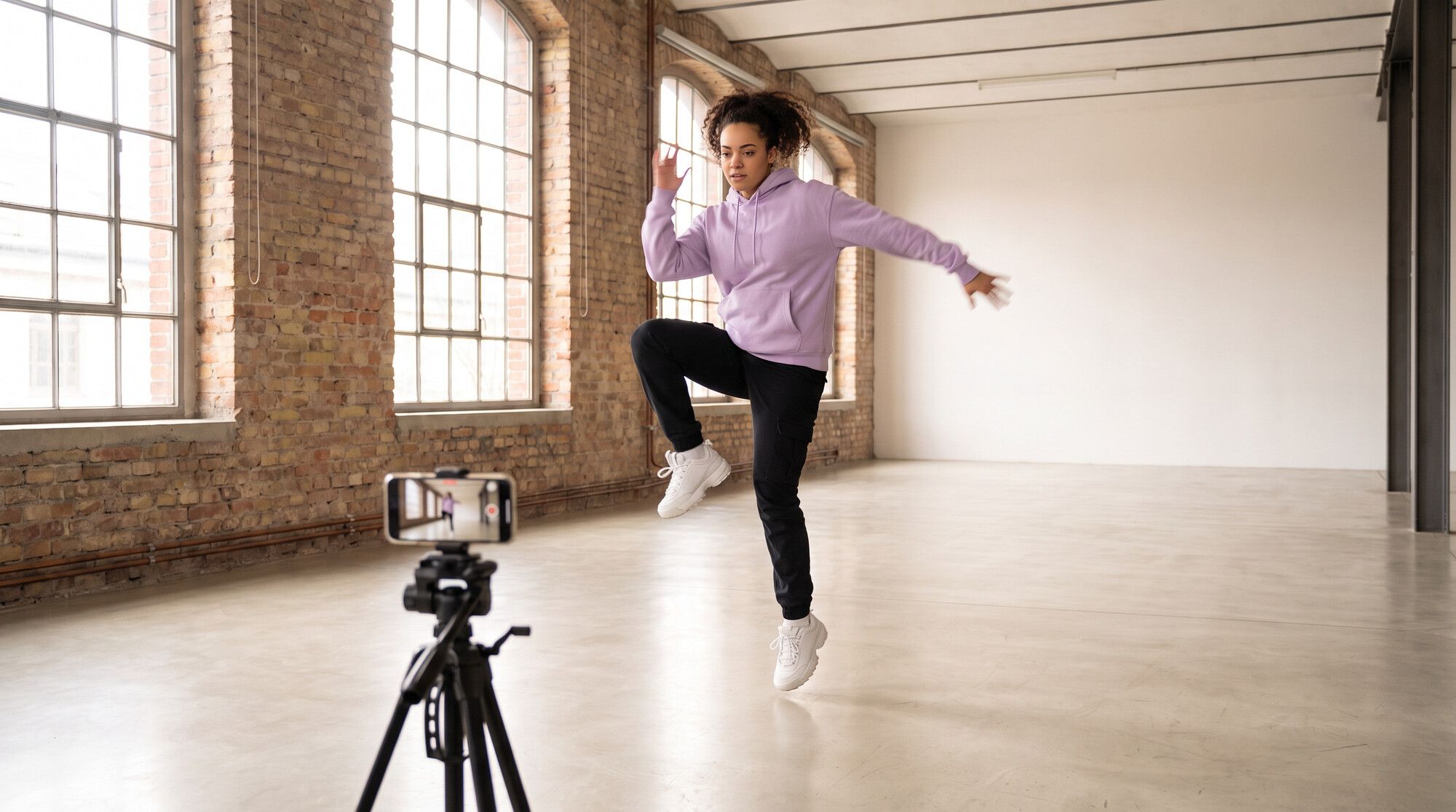
We took a photo of a fictional woman in an empty loft: full body, relaxed pose, room around her to move.
The photo went in as the first frame in Gemini Omni. The prompt lists the moves in order, a static camera at chest height and a beat:
The young woman from the image starts dancing an energetic hip-hop routine
in the empty loft studio: two-step bounce, arm waves, a body roll, a quick
spin and a confident freeze pose at the end, smiling. Static camera at chest
height, her whole body from head to sneakers stays in frame the entire time,
smooth natural motion, single continuous shot. Keep her face, hair and
clothes exactly as in the image. Sound: upbeat hip-hop instrumental beat.
No text.
The model nailed the bounce, the arm waves and a full turn with her back to the camera — and her face came back unchanged after the spin. Instead of a freeze at the end, she struck a hand-on-chin pose: the model reads final poses loosely. The sneakers and hoodie stay the same throughout, and the feet don’t slide across the floor.
Dancing in a new setting: the photo as a reference
If the background in your photo is dull, upload it as a reference and describe the scene in words. The person moves to a rooftop, a club or a beach with the same face and clothes.
Vertical video at sunset on a city rooftop: the young woman from the
reference photo (curly dark-brown high ponytail, lilac hoodie, black cargo
pants, white sneakers) dances a joyful shuffle dance step with quick
crisscross footwork and arm swings, the city skyline glowing orange behind
her. Low-angle camera slowly circles around her, full body always in frame,
single continuous shot. Keep her face exactly as in the photo. Sound: upbeat
electronic house music, light wind. No text, no logos.
The face, the curly ponytail and the outfit carried over from the photo unchanged; the sunset and city lights were the model’s own. The crisscross shuffle is on the beat. The model skipped the orbiting camera: the camera stays put and she turns instead. If an orbit matters, make it the first sentence of the prompt and drop other camera directions.
Trending AI dance prompts: 6 scenes
The formula: who (from the photo, or a description) + where + the dance step by step + camera + music. The scenes below follow the most popular trends. Swap in your own description of the person.
Parking lot dance at night.
At night in an empty parking lot lit by orange street lamps, the person from
the photo dances a confident slow hip-hop groove next to a parked car,
puddles reflecting the lights. Static camera at a distance, full body.
Sound: deep bass beat.
Gas station dance.
At a gas station at night under bright white canopy lights, the person from
the photo starts dancing between the pumps, arm waves and a spin, then
leans on the car and smiles. Handheld phone camera. Sound: catchy pop beat.
First dance at a wedding.
The bride and groom from the photos slow-dance in the middle of a decorated
hall, he spins her under his arm, guests in soft focus film them on phones.
Warm string lights. Sound: soft piano ballad.
Office flash mob.
In an open-plan office, the person from the photo stands up from a desk and
starts dancing, two colleagues join in sync behind them. Wide static shot.
Sound: upbeat disco track.
Dancing in the rain.
The person from the photo dances freely in the rain on an empty city street
at night, splashing in puddles, arms wide open, laughing. Slow motion,
medium-wide shot. Sound: rain and a soft piano melody.
Dancing with a pet.
The person from the photo dances in a sunny living room while a small dog
jumps around their feet and spins on its hind legs. Static camera, full
body. Sound: happy pop song.
A couple’s dance and a kiss from two photos are in the AI kissing video guide; a dancing cat is in our AI cat video article.
How to copy a specific dance from a video
A prompt describes moves in words, and that can’t capture the exact choreography of a trending dance. For that there’s the motion reference: you attach a short dance clip plus your photo, and the model transfers the moves onto you.
- Gemini Omni 1.2 Flash accepts reference videos: up to three clips for a 3–10 second generation and one for 11–15 seconds.
- Kling Motion Control is built for motion transfer: a photo of a person plus a dance video. See the Kling Motion Control guide for details.
Use your own reference clip or one filmed with the creator’s permission: someone else’s social media video may be protected by copyright.
What photo works best for a dance
- Full body, from head to shoes. From a waist-up portrait, the model has to guess the legs.
- Space around the person, so arms and legs don’t leave the frame mid-move.
- Facing the camera or slightly turned, face visible, no sunglasses.
- A relaxed pose: arms down, not crossed or in pockets — from a closed pose the dance starts with a jerk.
- Clothes that show movement: a hoodie, a dress, trousers. A very long coat often blends into the legs.
- Even light without strong backlight: a silhouette against a window gives a dark face for the whole clip.
Limitations
- Length. One Gemini Omni 1.2 Flash generation runs up to 15 seconds. A longer dance is stitched from several clips.
- Acrobatics. Flips, breakdance on hands and lifts produce artifacts more often than steps and arm moves.
- Final poses and camera moves aren’t always followed literally: in our test the model skipped the orbit and changed the closing pose.
- Other people’s faces. Google doesn’t let you upload images of recognizable public figures to Gemini Omni. A dance “like a famous creator” is made with your face, not theirs.
- Watermarking. Gemini Omni clips carry an invisible SynthID watermark.
Bottom line
An AI dance video works best from a full-body photo and a prompt that lists the moves step by step and adds a line about music. To keep the same setting, use the photo as the first frame; for a rooftop, a club or a sunset, upload the photo as a reference and describe the scene. For an exact trending choreography, add a motion reference video. Dances from a photo, in a new scene and from a reference are all made in the AI2Face generator, with the cost shown before each run; to animate a photo without a dance, see the guide on how to animate a photo.
FAQ
How do I make an AI dance video from a photo?
Upload a full-body photo as the first frame in a video model such as Gemini Omni and describe the dance step by step: the moves, where the camera is, what music plays. In about a minute you get a clip with sound.
Can I make an AI dance video for free?
Yes, for a test. AI2Face gives you welcome credits when you sign up — enough for a short clip. The cost is shown before you start, and the service adds no watermark to the result.
How do I copy a trending dance?
Two ways. Describe the moves in words and the model performs them from the prompt. Or attach a short dance video as a motion reference: Gemini Omni 1.2 Flash accepts up to three reference videos, and Kling Motion Control transfers choreography from a video onto your photo.
What photo do I need for an AI dance?
A full-body photo, from head to shoes, with space around you. Facing the camera, even light, arms not crossed. A waist-up portrait won't work: the model has to invent the legs.
Can I make two people or a pet dance?
Yes. For a couple, attach two photos as references and say who stands where. For a cat or a dog the method is the same as for a person — see our AI cat video guide for an example.
Sources
3
- https://ai.google.dev/gemini-api/docs/omni
- https://cloud.google.com/blog/products/ai-machine-learning/gemini-omni-1-2-flash-generally-available
- https://blog.google/innovation-and-ai/products/nano-banana-pro/